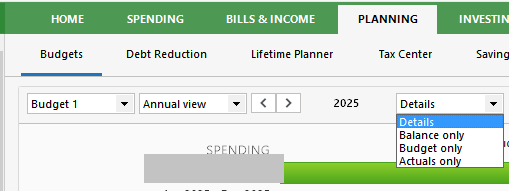
I can change the budget view to show only budgeted amounts. How can I create (and/or export) a report of only my budgeted amounts by subcategory and month?
If you're using the Deluxe or higher feature level, select the Planning tab, Budgets view. Change the selection field from Details to Budget only
Print this view using CTRL-P or File / Print Budgets