How to find last transaction changed

jarhtmd
jarhtmd Member ✭✭✭

I sometimes get a pop-up "You have changed the last transation. Do you want to save it? Yes No Cancel" (or similar wording). I last got that message immediately after clicking to manually Backup. I had been looking around, copy/paste, adding new transactions, etc. Maybe I had accidentally changed something. I don't know. I finally said "yes, save" (with my fingers crossed).

I'm using Windows Quicken2007 . . . I know it's old, but so am I. I only use Quicken for simple stuff; bank accounts, mutual funds, credit cards, etc . . . no downloading transactions (all manually keyed or copy/paste)

Is there a way to jump to or otherwise identify that transaction?

Answers

  • Rocket J Squirrel
    Rocket J Squirrel Quicken Windows Subscription SuperUser ✭✭✭✭✭

    I never found a way. Does your dialog really include Cancel? If so, I'd cancel and have a look around. My dialog in the QWin Subscription version does not include Cancel.

    save.png

    Quicken user since version 2 for DOS, as of 2025 using QWin Premier (US) on Win10 Pro & Win11 Pro on 2 PCs.

  • jarhtmd
    jarhtmd Member ✭✭✭

    Thanks, Rocket J Squirrel, for your reply.

    Capture.JPG

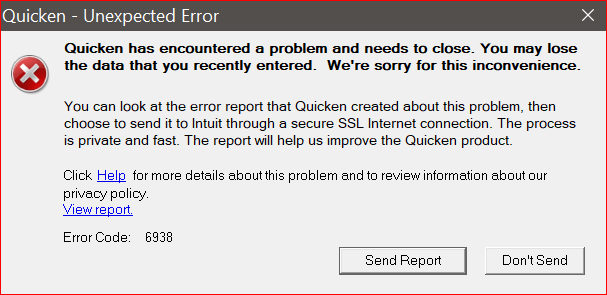
    Yes, my Q2007 does include "Cancel". It appears that "Cancel" will (maybe only sometimes) take me back to the changed transaction. "Backup" took me back. Other scenarios, like changing to another account (and then "Backup"??) didn't seem to always work. I eventually got the following Error & stopped testing w/o sending the report.

    I'm not sure if I've ever used "Cancel" before. That seems to often be the best choice, after being more careful.

    image.png
This discussion has been closed.