Never saw this in all my years using Quicken. Looking for answers…
I updated Quicken Classic Premier on 2 computers to R63.21 and both run just fine.
On only 1 computer, after Quicken opens and is running, I can go to Task Manager and it also shows a Quicken exe file installing even though Quicken is running fine, This file shows to be a Quicken Patch exe that is installing. WHAT is this?????? When it shows in Task Manager to have installed that Quicken icon goes away in Task manager. If I close Quicken while this file is installing and try to shut down the computer I can't shut down the computer until the patch is installed. This occurs each time I use Quicken and only on this 1 computer. Screenshots below show better than I can explain.
Shot 1: Shows Task Manager and Quicken Running 32 as it should show.
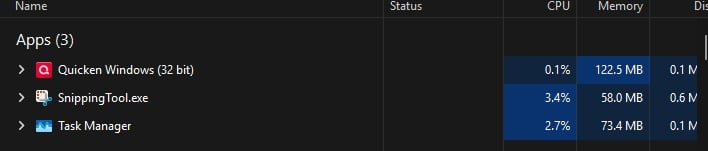
Shot 1.1 Shows Properties of Quicken shown in Shot 1 above.
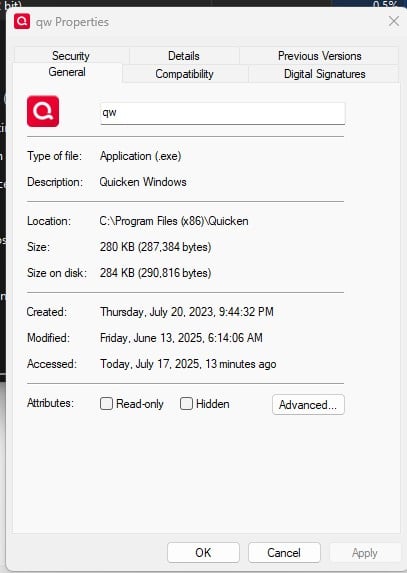
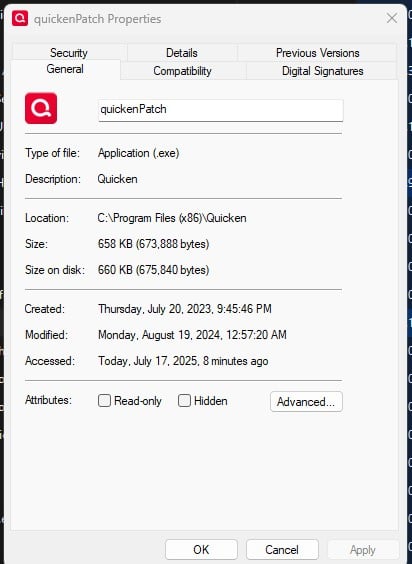
Shot 2: Shows Task Manager and the Quicken Patch exe installing even though Quicken is already running fine.

Shot 2.2 shows Properties of Quicken of Shot 2 and calls it Quicken Patch. Note that it shows to have been created in 2023 and modified in 2024??????
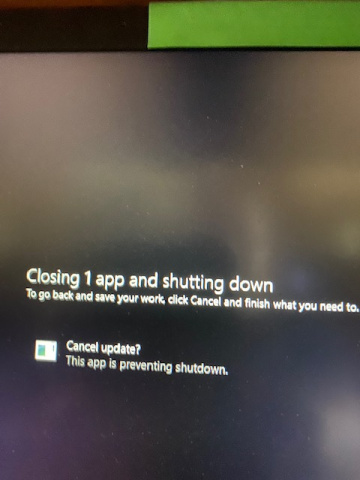
Shot 3 show message when I try to shut down computer before the patch exe completely installs.
This Patch install issue repeats each time I run Quicken on this one computer.
LOOKING FOR ANSWERS….. thx
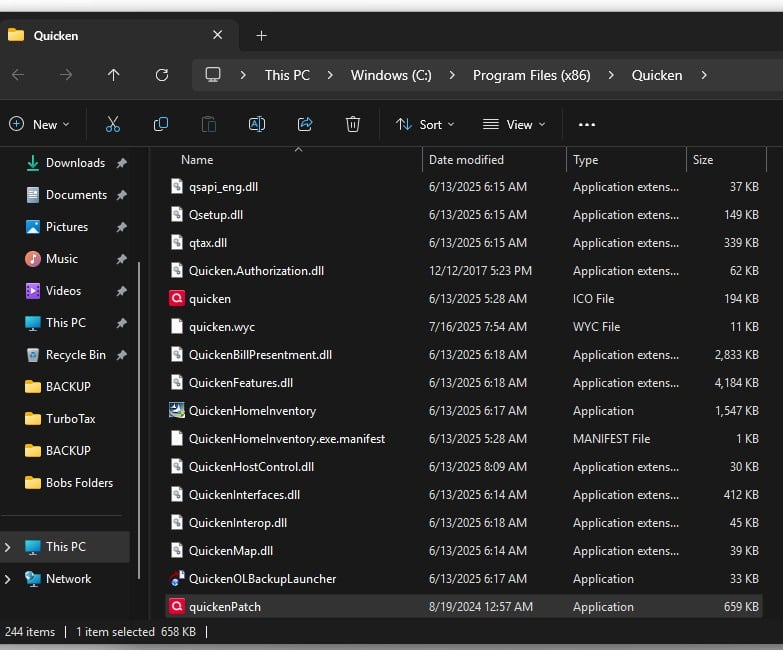
SHOT 4 IS qUICKEN pATCH FILE LOCATION:



![Photo of [Deleted User]](https://us.v-cdn.net/6031128/uploads/defaultavatar/nTYA6S0SVB4GN.jpg)