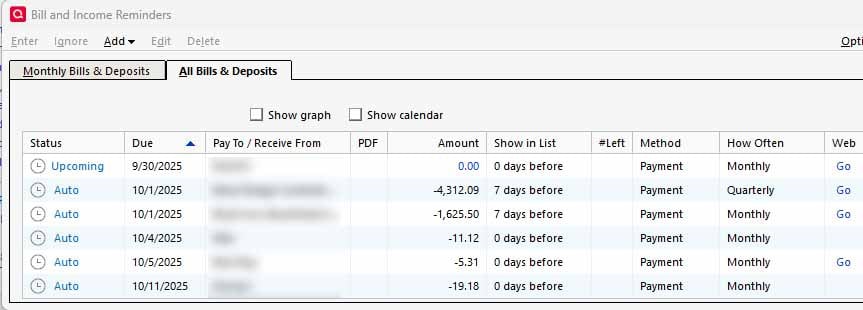
How do I edit the "Web" link in the Manual Bill and Income Reminders

James118
James118 Quicken Windows Other Unconfirmed, Member ✭✭✭
image.png Web Link 1.jpg

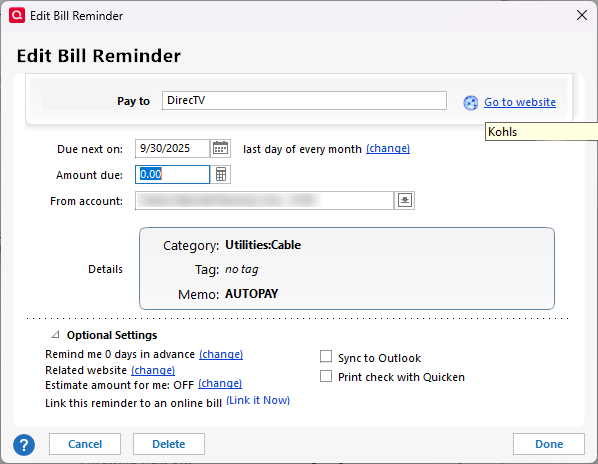
The web links were added during the update to R64.19. In the screen grab, you can see when I hover over the link for DirecTV, it is pointing to Kohls. Not sure if it is related, but DirecTV was previously an online biller but is no longer available as an online biller since the update.


Comments

  • mshiggins
    mshiggins Quicken Windows 2017 SuperUser ✭✭✭✭✭

    In the Edit Bill Reminder screen shown in your first picture, in the Optional Settings section, click Change next to Related Website.

    Quicken user since Q1999. Currently using QW2017.
    Questions? Check out the Quicken Windows FAQ list

  • James118
    James118 Quicken Windows Other Unconfirmed, Member ✭✭✭
    edited September 23

    Well, that was embarrassing! :-) Thanks for the reply.

  • James118
    James118 Quicken Windows Other Unconfirmed, Member ✭✭✭

    It looks like the same data from the R64.19 conversion that is in my Biller memos, is the same data that is in the Related Website. Now if I can just figure out how to remove that!

This discussion has been closed.