This discussion was created from comments split from:
Quicken requests account re-authorization for Fidelity on every one step update
.
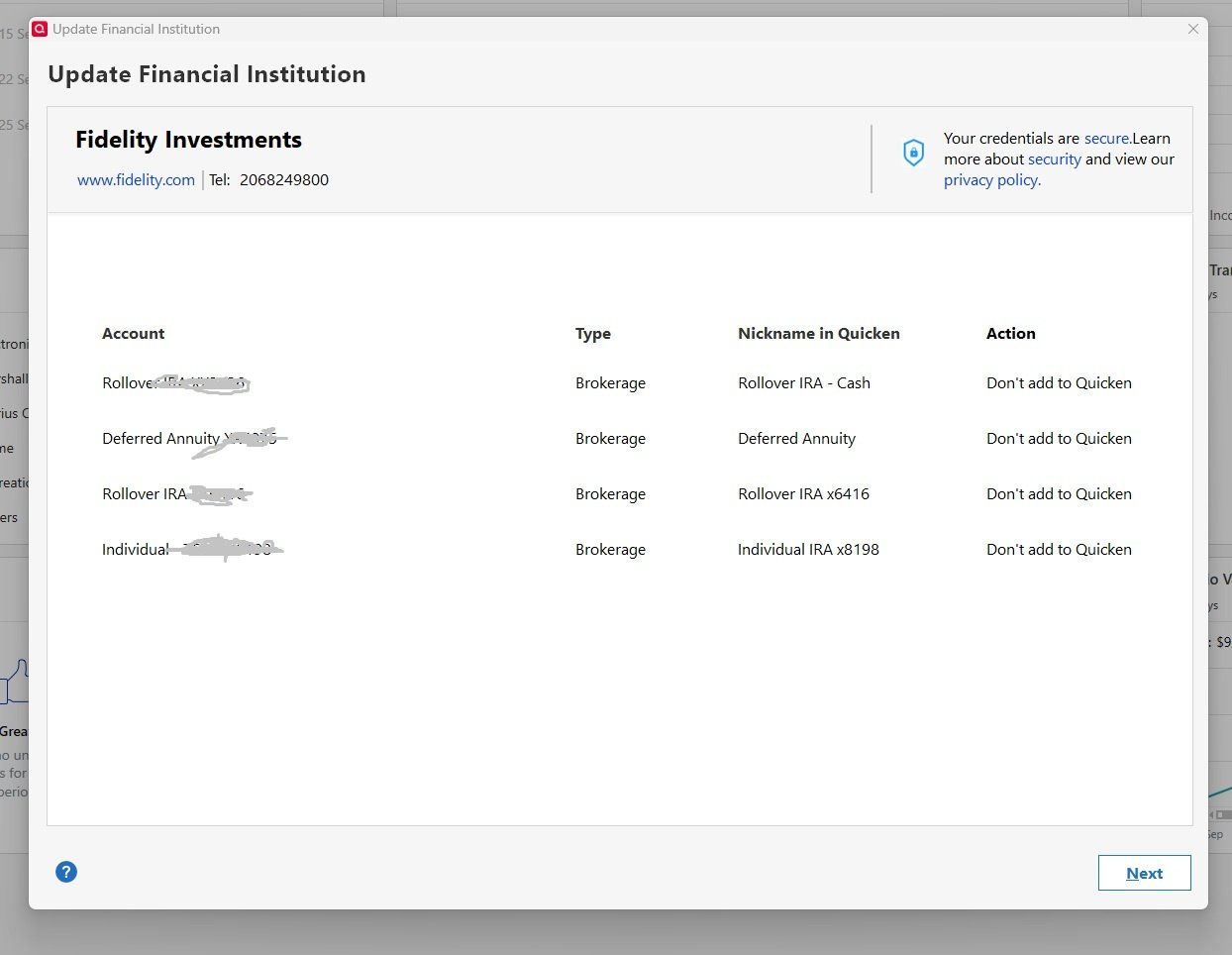
I'm stuck in a Fidelity Reauthorization loop. I go through the steps to reauthorize my accounts. Fidelity webpage says the accounts are now linked, but when the Quicken Classic screen appears, I see my accounts listed, but no way to add them to Quicken. As you see in the screen shot, the Action column says "Don't Add to Quicken." There's no way to change this action. When I try to download transactions again, I'm presented with the "Financial Institution (Fidelity) needs an update…" My Quicken file is saved locally.
Hello @Charles Hadlock ,
Thank you for posting, I split your issue into it's own discussion.
I am sorry to hear you are seeing "Don't add to Quicken" when trying to reauthorize.
To resolve this please do the following:
1. Save a Backup. Steps can be found in this article if needed.
2. Disconnect ALL Fidelity accounts in Quicken. Here are the steps on how to do that.
3. Revoke Quickens Third-Party Access from the Fidelity website.
4. Add accounts back into Quicken
When adding the accounts, after you are redirected to the bank's website. Once back in Quicken, you will want to make sure you choose the "LINK to existing" option for any of the accounts that were already in Quicken.
Let me know if this resolves the issue.
After a week of successful downloads using EWC+, this morning I got a request to reauthorize Fidelity accounts. Reauthorization fails and cannot access Fidelity data.
I deactivated connection to all Fidelity accounts and re-added Fidelity Investments.
The process reauthorized accessed and brought up the list of my online Fidelity accounts to link to the Quicken accounts.
After about a 10 minute wait of "Updating Accounts'" new transactions were downloaded and the connection appears okay.
As a test, I did an OSU and all accounts connected without errors.
EWC+ for Fidelity is proving to be unreliable and unpredictable.
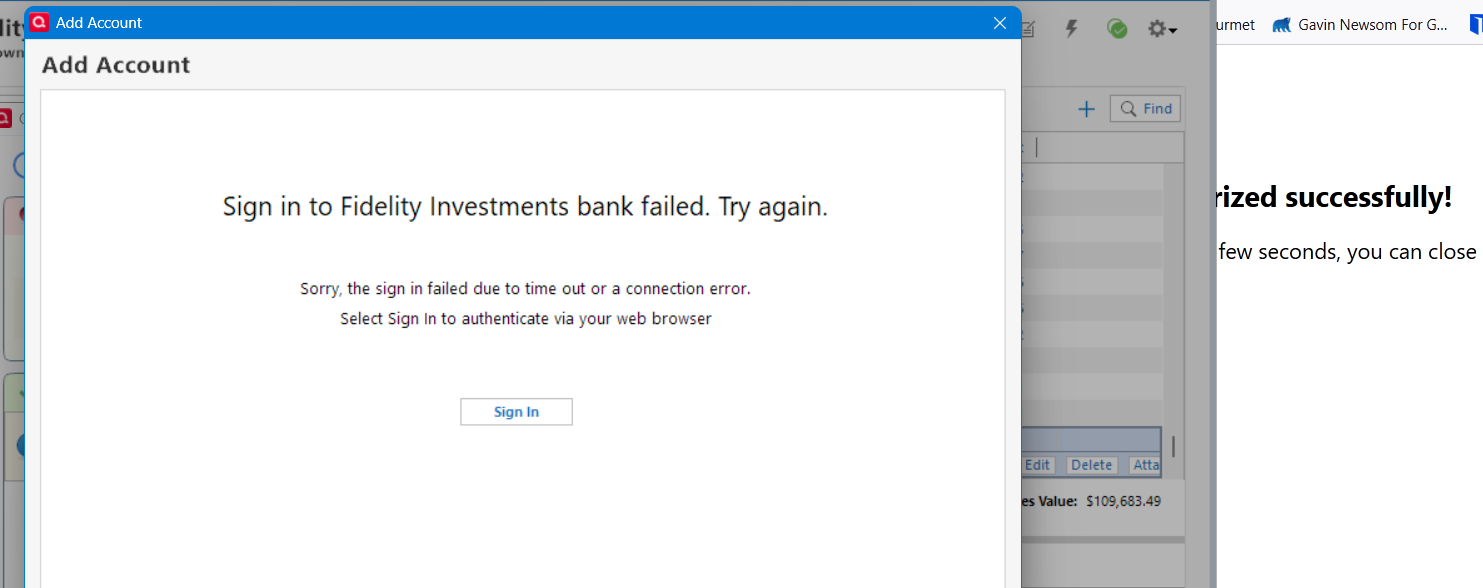
Same problem here. It seems to successfully complete the re-authorization process (I did it twice) but then doesn't update the account transactions and continues to say Fidelity is requesting re-authorization. Looks like a bug….
Same issue here with respect to the loop. Are we supposed to follow the above recommendation from
Quicken Alyssa Quicken Windows Subscription Moderator modSeptember 23?
Quicken Alyssa
Quicken Windows Subscription Moderator mod
September 23
If so, where (or how) to I complete step 3 (Revoke Quickens Third-Party Access from the Fidelity website)?
Revoke Quickens Third-Party Access
After disconnecting Quicken access to all Fidelity accounts, I re-added Fidelity Investments to Quicken and followed the prompts to re-link the existing Quicken accounts per
I did not perform Step 3 to revoke 3rd party access since I, also, did not know how to do that. The re-add seems to have fixed the issue for me.
Hello All,
Thank you all for adding to this discussion with your progress, thoughts, and concerns. I do apologize for the continued reauthorization prompts you are running into.
Some of you weren't sure how to revoke third party access from the Fidelity website, which was step 3 in the instructions I provided above. This step should really not be skipped, as it forces the creation of a new "token". If there are issues with your current token, this step is vital.
While I personally don't have Fidelity accounts to be able to tell you exactly where to go to find it, I can tell you that it is on Fidelity's website. You would log in and it can usually be found under Privacy and Security settings.
Alternatively, some financial institution websites have a search function you can use. Type in "third party", or "Quicken" and see if that brings you to where you need to be.
I did also find this information on the Fidelity website, but cannot guarantee it's validity, as I am not employed or affiliated with them.
@leishirsute,
I am sorry this experience feels unreliable thus far, but I am happy that you got it working for now. Let us know if that changes.
Hope this helps!
Thank you, Alyssa. Those steps worked for me. -Charles
Hello @Charles Hadlock,
Thank you for coming back to let us know the steps worked!
If you need more help in the future, don't hesitate to reach back out.
Thanks again!