Correcting cost basis

michmom23
michmom23 Quicken Windows Subscription Member
edited October 23 in Investing (Windows)

I've seen previous threads but not sure how to fix. I know I'm displaying old transactions, but this is where the problem started…I have an investment account that contains money market funds. I've validated my price history is always $1. Yet, the cost basis is totally out of whack.

For example, this is the original transaction (and I also deleted and re-entered).
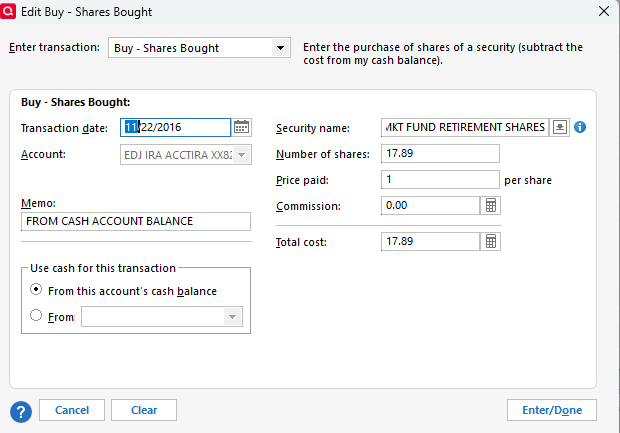
image.png

But, when I go to holdings for the same date:

image.png image.png

Note that on 11/21/2016, there were no money mkt holdings.

How can the total cost basis be $17.84 when it should be $17.89 and how can I correct this?

The bottom line is that the cumulative transactions as of today show a significant loss on the investment which I know is incorrect.

Thanks.

Answers

  • q_lurker
    q_lurker Quicken Windows Subscription SuperUser ✭✭✭✭✭

    My sequence of steps would be

    1. Set the option for that holdings view to “Show closed lots”. Set the as of date back to 11/21/2016 to see if a negative basis existed before that transaction. If not, …
    2. Backup the file
    3. from the account transaction list, Ctrl-z to recalculate the account. No change…
    4. File > Validate and repair file (basic; no options). No change …
    5. File> Validate and repair file checking option to Rebuild investment lots
  • miklk
    miklk Quicken Windows Subscription SuperUser, Windows Beta Beta

    You may also want to bring up security list and click on that security. That will bring up a popup screen and in there should be a list of all transactions to see if you can spot some erroneous entry.

This discussion has been closed.
