Anyone having problems adding/linking Paypal Credit account access (Win 11)
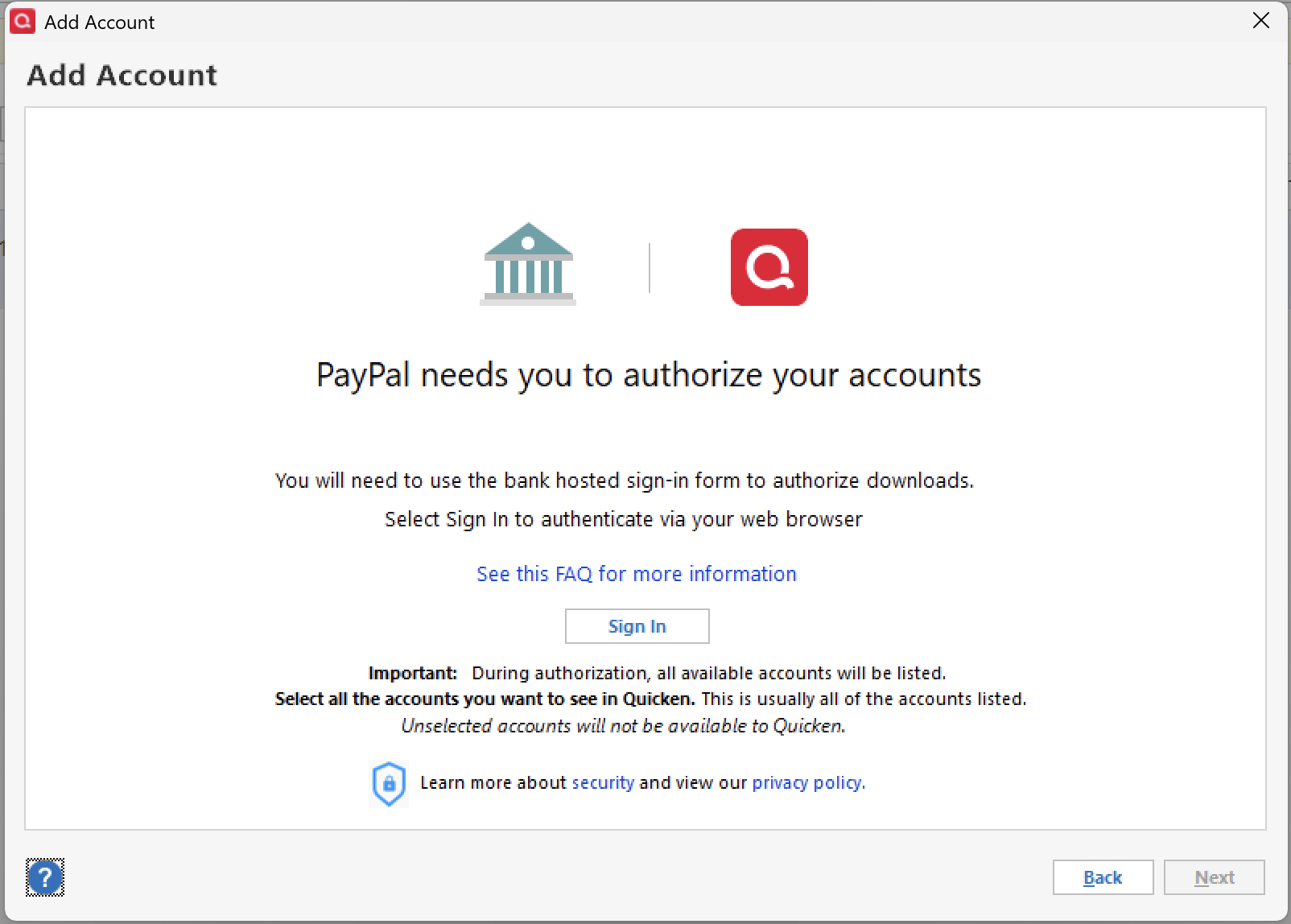
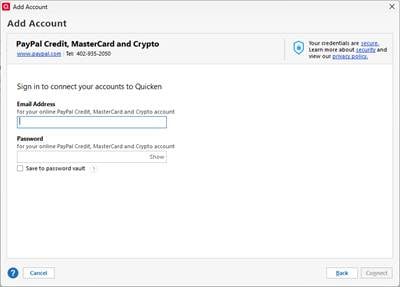
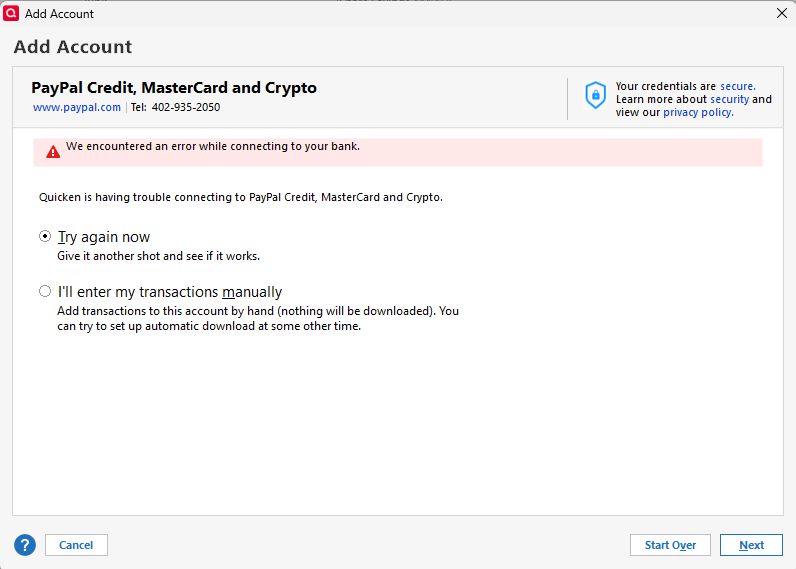
Using Quicken classic on a Windows 11 PC. My Paypal Credit account had been working fine for months until a week or so ago and then stopped updating. I tried resetting and even tried to re-add the account, but I can no longer connect with the Add Account wizard (see screenshot).
Also to note, this account has recently been upgraded to a Paypal credit card (via Synchrony Bank) so not sure if that may have played a factor. I can log-in via web browser without any issues.
Problem has been going on for 1 or 2 weeks now. I did submit a "Report a problem" via the desktop app.
Best Answer
-
UPDATE: Today, I contacted Quicken Support and we were able to verify using a brand new (test) Quicken file that the Paypal Credit, Mastercard, Crypto option in the Add Account wizard is a legacy setting that does NOT use the newer EWC methods…thus, it does not work with the new/upgraded Paypal credit card. Furthermore, using just the Paypal option to add in Quicken DOES use EWC but will not give you the option to add the new/upgraded credit card account.
This is believed to be an issue that Paypal needs to address as the Quicken Add Account wizard connects only using the methods provided by Paypal to Quicken.
0
Answers
-
Hello @Slick8791,
Thanks for posting your experience — that information is helpful to see.
The change with PayPal/Synchrony is definitely a possible culprit. It might be worth reaching out to the financial institution to ask how this account should now be connected in Quicken.
Looking at your logs, I see attempts to connect to Synchrony Bank Credit Cards that resulted in an invalid credentials error. I don’t see any errors for PayPal Credit, MasterCard and Crypto.
If the institution can’t shed any light or provide a fix, I think the best next step is to contact Quicken Support directly so they can dig into it more deeply and escalate if needed.
Hope this helps!
Quicken Alyssa
Make sure to sign up for the email digest to see a round up of your top posts.
1 -
Update: I guess I marked this Answer too soon. Connected with Paypal support and they said I should select the EWC option when adding the account to get the authorization linked. I've done this with other bank accounts so I'm familiar with that process but there is no prompt - or Advanced Setup option - when adding a Paypal Credit account in the Add Account wizard. They said to contact Quicken support.
0 -
Hello again @Slick8791,
Thank you for following up with additional details.
You said you contacted PayPal support. Were they telling you to connect to the PayPal instance in Quicken or the Synchrony one you were trying before? Because with the PayPal instance, it does take you through an authorization process, which sounds like what they were describing.
Let's try using PayPal to bring in your account.
Let me know how it goes!
Quicken Alyssa
Make sure to sign up for the email digest to see a round up of your top posts.
-1 -
I am having the exact same issue on 10/5/25. Any progress on Quicken's end? I too believe this is related to the switch to a PayPal MasterCard.
2 -
And I tried connecting to "Paypal," rather than "Paypal Credit, Mastercard. and Crypto," but all it did was bring in my "regular" Paypal account. Still can't connect to the Mastercard account.
0 -
Hello @sghesq,
Thank you for adding to this discussion with your experience.
After reviewing your account internally, I do not see any errors from our end. What is happening on your side of things?
- Are you getting any error messages?
- Do the accounts update successfully, but not bring in any new transactions?
- Does the update complete, indicate it downloaded new transactions, but they don't show up in Quicken?
These answers will help me determine how to proceed.
Thank you!
Quicken Alyssa
Make sure to sign up for the email digest to see a round up of your top posts.
0 -
Hi Alyssa!
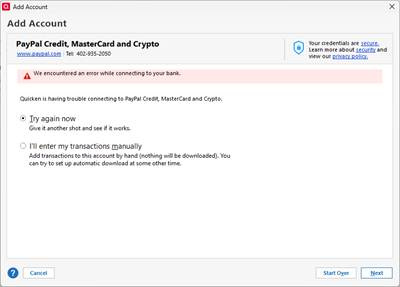
- The error I get is: "We encountered an error while connecting to your bank. Quicken is having trouble connecting to PayPal Credit, MasterCard, and Crypto." I am then given a choice to "Try again now" or "I'll enter my transactions manually." Trying again results in the same error.
- No, the account does not update - I cannot connect to it and I cannot reset it or re-add the account.
- No, the update does not complete. As stated, the account does not connect and I cannot re-add it to Quicken.
Thank you!
1 -
Hello again @sghesq,
Thank you for providing the additional information.
I checked internally and saw your attempt to connect just a few minutes ago. However, I still don't see any errors.
With this being the case, it will be best for you to contact Quicken Support directly for further assistance with this issue. They have access to tools that we don't, in the Community. They will be able to take a deeper look at the issue and investigate/escalate accordingly.
I do hope they are able to find a resolution for you.
Let me know how it goes!
Quicken Alyssa
Make sure to sign up for the email digest to see a round up of your top posts.
0 -
I’m experiencing the same issues as reported above. Here is what I have experienced in case it sheds some light on our problem connecting Quicken to our PayPal MasterCard Credit account.
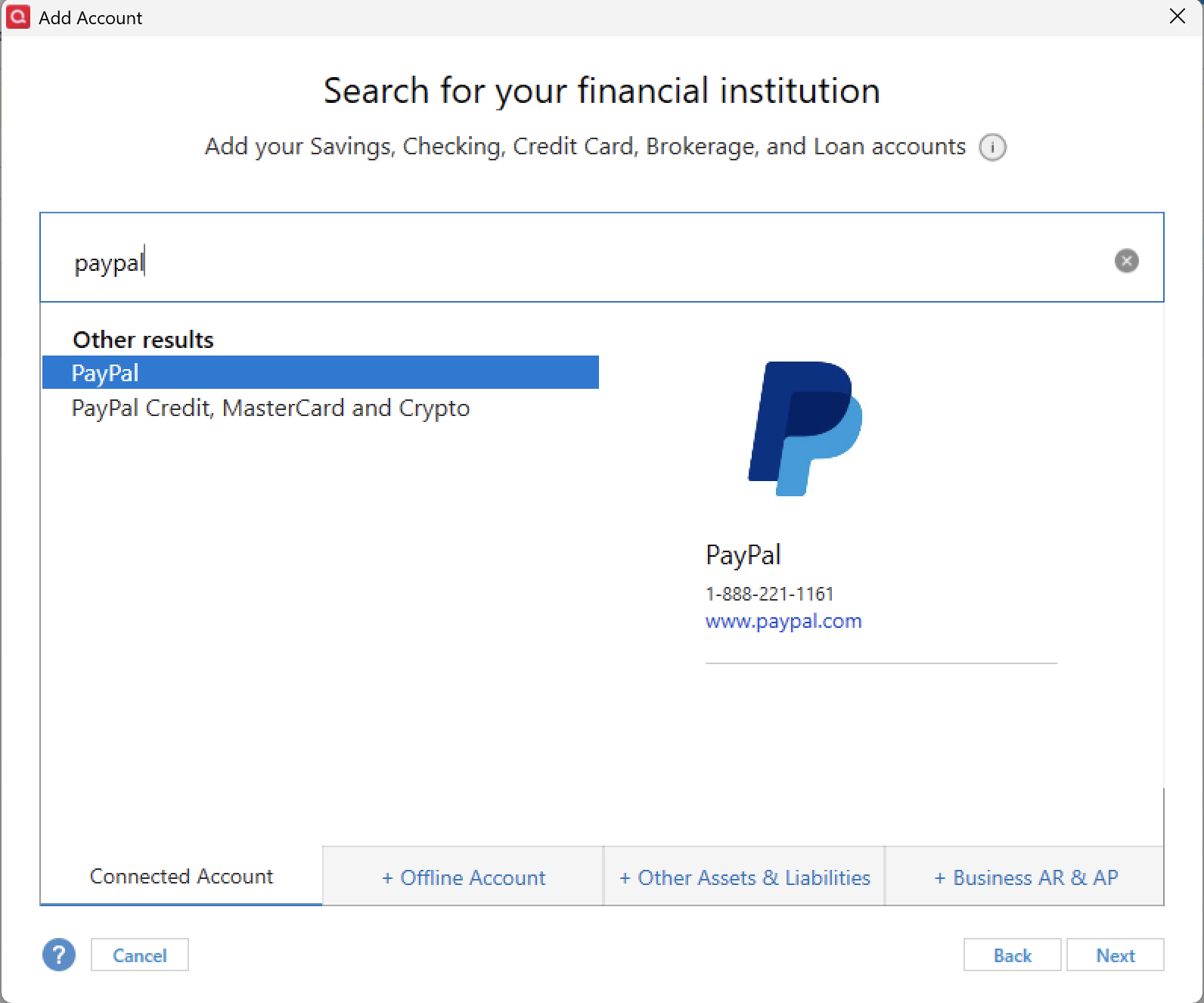
When you add a new account, you are shown 2 options:
- PayPal
- PayPal Credit, MasterCard and Crypto
When selecting PayPal, it takes you to the screen indicating you need to use the bank-hosted sign-in form to authorize downloads.
After completing that, it allows me to connect to the regular PayPay transactions (not the PayPay Credit Card transactions).
When selecting PayPal Credit, MasterCard and Crypto, it takes you to the Quicken form that is requesting your PayPal Email and Password. It is NOT sending you to use the bank-hosted sign-in form to authorize downloads.
After completing that, it shows the same error as others reported.
It seems to me that both PayPal and PayPal Credit, MasterCard and Crypto should be directing you to use the PayPal hosted sign-in form to authorize downloads. Why is it not doing that?
BTW, I have not received any information from PayPal indicating that my PayPal MasterCard is tied to Synchrony Bank.
1 -
Your outline is the process I have been referring to and what seems to be the step broken in the process. There is no way to select the EWC connection option via "advance setup" when Adding (New) Account.
Paypal Support (if you can actually call it that) indicated this was the necessary step and points to Quicken Support as whom to contact. Given other posts in this discussion, it seems I am not the only one with the exact issue and assume it to be related to the switch over to a credit card account vs the legacy credit account.
I'll try opening a support case with Quicken to see if any gains can be achieved.
PS What would be helpful is if a moderator can unmark this thread as "Answered" as the issue has not been fixed yet,
2 -
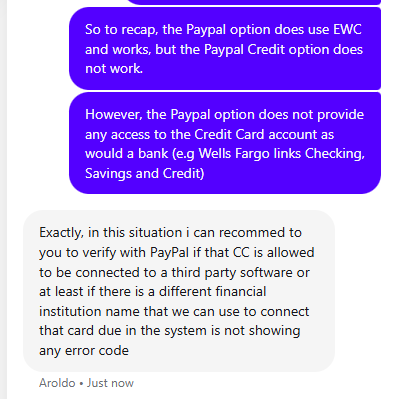
UPDATE: Today, I contacted Quicken Support and we were able to verify using a brand new (test) Quicken file that the Paypal Credit, Mastercard, Crypto option in the Add Account wizard is a legacy setting that does NOT use the newer EWC methods…thus, it does not work with the new/upgraded Paypal credit card. Furthermore, using just the Paypal option to add in Quicken DOES use EWC but will not give you the option to add the new/upgraded credit card account.
This is believed to be an issue that Paypal needs to address as the Quicken Add Account wizard connects only using the methods provided by Paypal to Quicken.
0 -
Hello @raisleger,
Thank you for adding to this discussion and providing those details.
Thanks for the info you shared! And thank you for reaching out to both Quicken support and PayPal support.
A few quick questions to help better understand the issue:
- Who was the PayPal Credit account originally issued through before the upgrade to Synchrony?
- Do you know approximately when that switch to Synchrony took place?
- Did the account type change during the upgrade (e.g., from a credit line to an actual credit card)?
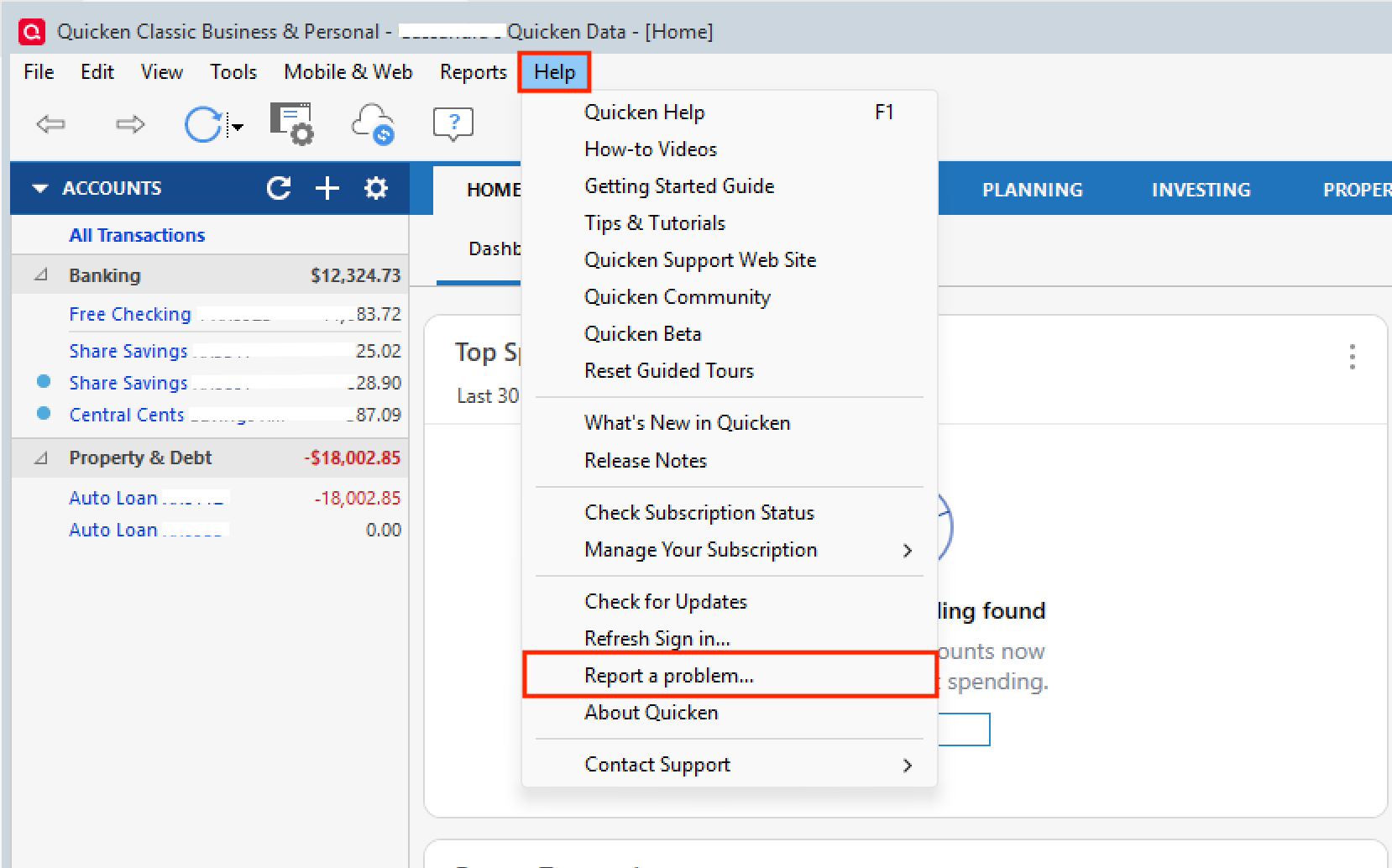
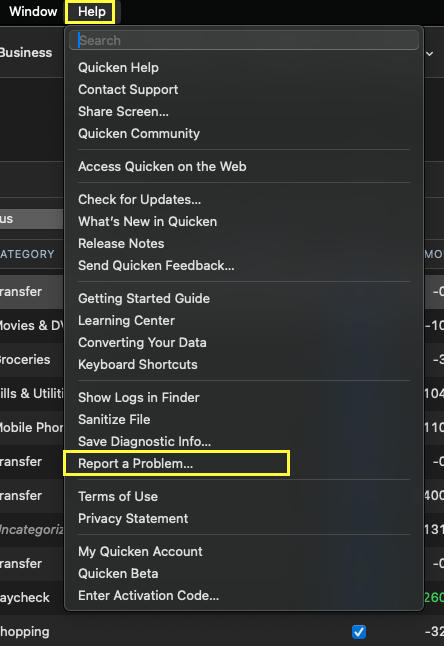
Also, can I have everyone go to Help>Report a problem>Send to Quicken.
Slick, I know you already did, but log files are only good for 7days, so if we end up escalating this, we will need new ones.
Thank you!
Quicken Alyssa
Make sure to sign up for the email digest to see a round up of your top posts.
1 -
Been having this issue for weeks.
[Removed-Rant]
0 -
Thanks for the follow-up engagement. In answer to your questions:
- It was originally issued directly through PayPal as a simple/small Paypal credit line (no third-party bank).
- I was notified via email from PayPal of the upgrade to a PayPal Credit Card last month (September 10th).
- I received the physical credit card last week and activated it. Also, I noticed that the new PayPal Credit Card website page has a banner that says, "Due to your account upgrade, the amounts displayed may not be updated yet."
- I'm more than happy to provide more log files as needed to help resolve this issue. This issue does appear to be related - at least from a timing perspective - to the upgrade of a physical card as I had no issues whatsoever with the legacy PayPal Credit connection.
Please feel free to reach out if you - or the support team - needs anything additional to help your troubleshooting efforts. Thanks again for keeping an eye on this issue for us!
Cheers!
0 -
Hello All,
We will be forwarding this issue to the proper channels to have this further investigated.
If you have not already, we request that you please navigate to Help > Report a problem within your Quicken program and submit a problem report with log files and screenshots attached in order to contribute to the investigation.
It would also aid the investigation to include a sanitized file when submitting the problem report. A sanitized file is a data file that removes personally identifiable information so you can comfortably share this file with the Quicken team.
While you will not receive a response through this submission, these reports will help our teams in further investigating the issue. The more problem reports we receive, the better.
We apologize for any inconvenience in the meantime!Thank you.
(CTP-14865)
Quicken Alyssa
Make sure to sign up for the email digest to see a round up of your top posts.
1 -
I'm having the same problem when I try to connect to PayPal Credit, MasterCard and Crypto. It doesn't matter who dropped the ball here, but it sure would be nice if we could FIX it!
0 -
Hello @SoopaNtz,
Thank you for chiming in on this discussion.
If you would like to be added to the ticket and aid in our investigation of this issue, please go to Help> Report a problem and send your log files to Quicken.
Let me know once you have sent them over so I can add them.
Thank you!
Quicken Alyssa
Make sure to sign up for the email digest to see a round up of your top posts.
0 -
@Quicken Alyssa Still no luck, but I did send a new Report a Problem today and included the sanitized data file as requested.
0 -
I am havin the same issue when trying to add the account paypal Credit, MasterCard and Crypto we encounted an error while connecting to your bank. Its been happening for a while now any update on getting this corrected?
0 -
Hello @Slick8791,
Thank you for that! I updated those on the ticket.
Thank you for adding to the discussion and sending in your logs as well. I have added you to the ticket as well.
Thank you both!
Quicken Alyssa
Make sure to sign up for the email digest to see a round up of your top posts.
-1 -
I am also having this same issue. I'm not sure exactly WHEN this broke but it is not possible anymore to download transactions from PayPal Credit into Quicken.
1 -
Been having the problem for months. Before PayPal moved from PayPal Credit to the PayPal Credit card, it quit working. Now that they have updated to the new PayPal Credit card services, I am getting an error that says the password is wrong when it is absolutely correct. [Removed-Rant/Speculation]
2 -
Hello All,
Thank you for updating the thread.
This issue is till being investigated. If you have not already, please go to Help > Report a problem within your Quicken program and submit a problem report with log files and screenshots attached in order to contribute to the investigation.
Let me know once you have so I can add you to the ticket.
Thank you!
[CTP-14865]
Quicken Alyssa
Make sure to sign up for the email digest to see a round up of your top posts.
-1 -
This content has been removed.
-
@Quicken Alyssa I just submitted my Report a Problem for the PayPal issue.
1 -
Quicken Alyssa
Make sure to sign up for the email digest to see a round up of your top posts.
-1 -
This content has been removed.
-
So its great adding us to the ticket, but what is currently being DONE about the issue? What is the problem?!
0 -
I too have been having this issue. Just no time too look into what is going on. I am not that computer literate so this Report a problem with sanitizing files etc. makes my head spin. I guess I will just wait until Quicken fixes the issue.
0 -
Hello All,
Thank you for adding to this discussion.
We create these types of tickets so our product development team is made aware of these issues and can work toward a resolution on them.
You can totally wait it out if you want, no pressure.
If either of you wishes to aid in the investigation of this issue, please go to Help>Report a problem>Send to Quicken from within your Quicken software. If you do choose to do this, let me know so I can add you to the ticket.
Thank you!
Quicken Alyssa
Make sure to sign up for the email digest to see a round up of your top posts.
-1
Categories
- All Categories
- 56 Product Ideas
- 36 Announcements
- 225 Alerts, Online Banking & Known Product Issues
- 22 Product Alerts
- 703 Welcome to the Community!
- 671 Before you Buy
- 1.2K Product Ideas
- 53.7K Quicken Classic for Windows
- 16.3K Quicken Classic for Mac
- 1K Quicken Mobile
- 812 Quicken on the Web
- 111 Quicken LifeHub