Recently, the One Step Update Process does NOT update all of my accounts. It omits my investment accounts. If I select one of my Investment Accounts and then go to "Update Transactions", then they Get Updated.
[Removed-Rant]
[Edited-Readability]
Hello @Dan13,
Thank you for sharing your experience.
I do have some follow-up questions for you if that is ok.
I look forward to your response.
Responses: 1) I would say about about 3 weeks this has been happening, 2) The One Step Update, Updates my BOA Accounts but not my Merrill Lynch Investment Accounts on the first try. (Even though it says ALL Accounts have been Updated), it requires a second run of the One Step Process, then it updates the Investment Accounts. 3) Its the Merrill Lynch Investment accounts, I have that do not update the first time but requires a second run of the One Step Process. 4) On My Local Drive, 5) It is not part of my Dropbox area.
Thank you for following up with those details.
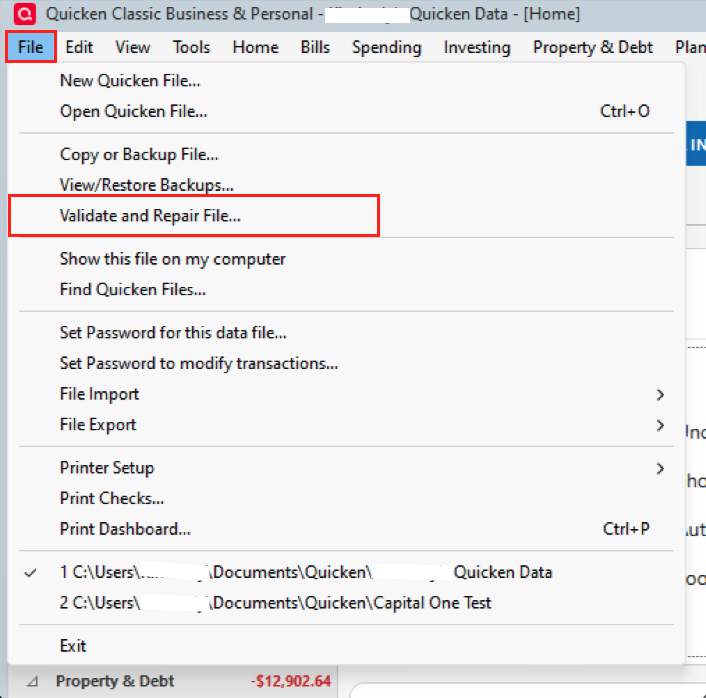
One thing you can try is validating your file to see if that will clear up anything that could be causing this.
To do this:
We also have this Support Article that seems related to the issue you are describing as well. New transactions not downloading… It gives some steps to try and things to check for as well, if you want to take a look there.
As stated at the bottom of the article, if the suggested steps do not resolve your issue, please contact Quicken Support directly. Further investigation and possible escalation may be needed.
Hope this helps!