Quicken freezing on one step update

evan.berner
evan.berner Quicken Windows Subscription Member ✭✭

I’ve followed all the steps in the previous discussion on this topic. I’ve validated and super validated my data. I’ve reconnected the cloud information. I’ve confirmed my data isn’t on a OneDrive folder. I’ve disconnected and reconnected all my accounts. After all of this, multiple times, I still get frozen on one step updates. This is making Quicken useless, and I’ve been using Quicken for many years, so all my financial data is in there. How can I get it to start doing the one step updates as it was before?

[Edited-Readability]

Tagged:

Comments

  • Quicken Alyssa
    Quicken Alyssa Quicken Windows Subscription Moderator mod
    edited October 15

    Hello @evan.berner,

    Thank you for sharing your experience, though I'm sorry for your frustrations.

    The steps you have tried thus far would have been my first suggestions, so you are off to a good start! Take a look at this Support Article for advanced troubleshooting. Try the suggested steps, and let me know how it goes.

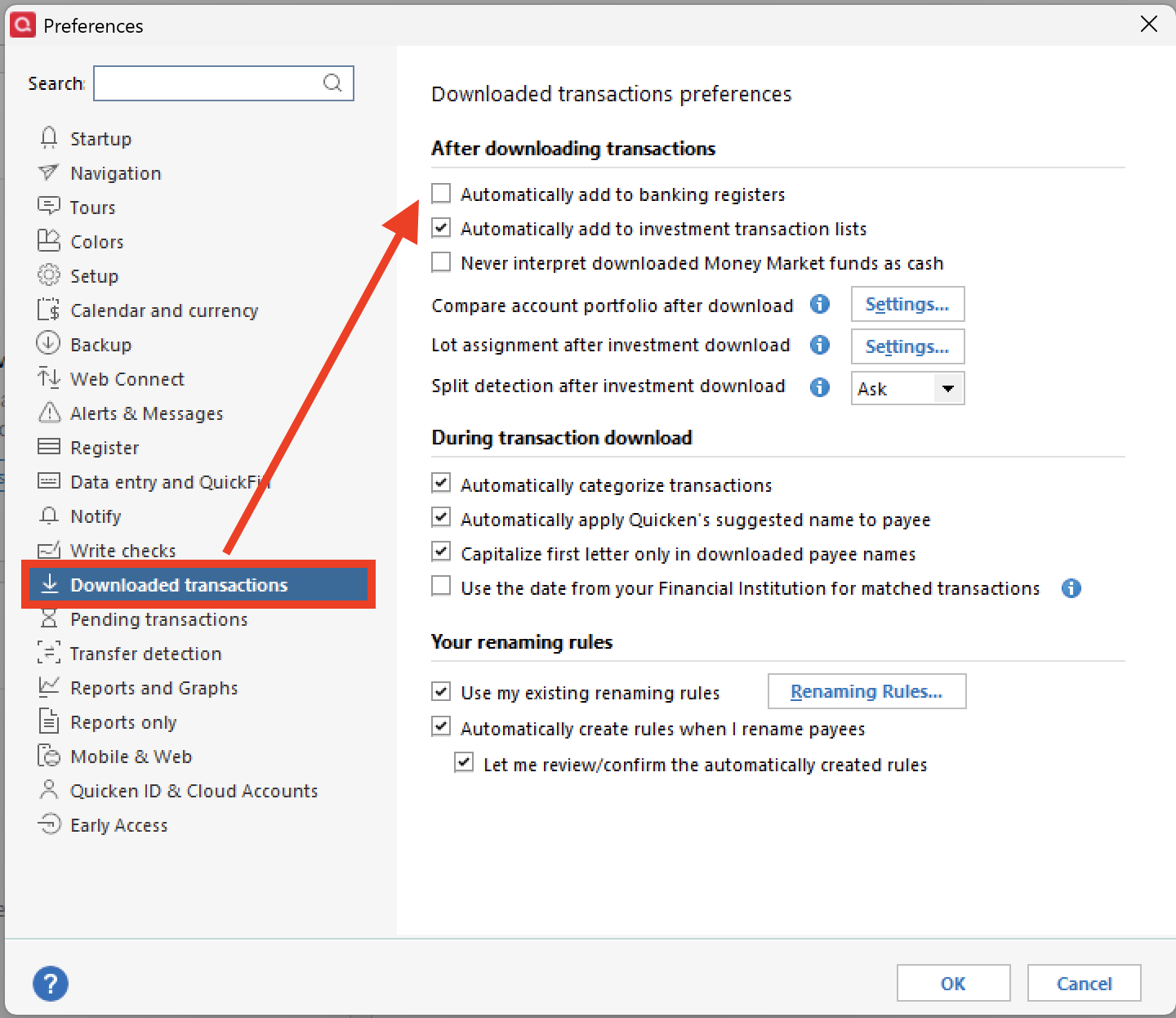
    Something to note: when you copy your file, you will have to reconnect all of your accounts. Duplicate transactions could occur. You should be able to avoid this by changing a setting before reconnecting the accounts. To do this:

    1. Go to Edit.
    2. Select Preferences.
    3. Click Downloaded transactions.
    4. Uncheck Automatically add to banking registers.
    Screenshot 2025-10-15 at 12.09.12 PM.png

    Hope this helps!

    Quicken Alyssa

    Make sure to sign up for the email digest to see a round up of your top posts.

  • evan.berner
    evan.berner Quicken Windows Subscription Member ✭✭

    Making the copy of the file, and changing the accounts to Bank of America - Quicken from Bank of America - All Other States when reconnecting seems to have worked.

  • Quicken Alyssa
    Quicken Alyssa Quicken Windows Subscription Moderator mod

    Hello @evan.berner,

    Thank you for coming back to let us know the steps that worked to resolve this issue for you.

    If you need assistance in the future, don't hesitate to reach out.

    Thanks again!

    Quicken Alyssa

    Make sure to sign up for the email digest to see a round up of your top posts.

This discussion has been closed.