Not Printing Check Stubs
I use the latest version of Quicken for Windows Classic Deluxe. I want to print some checks. The orientation needs to be vertical or the check gets stuck in the printer. These are ordinary wallet size checks without stubs. Every time I try to print, I get asked whether the stub is attached to the check. It doesn't matter what I answer (yes or no) — the stub prints and the check is not aligned correctly because it doesn't have a stub. Any suggestions?
Answers
-
Hello @tigre99,
Thank you for sharing your experience. I am happy to help.
To me, it sounds like Quicken thinks you are printing Voucher checks, rather than Standard or Wallet checks. Here is a Help Article on printing checks.
The steps to check this are:
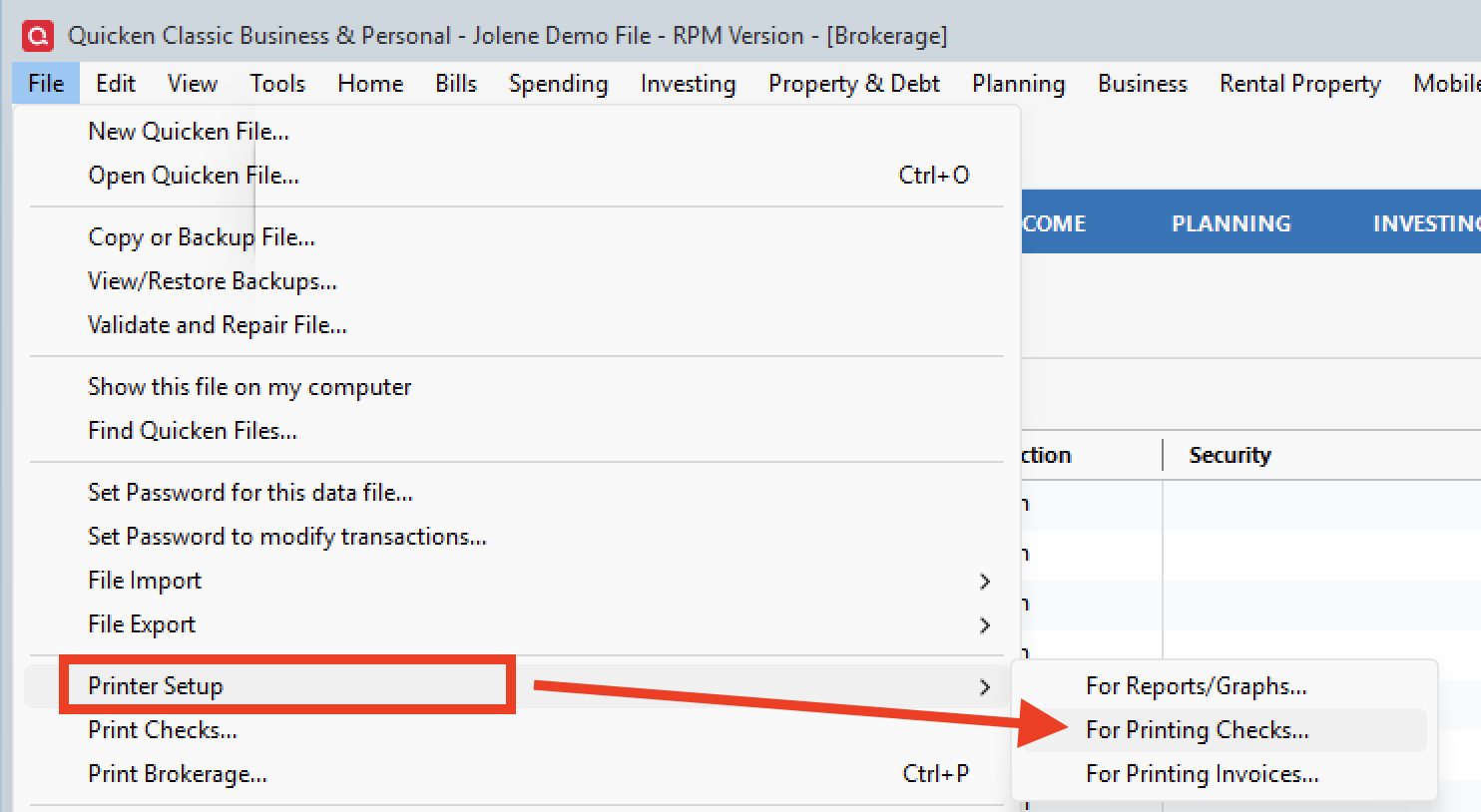
- Go to File.
- Select Printer Setup.
- Click For Printing Checks…
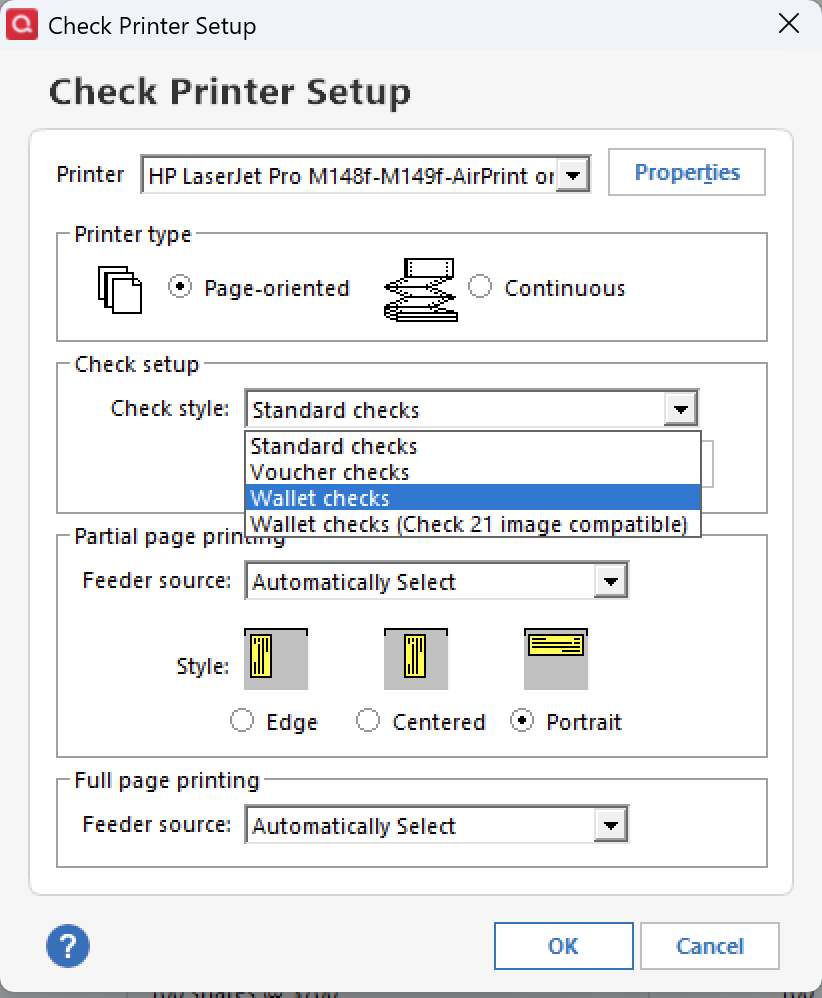
- In the pop-up box, use the Check Style drop-down to select the type of check you are using.
- Click Ok.
- Try printing again.
I would suggest using regular printer paper to test it out until you have all the settings right. That way, you don't end up unnecessarily wasting checks.
Hope this helps!
Quicken Alyssa
Make sure to sign up for the email digest to see a round up of your top posts.
0 -
If you are using Quicken-compatible Wallet Checks you must select Wallet Checks (Check 21 image compatible).
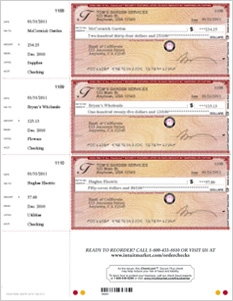
The old "Wallet Checks" format is a holdover for checks used before 2006. The difference is the placement of the Date and Numeric Amount fields, which won't line up properly otherwise.Quicken-compatible wallet checks come 3 checks to a page, with a stub attached on the left side. Here's an example:
If you can't resolve the partial check page printing issue, you can try to use form leaders to feed your printer with a proper 8.5x11" sheet while printing a partial 1- or 2-checks page in normal portrait orientation. Experiment with positioning your stub-less checks on the form leader, properly offset to the right.
See for an example of form leaders. Check your local office supply store, search on the Internet or order from Intuit.Quicken US version only:
For a review of Quicken - compatible check styles and perhaps to order new check or envelope supplies, please see and
(the website talks about checks for use with QuickBooks but the same style checks also work with Quicken). Feel free to order from Intuit or any other check printing company that offers Quicken/Quickbooks - compatible checksMy 2cents' worth:
I use Voucher Checks (1 business size check + 2 stubs on an 8.5x11" sheet). My printers do not have a manual feed tray or 2nd paper tray that can easily be reconfigured to feed partial pages (1 or 2 checks left from a 3-checks-per-page sheet), so for my occasional check printing needs Voucher Checks are easiest to use.
When making a purchase decision for a new supply of check forms and considering your own check stock to use, consider how easy or difficult it is to feed special forms or odd-size partial pages into your printer.0
Categories
- All Categories
- 56 Product Ideas
- 36 Announcements
- 223 Alerts, Online Banking & Known Product Issues
- 22 Product Alerts
- 701 Welcome to the Community!
- 671 Before you Buy
- 1.2K Product Ideas
- 53.7K Quicken Classic for Windows
- 16.3K Quicken Classic for Mac
- 1K Quicken Mobile
- 813 Quicken on the Web
- 111 Quicken LifeHub