Download Problems with Mission Federal Credit Union

DavidS
DavidS Member ✭✭✭

Mission Federal Credit Union made some recent changes in their Quicken connectivity. It involved taken the download connection offline for a week and then returning with EWC connection. It's now having a problem every time it downloads transactions.

1) The transactions no longer show the Payee name, but instead some information like this: "Withdrawal Debit Card MCC xxxx C" as the payee and "Withdrawal Debit Card MCC xxxx Card 21 #xxxx Date 10/1" in the Memo field. Amounts are correct but there is no clue as to who the real Payee is as was always done for years before this recent transition.

2) After accepting the transaction(s), Quicken goes immediatley into Account Reconciliation for the MFCU account that downloaded. That is a very annoying error. I don't proceed with the Reconciliation, but then have to cancel out every time. No other accounts for other institutions do this.

Attachment shows what the transactions look like after Downloading and Accepting.

Screenshot 2025-10-18 125026.png

What are the chances of getting this fixed ASAP?

Answers

  • Quicken Alyssa
    Quicken Alyssa Quicken Windows Subscription Moderator mod
    edited October 20

    Hello @DavidS,

    Thank you for sharing your experience and providing all of those details. That is definitely helpful.

    For the first issue you brought up, in regard to Payee names and memo fields. This is likely how the financial institution is now sending them over. If you go to Help>Report a problem from within your Quicken software, and send your logs to Quicken, Quicken Support can take a look at them for you and confirm if that is the case.

    It might be worth giving Mission Federal Credit Union a call and asking to speak with someone in online banking, to see if they can provide any insight or escalate that from their end.

    For your second point, of Quicken automatically going into a reconciliation…

    1. Open the Account register.
    2. Click the gear icon in the top right.
    3. Select Reconcile.
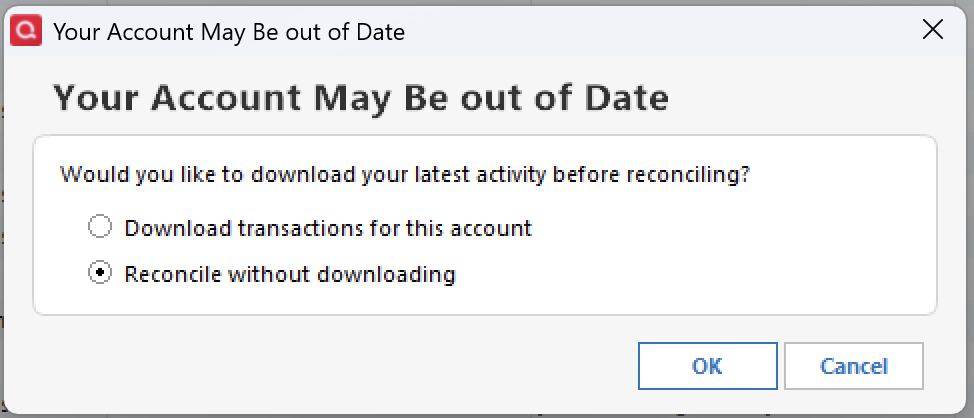
    4. Select Reconcile without downloading. Screenshot 2025-10-20 at 9.10.03 AM.png
    5. Click Ok.
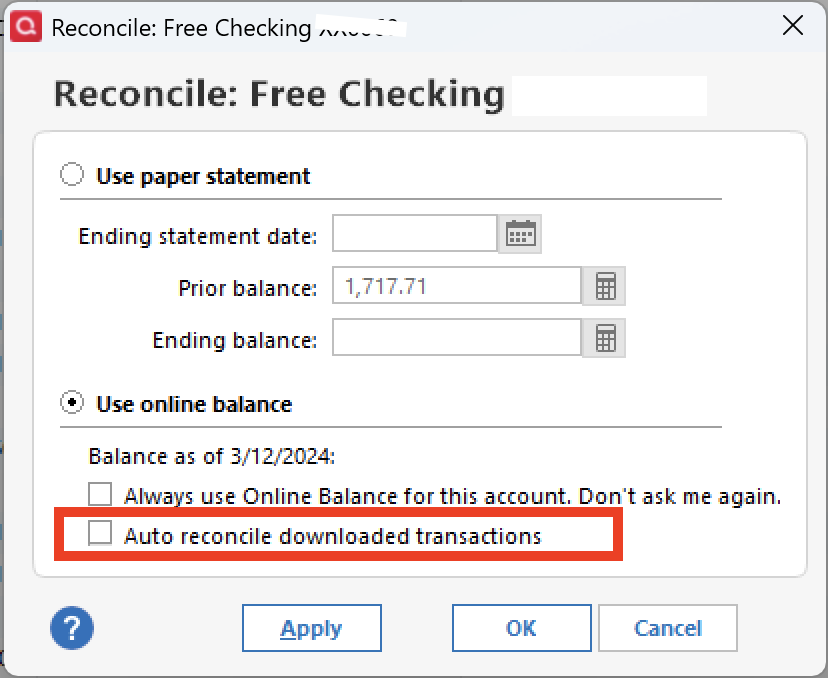
    6. Select Use online balance. Screenshot 2025-10-20 at 9.03.17 AM.png

    Is Auto reconcile downloaded transactions checked off here? If so, please uncheck it and see if the issue still occurs.

    If it is not checked off, please answer the following;

    • Where is your data file located?
    • Is your file being synced/backed up by any third-party services like Carbonite, OneDrive, Norton, or Dropbox?

    Looking forward to your response.

    Quicken Alyssa

    Make sure to sign up for the email digest to see a round up of your top posts.

This discussion has been closed.