Error Code 503 when exiting with Quicken Backup

Michael Heady
Michael Heady Member ✭✭

Today I downloaded my Apple Card transactions to import them.

Rather than opening Quicken as I normally would I double-clicked on the downloaded file which opened Quicken. It automatically started a download/update of all transactions that never ended and did not import the Apple Card transactions.

I exited Quicken and started it back up, then manually imported the Apple Card Transactions. When I exited Quicken I got the following error:

Screenshot 2025-11-01 at 9.29.33 AM.png

I then re-booted my iMac (running Tahoe 26.0.1) and re-opened Quicken. I did not make any changes and then exited. The same error message showed up.

I'm very afraid I may have corrupted my data file when I exited.

Any recommendations/suggestions/miracles will be gratefully accepted!

[Edited-Readability]

Tagged:

Answers

  • Quicken Alyssa
    Quicken Alyssa Quicken Windows Subscription Moderator mod

    Hello @Michael Heady,

    Thank you for sharing your experience.

    I think this error may be related to the cloud sync. Can I have you reset your cloud data?

    To do this:

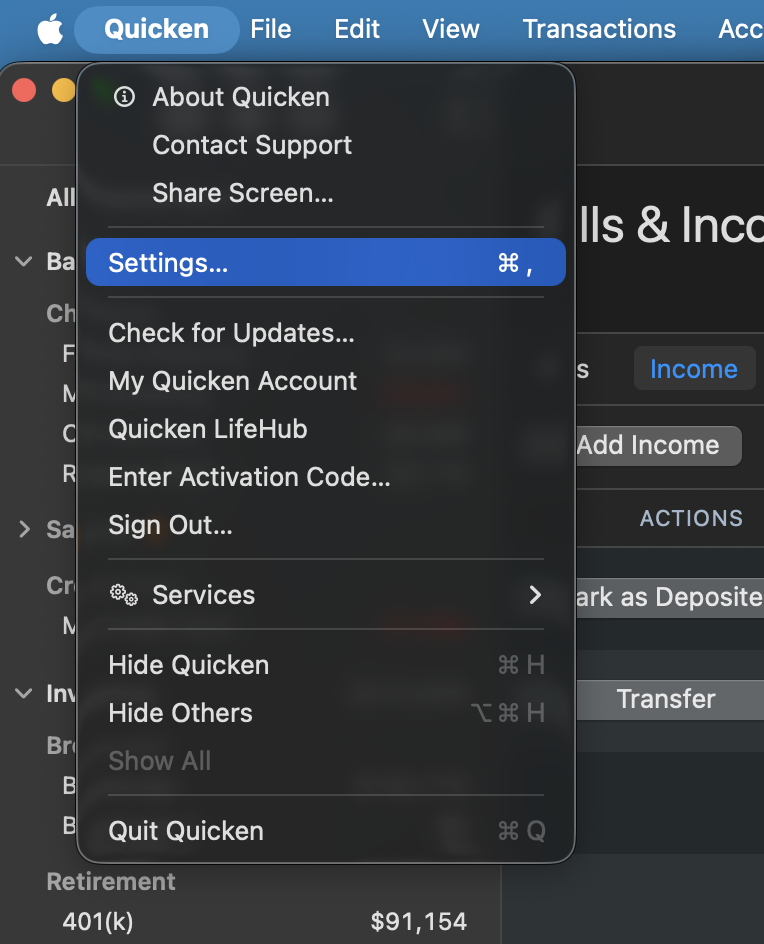
    1. Go to Quicken (in the top left corner of your screen).
    2. Select Settings. Screenshot 2025-11-02 at 9.20.40 AM.png
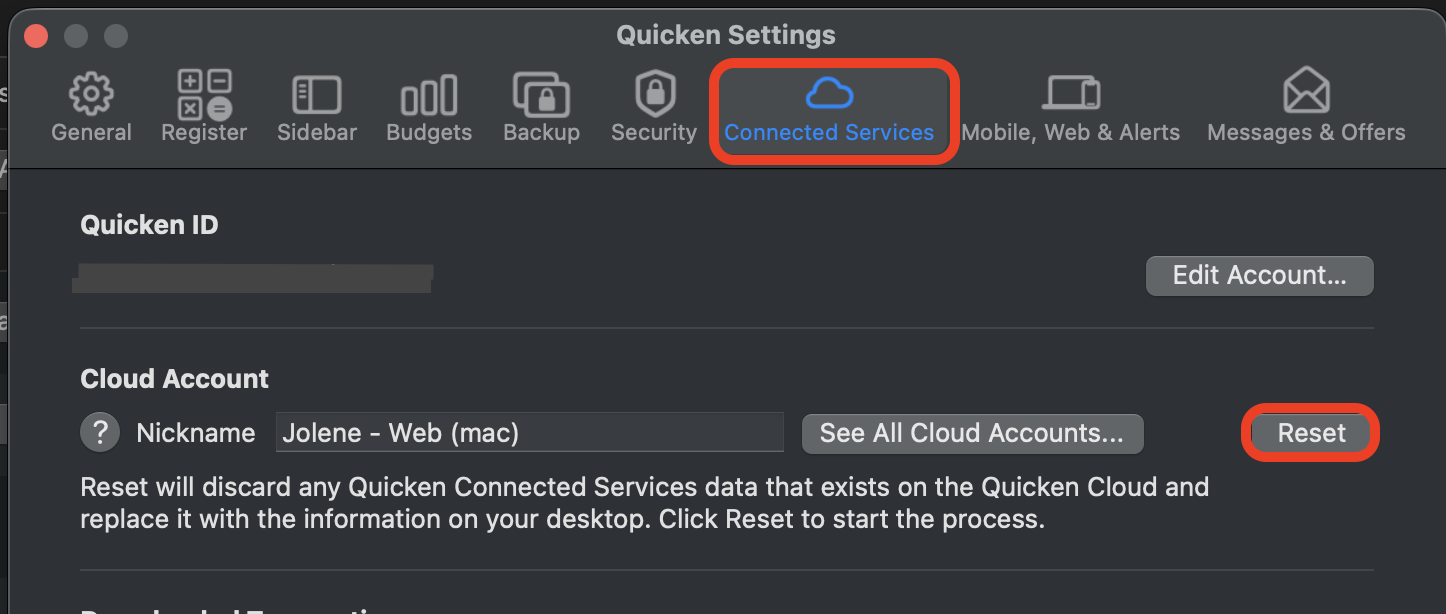
    3. Click on the Connected Services tab.
    4. Click the Reset button. Screenshot 2025-11-02 at 9.21.34 AM.png

    After this is done, try exiting Quicken again and let me know if you see the same error.

    Thank you!

    Quicken Alyssa

    Make sure to sign up for the email digest to see a round up of your top posts.

This discussion has been closed.