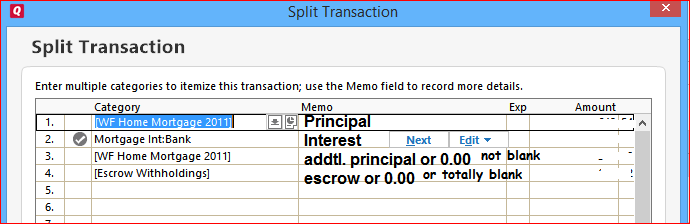
On the Planning page for My Budget I can click on "Manage Budget Categories" then select "Detailed Loan Payments" and finally check the box next to "My Mortgage Lender" (or whatever my mortgage account is called).
If I do that, my total monthly loan payment amount (i.e., Principal + Interest + Escrow + anything else) appears on the budget planning page as a line item for "My Mortgage Lender" under a total line item for "Detailed Loan Payments".
So far, so good. The Planning page shows a budgeted amount of $X to be paid to my mortgage lender every month and shows an actual amount of $X that was paid.
But now, let's say I run a Spending Report for my Current Budget.
On that report "My Mortgage Lender" appears as a line item at the very bottom of the report. But, the Actual for that line item only shows the Interest paid while the Budget still shows the total loan payment amount that was budgeted. The Principal, Escrow and any other components of the payment made to the lender do not appear anywhere in the report.
Of course, this leaves the appearance that I'm well under budget each month - or at least substantially decreases the amount by which I'm over budget for the month.