I have tried to sign up for the email digest, but I never get any, and they are not going into my junk folder either.
[Edited-Readability]
Hello @MGB,
Thank you for sharing your experience.
At the moment, I haven't heard of any issues with the email digest. I have some questions for you.
Let me know what you find.
thank you, Alyssa, but i looked into all of that but i don't see any email digest in the address on my account
@MGB,
Thank you for responding.
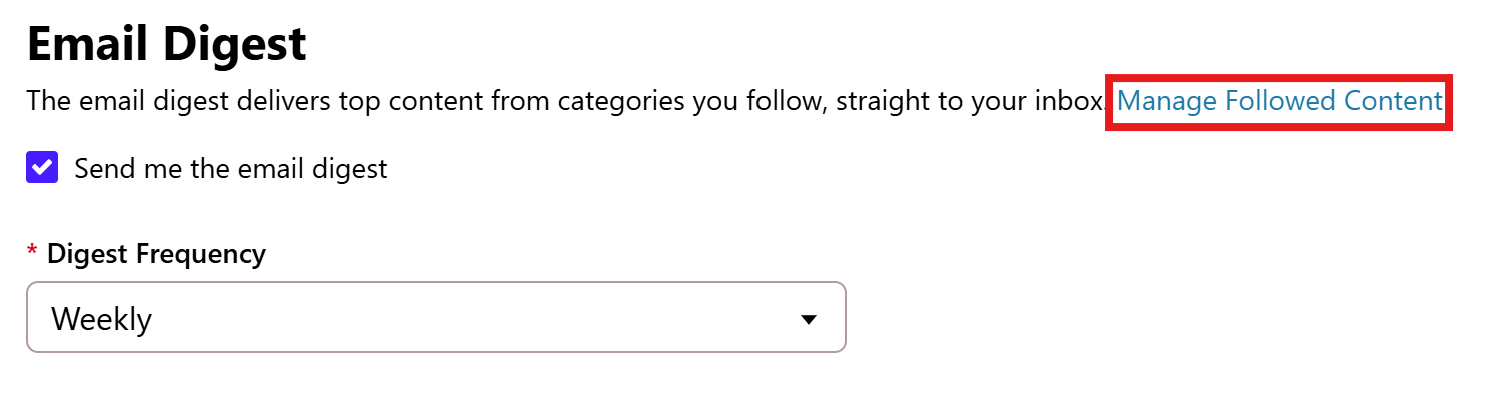
Can I have you go to your Profile Settings > Notification preferences? Once you are there, scroll to the bottom where the Email Digest checkbox is located. Make sure it's checked. Then click on Manage Followed Content.
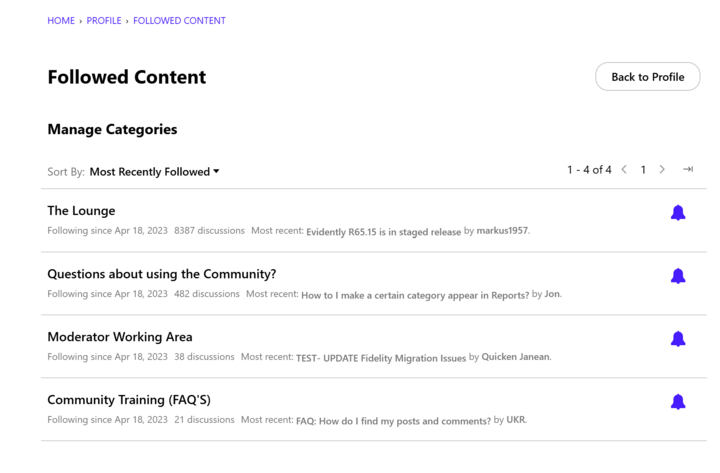
You will see a list of categories you follow, and check to make sure the notification bell for each category you wish to follow is blue.
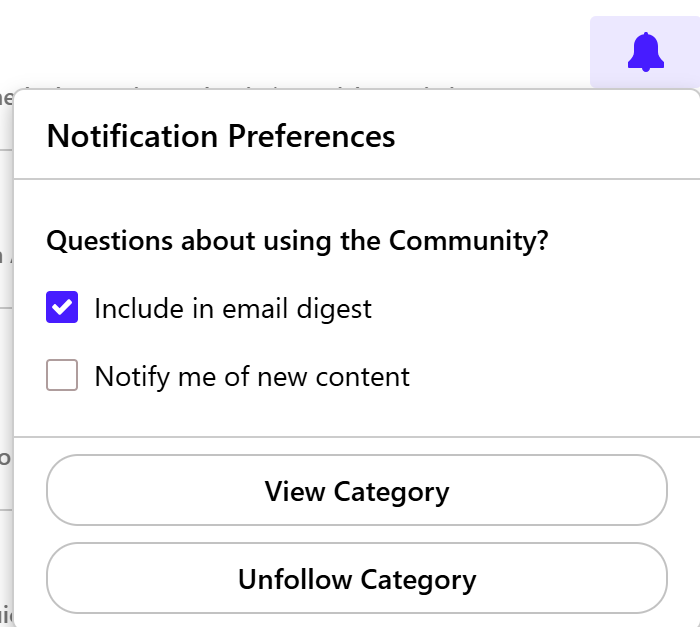
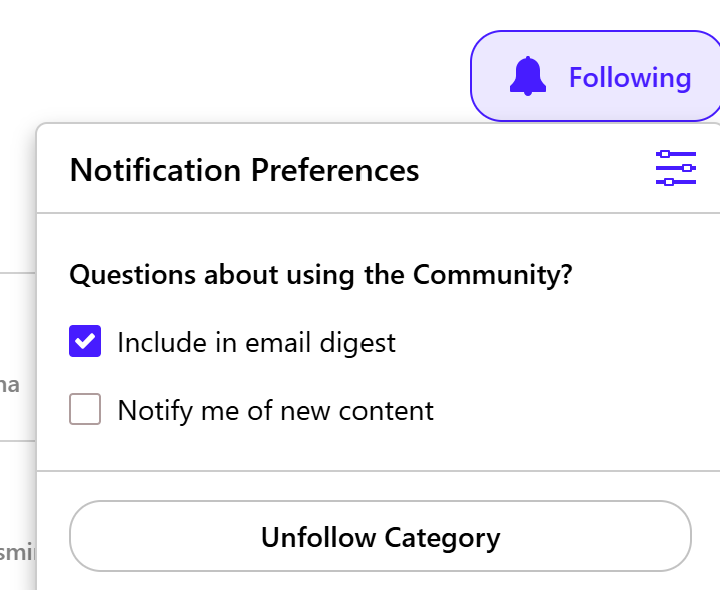
If it is blue, you can also click on it and make sure the checkbox for "Include in email digest" is selected.
You will need to follow categories to receive emails:
Once you click it, a dropdown menu will appear. Check the box for Include in email digest.
Then you will start receiving notifications based on your Email Digest settings.
This is what you are currently following.
Hope this helps!
We haven't heard back from you in a while. Do you still need assistance?
Thank you!
Hello again,
Checking in once more before this thread is closed.
Let us know if you still need assistance.
Due to the lack of response, I went ahead and closed this post.
If you still require assistance, please feel free to start a new post.