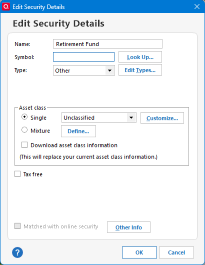
I have a retirement account from a major company (HP). The funds in the account were tracked as a security name as shares with a per share cost of $1. I also had other accounts with HP stock certificates and stock options which, of course, was tracked as an HP stock. Through the years, there were stock splits and spinoffs.
Over the years, when I validated my file Quicken logged errors in the DATA_LOG.txt that I have 'stock splits that may be missing' in the the accounts where I had transactions for the HP stock. Most of the message were due to the split transactions where I entered inconsistent dates in the various accounts. I corrected all of the necessary transactions and resolved all the messages except for the ones in the Retirement account. I don't see why that account should need split transactions since the securities in the account are NOT tied to the HP stock symbol or name. I just made up the security name, HP_RP.
The dates of the missing splits messages correspond to the dates I had incorrectly entered for the splits in the Certificate and Options Quicken accounts. I've tried to assign a different name to the security but it's not working.
Questions: Where could Quicken be getting idea that the security in the Retirement account is tied to HP stock? How can I fix my file so I don't get these validations messages? How can I change the name of the security in the retirement account so it isn't tied to HP stock.
Thanks for any ideas.