There is no feedback icon on top of Classic Q, contrary to what they say when you ask about feedback. How do you give feedback?
[Edited-Readability]
Hello @1jjohn,
Thank you for asking this question.
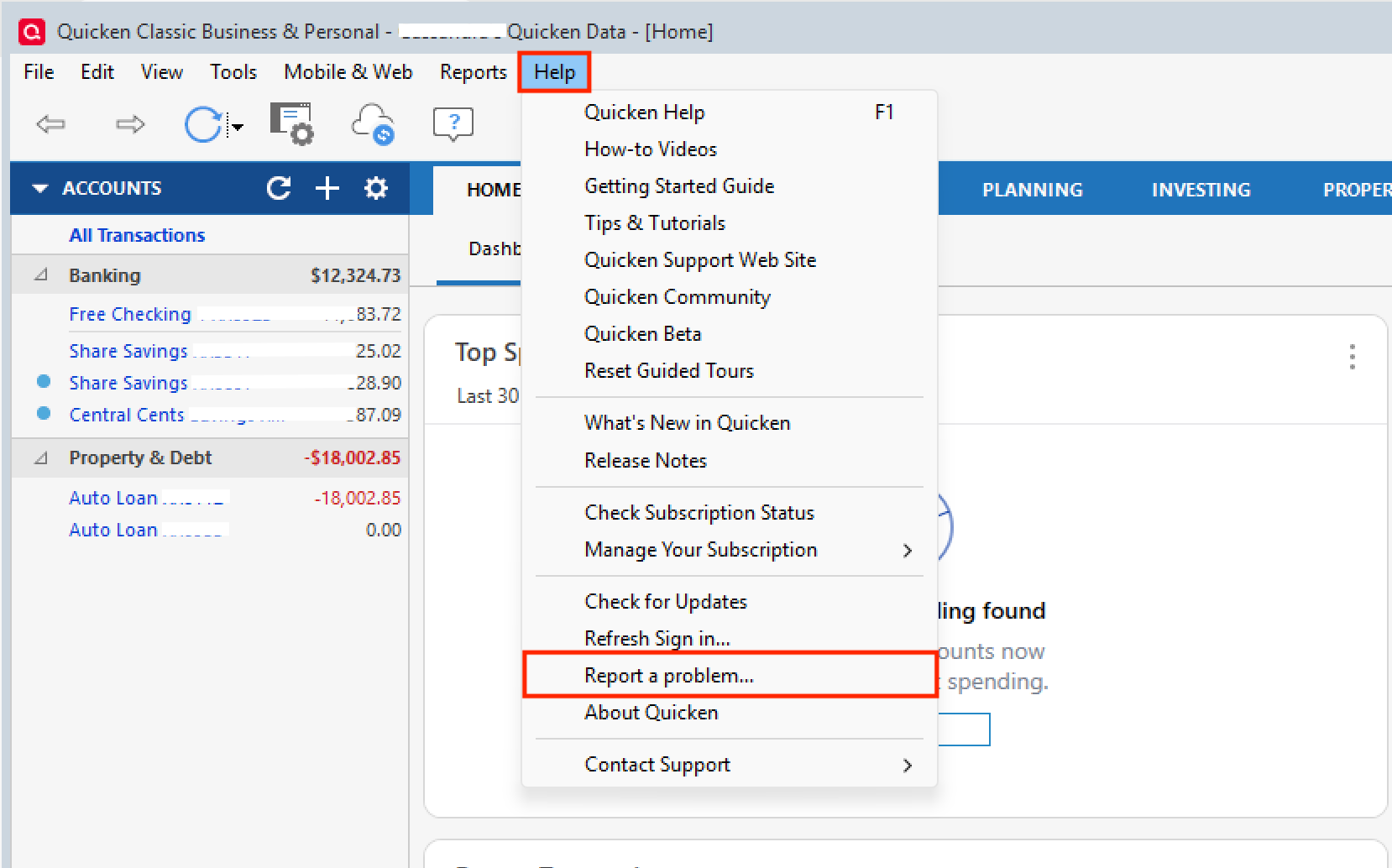
The answer depends on what exactly you are trying to provide feedback for. If the feedback is related to something you are experiencing in the product, like connectivity errors, for example, you can submit feedback by going to Help>Report a problem>Send to Quicken.
Please note, these submissions do not receive responses.
If your feedback is more toward needing help or guidance with something, you can post in here. Moderators and other users will respond with advice.
If the feedback is related to a recent interaction with support, you can also post that here, or call Quicken Support directly. Phone support is available from 5:00 am PT to 5:00 pm PT, Monday through Friday. I apologize that I could not be of more assistance! Chat is available 5:00 am PT to 5:00 pm PT, seven days a week, excluding major holidays.
Hope this helps!
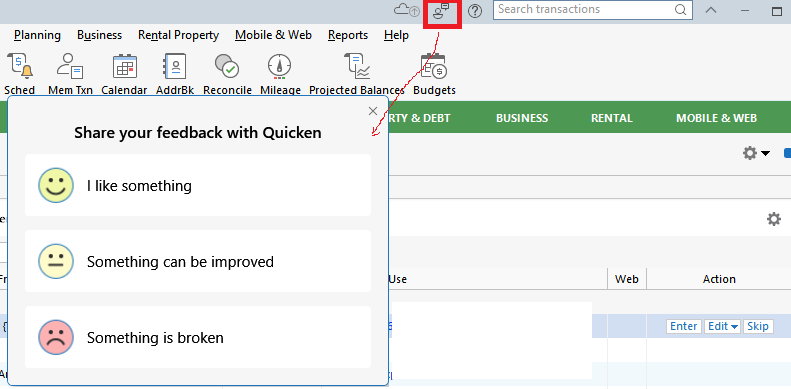
Or are you perhaps talking about this little icon in the upper right hand area of the Quicken for Windows view? When clicked it gives you this dialog for starters:
(I haven't tried what happens after you make your selection :-)
What edition level (Starter Edition, Deluxe, etc.), year/version and release of Quicken (R xx.xx or R x.x.x) are you using? Click Help / About Quicken (Mac: Quicken / About Quicken) to determine year/version and release.