Problem downloading bank data by way of a QFX file.

scottmartin485
scottmartin485 Quicken Windows Subscription Member

Since the Windows Quicken release R65.17 was installed I can no longer download bank transactions from Wells Fargo using WebConnect. After downloading a QFX file from my bank, if I click on it Quicken will attempt to load some application update file which is not present on my computer. This file 'pft6893.tmp' does not exist anywhere on my computer. The error message says "The feature you are trying to use is on a network resource which is not available." However, that file path all the way down to \TEMP\ is present.

C:\Users\Scott\AppData\Local\Temp\pft6893.tmp\DISK1\

How can I get this corrected? If nothing else, is there a way to back out this update?

Thanks in advance!

—Scott Martin
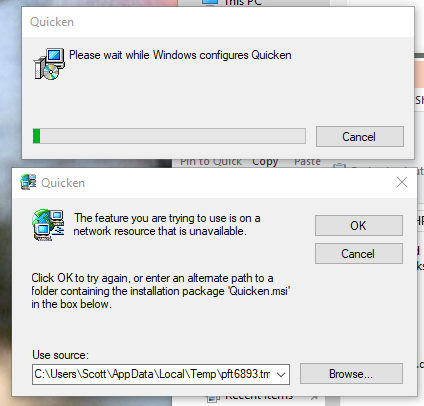
image.png

Answers

  • Quicken Alyssa
    Quicken Alyssa Quicken Windows Subscription Moderator mod

    Hello @scottmartin485,

    Thank you for reporting this issue.

    We have been seeing this happen for others as well. You should be able to resolve this issue by uninstalling and reinstalling your Quicken software.

    If needed, check out this Support Article for steps to uninstall.

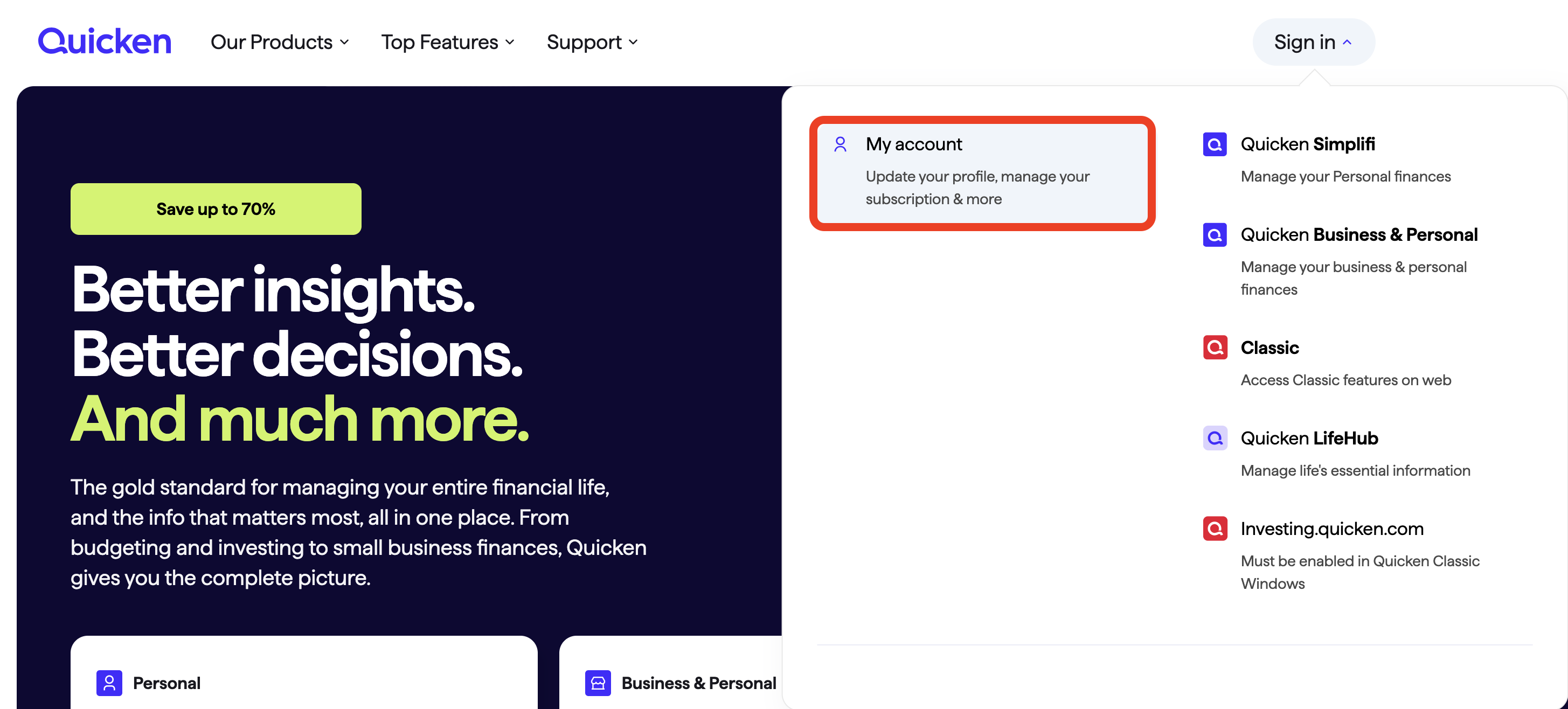
    To reinstall your software, you can go to Quicken.com and sign in to the My Account section.

    Screenshot 2025-11-26 at 7.41.58 AM.png

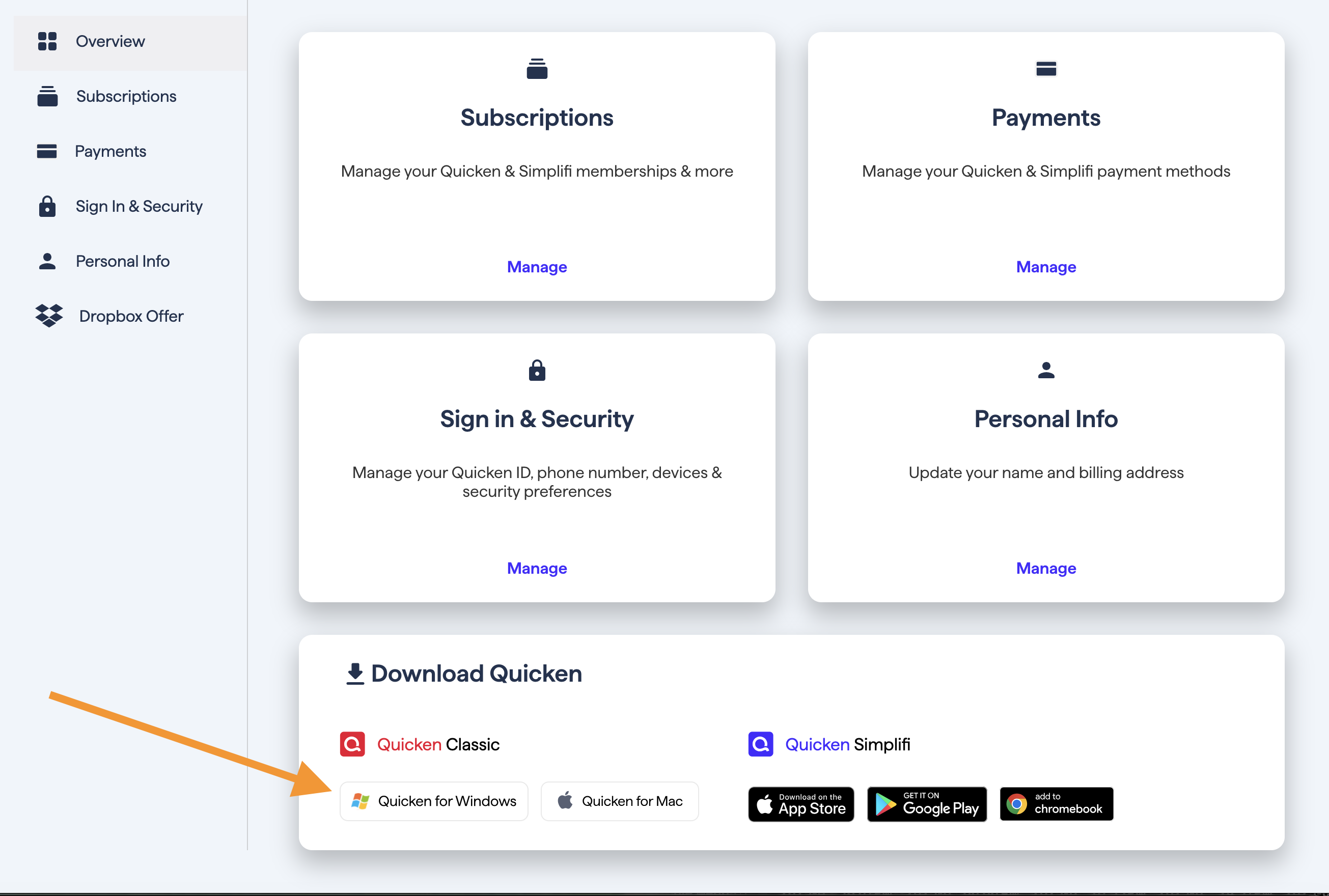
    Once signed in, you can select the Quicken for Windows download.

    Screenshot 2025-11-26 at 7.45.39 AM.png

    Go through the installation prompts, and once you are back in your file, try importing the file again.

    This issue has been reported. If you would like to contribute to the investigation, please go to Help>Report a problem>Send to Quicken, from within your Quicken software, and send over your log files.

    Help>Report a problem.png

    Let me know if you do send them over so I can add them to the ticket.

    Thank you.

    [CTP-15434]

    Quicken Alyssa

    Make sure to sign up for the email digest to see a round up of your top posts.