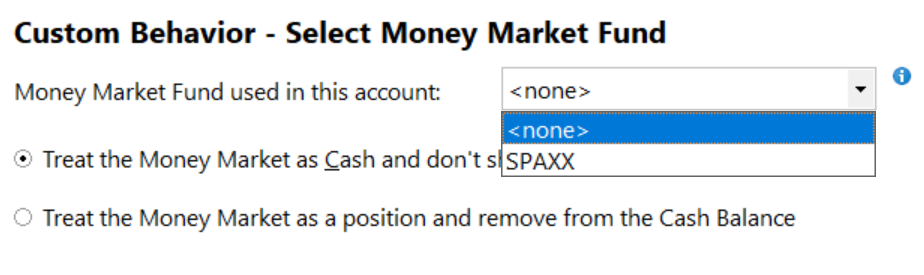
**** My error. Please ignore **** I am running Windows Quicken Classic Premier version 65.17. This version offers the ability to treat various money market funds as cash. Unfortunately this feature seems to be incomplete.
I have a Fidelity Cash Management Account where the cash balance is held in the Fidelity Treasury Money Market Fund (FZFXX). When I click the Set/Edit button on the Online Services tab of the account details page it does not allow me to treat that fund as cash. When I click the "See list of funds" link I get this list: FCASH-FCFXX-FCMXX-FDMXX-FMIXX-FMOXX-FNJXX-FNYXX-FOXXX-FPTXX-FSAXX-FSFXX-FTEXX-SPAXX-FDIC*, which does not include FZFXX. When I click the Customize button on that same dialog it only offers SPAXX.