How Long for Quicken to Update New Bank Password?
Hi! I'm on Quicken 8.2.1 on a Mac. I changed the password to my bank yesterday. Today, when I opened Quicken and tried to download my banking transactions, it said, "We were unable to validate your login information with First Fed WA. Try signing in again. (FDP-103)." I've tried several times, but I suspect I may need to wait until either Quicken's business hours or my banks business hours are Open, and resolve this with a human. Any other ideas?
Answers
-
Hi, @Kathe71
You need to update Quicken so it knows to use your updated password-that is why you are getting the 103 error. It appears First Fed uses Quicken Connect.
You can call customer service to help walk you through updating the credentials if you like, or you can try yourself. In either case, make sure you can still login in at your bank first. We want to make sure your "tried several times" didn't lock you out. Likely not, but check first.
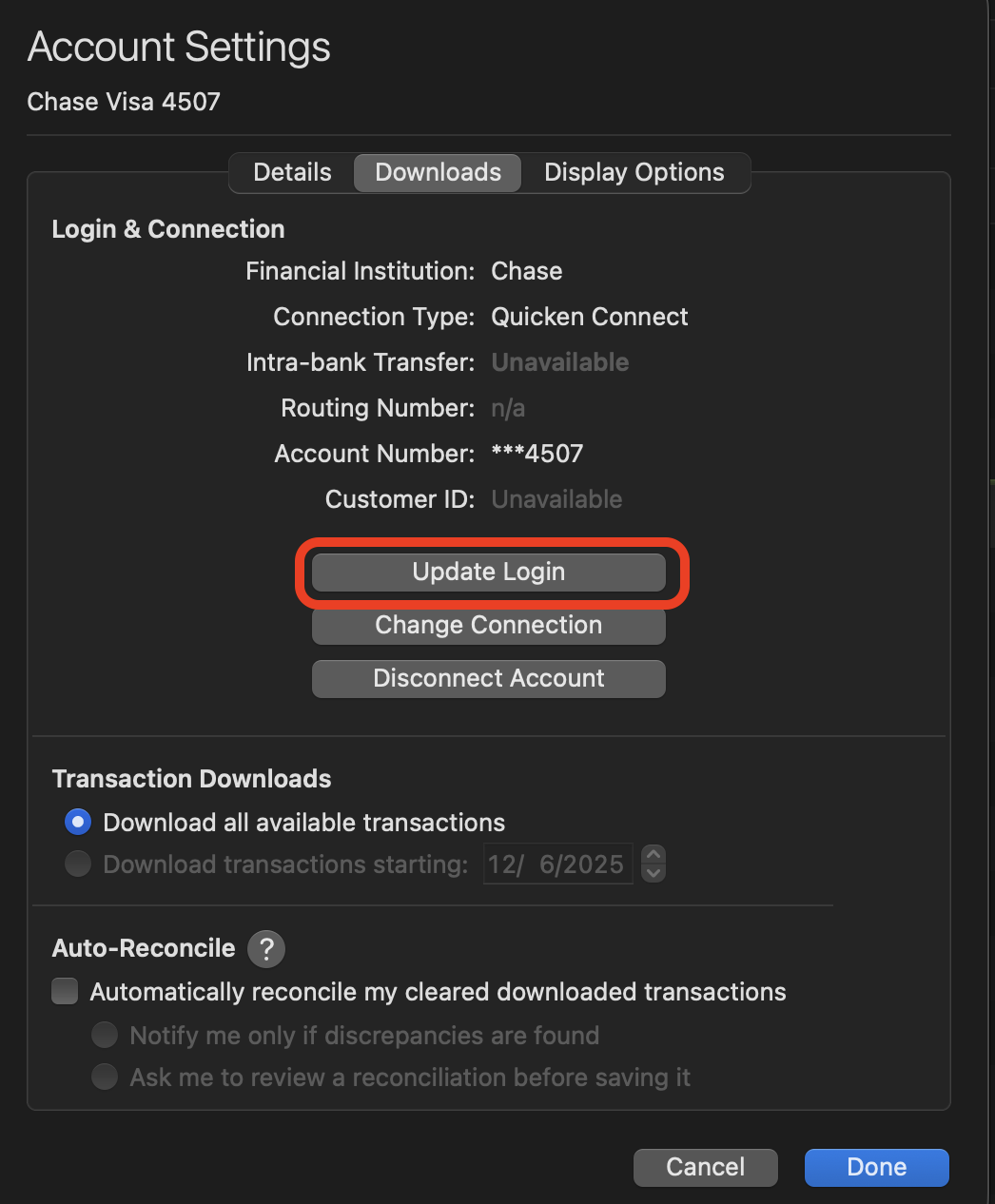
After you File:Save a Backup (just in case), select your First Fed WA account in the sidebar, and click on the Settings icon at the lower right. There you can navigate to the Downloads section and click on Update Login. Walk through the update process and relink any accounts if necessary.
This should update your credentials within Quicken.
0
Categories
- All Categories
- 56 Product Ideas
- 36 Announcements
- 224 Alerts, Online Banking & Known Product Issues
- 22 Product Alerts
- 704 Welcome to the Community!
- 671 Before you Buy
- 1.2K Product Ideas
- 53.7K Quicken Classic for Windows
- 16.4K Quicken Classic for Mac
- 1K Quicken Mobile
- 809 Quicken on the Web
- 111 Quicken LifeHub