Academy Sports & Outdoor Credit Card with Comenity

jr_ece
jr_ece Quicken Windows Subscription Member ✭✭✭✭

I've tried all of the posts I can find here on the forum to connect my Academy CC. This includes selecting Comenity Credit Card from the list of institutions. None of the options are working. The specific issue that I'm having with the Comenity Credit Card selection is that it is using "comenity.net" as can be seen in the top left hand corner of the figure below. I even clicked on this link that launches in a browser where I tested my Academy Comenity Credit Card credentials. It reports back that my username and password are not found.

My credentials do work at the following address:

https://d.comenity.net/ac/academy/

Can we get an Academy Comenity Credit Card addition using this web link?
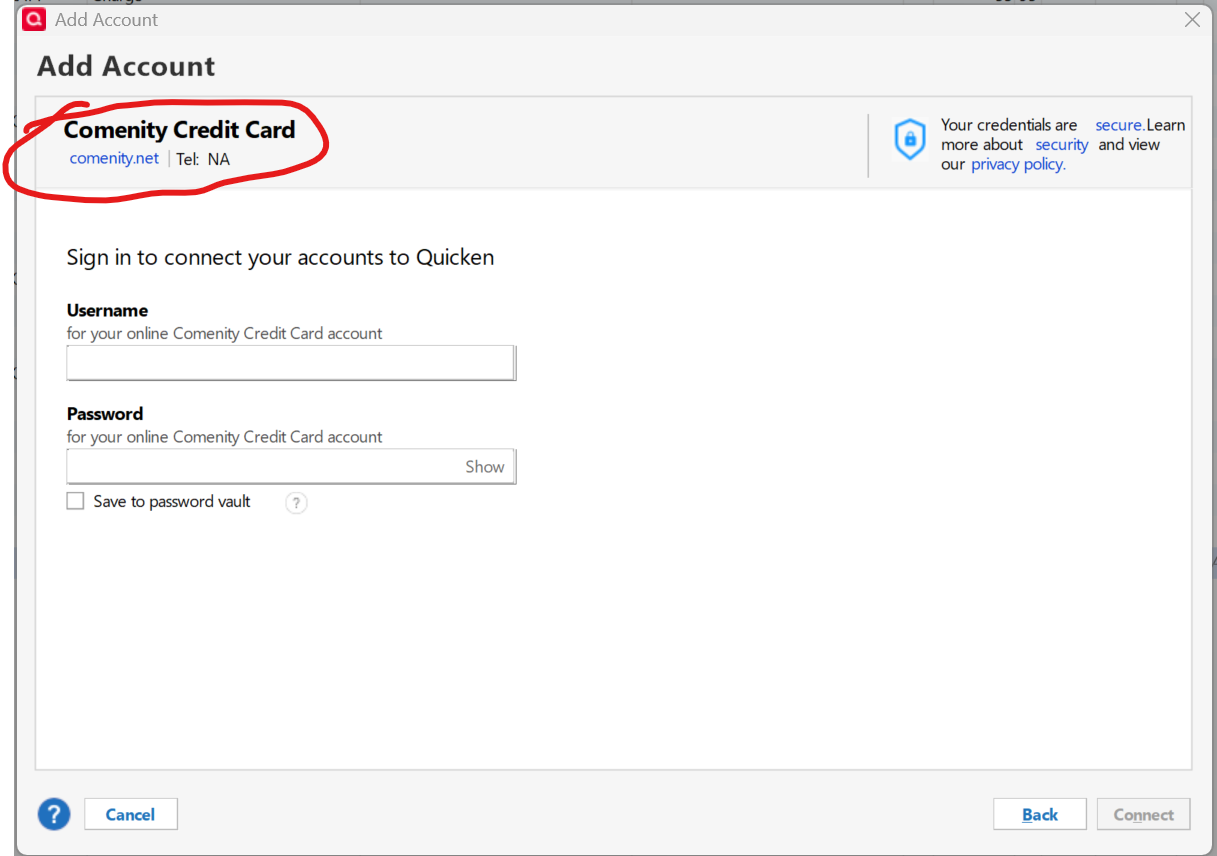
image.png

Thanks!

Quicken Classic Premier (US) Subscription: R65.15 on Windows 11 Pro

Comments

  • Quicken Alyssa
    Quicken Alyssa Quicken Windows Subscription Moderator mod

    Hello @jr_ece,

    Thank you for sharing your experience with us.

    I checked the financial institution directory, and no instance in Quicken uses that specific URL. However, for a financial institution to support downloads to Quicken and to be added to our bank list, the request to be added would need to be made and submitted by the financial institution to our service providers. 

    If you want Quicken to be supported, you will need to contact your financial institution directly and tell them you'd like to download your accounts into Quicken. Comenity does have several other connections in Quicken, so they would just need to request one specifically for the Academy Sports & Outdoor Credit Card.

    Hope this helps!

    Quicken Alyssa

    Make sure to sign up for the email digest to see a round up of your top posts.
