Opening QFX files stopped working after last Quicken update

Mustansir
Mustansir Quicken Windows Subscription Member

Hi

I am on the Quicken subscription version. After the auto update of the software, opening of qfx file goes into a file installation process and fails. One Step update is functioning fine for other accounts. Currently not able to update Quicken with transactions.
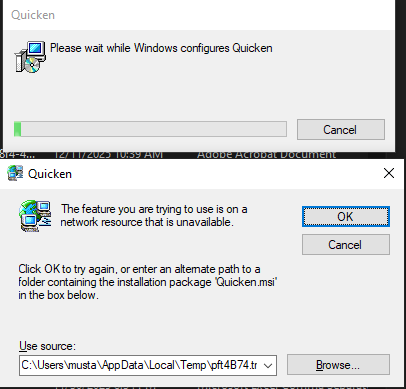
image.png

[Edited-Readability]

Answers

  • Quicken Alyssa
    Quicken Alyssa Quicken Windows Subscription Moderator mod

    Hello @Mustansir,

    Thank you for reporting the issue you are seeing with importing QFX files into Quicken.

    This is a Known Issue, and it has been escalated internally. The workaround to resolve the issue is uninstalling and reinstalling the application.

    The team handling this escalation has requested that we gather Event Viewer logs. If you who are willing to do this, you can follow the steps below.

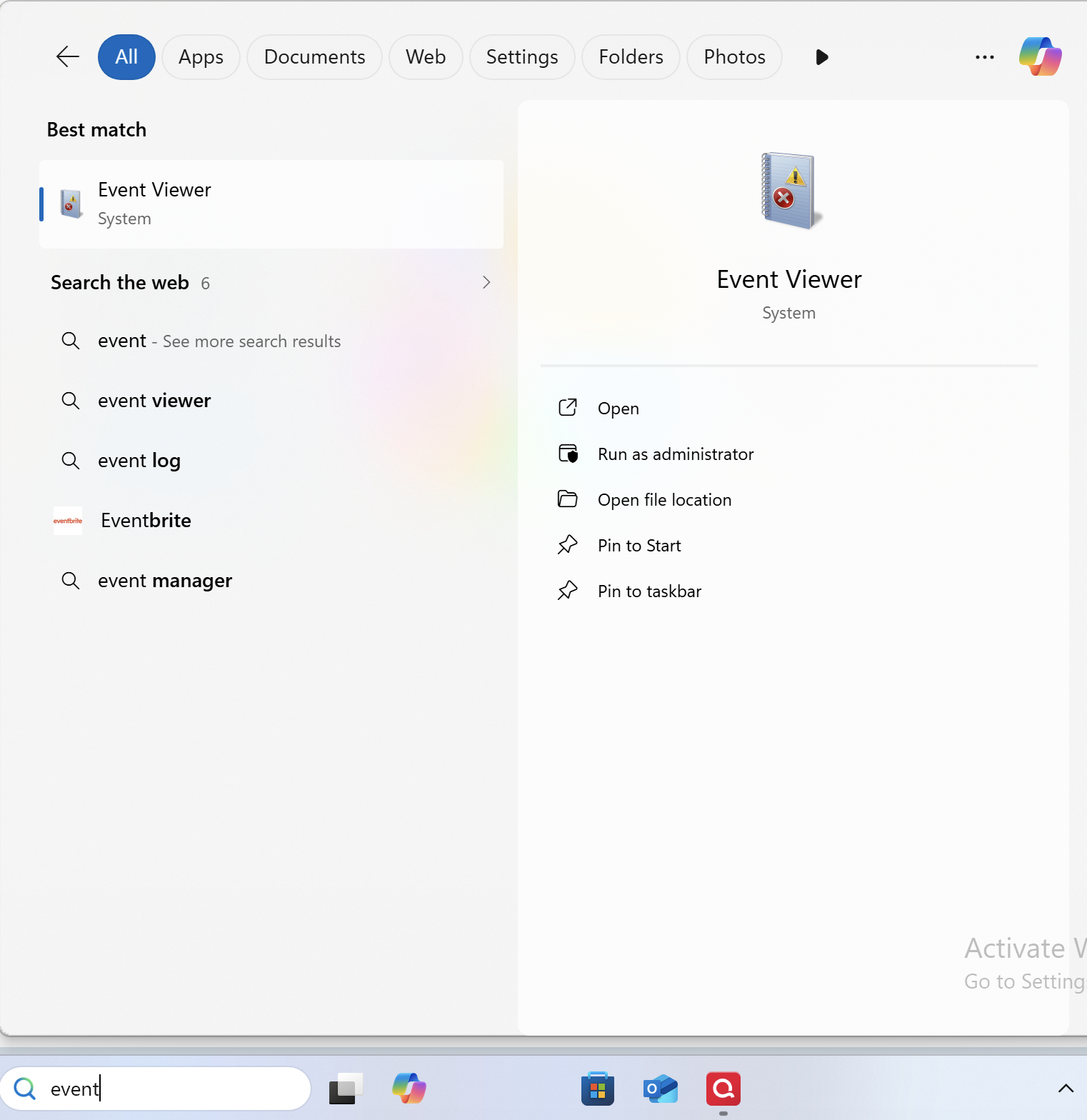
    1. Search for the application "Event Viewer" and open it. Screenshot 2025-12-10 at 11.17.54 AM.png
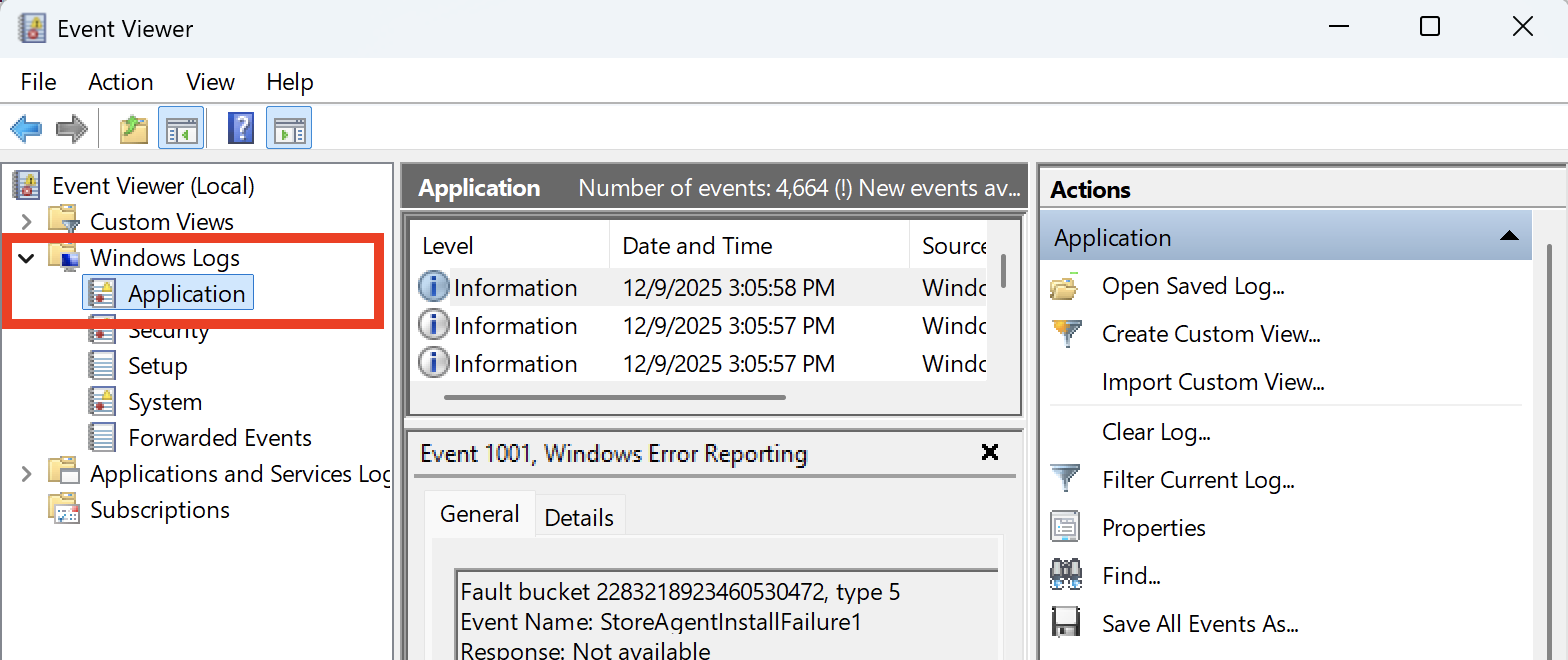
    2. Double-click on the "Windows Log" folder and select "Application." Screenshot 2025-12-10 at 11.19.51 AM.png
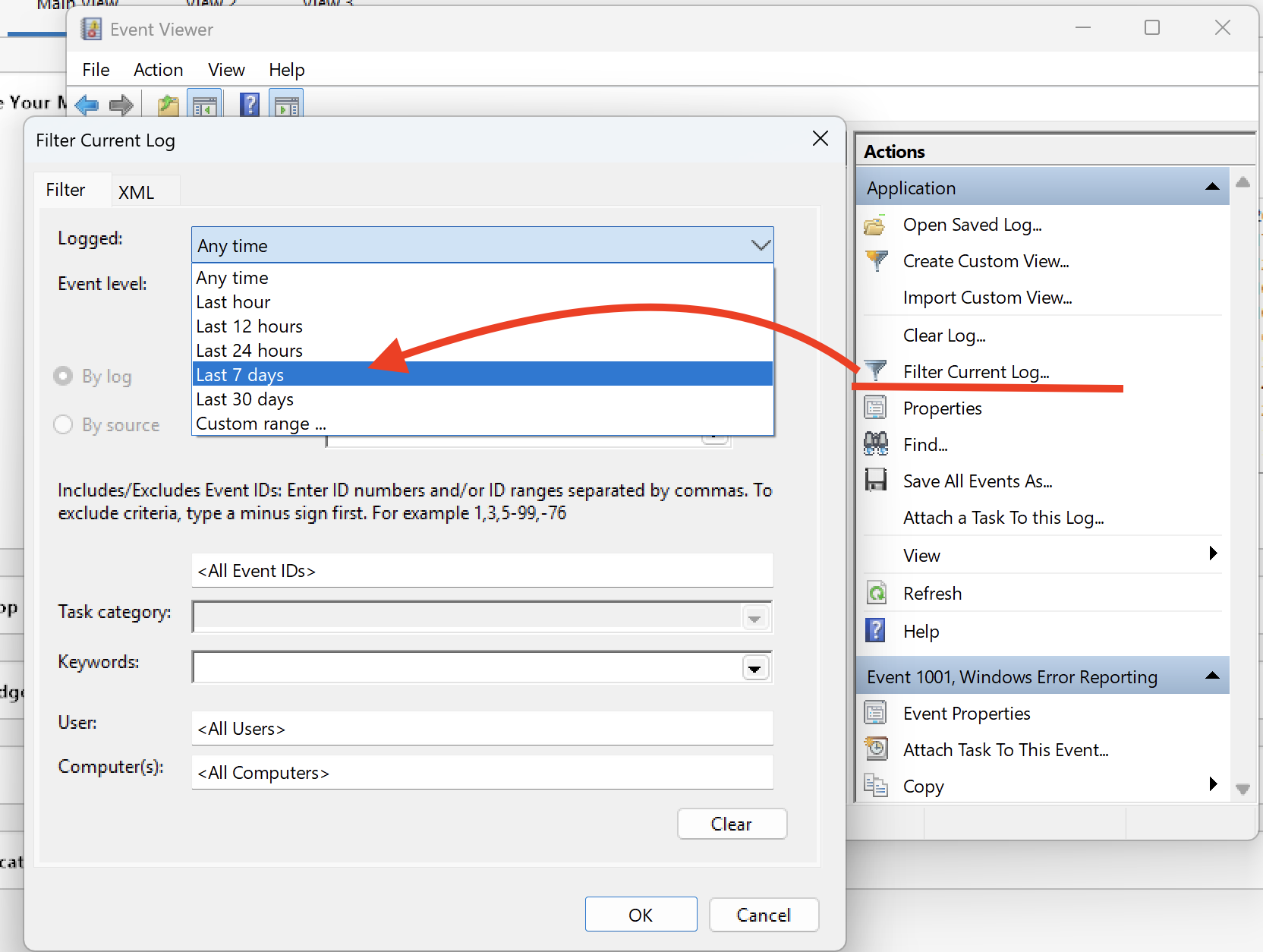
    3. On the right side, click on "Filter Current Log," and where it says "Logged," change the time range from "Anytime" to "Last 7 days." Screenshot 2025-12-10 at 11.21.48 AM.png
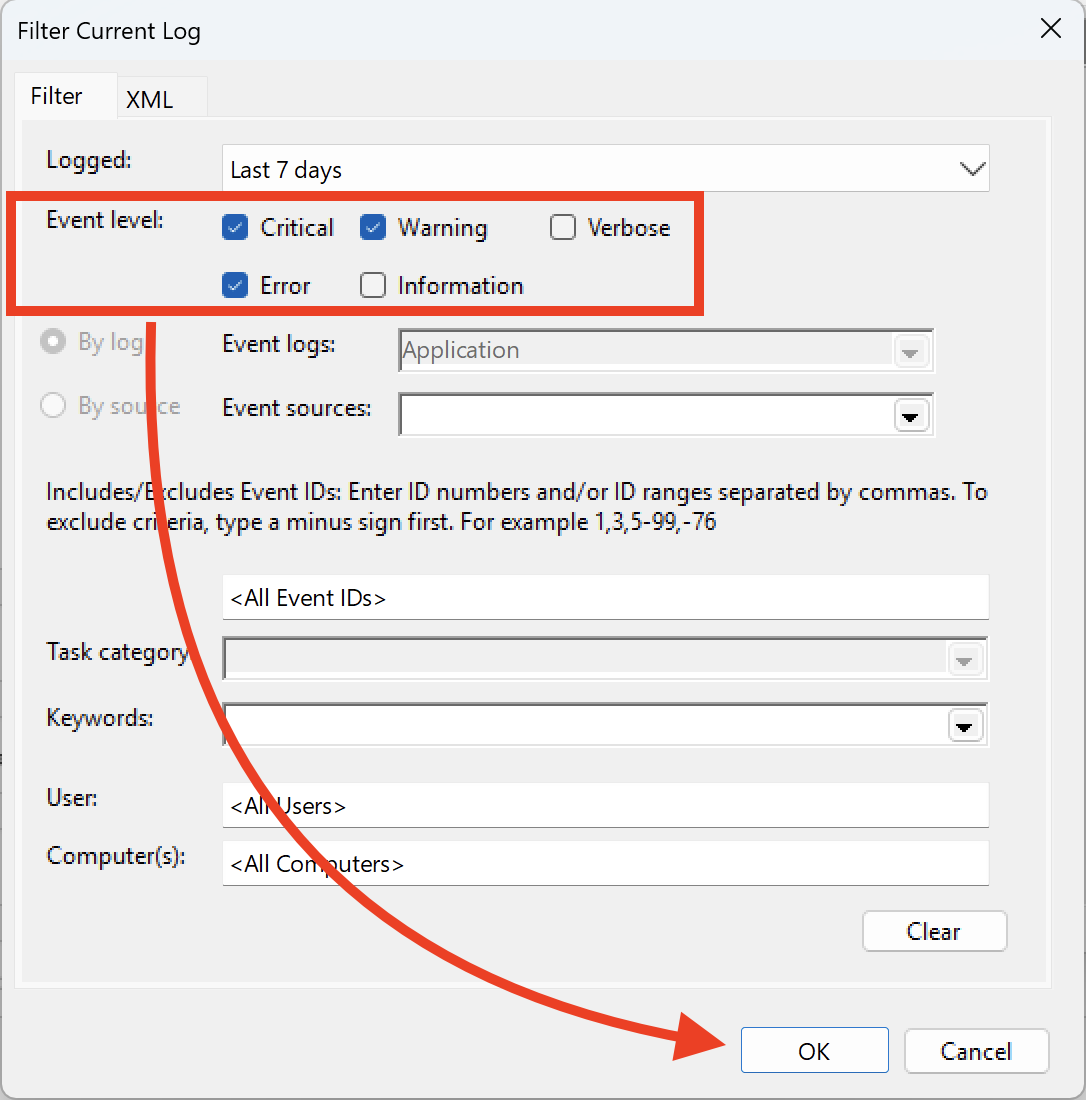
    4. Ensure that you select "Critical, Warning & Error," and then click OK. Screenshot 2025-12-10 at 11.25.19 AM.png
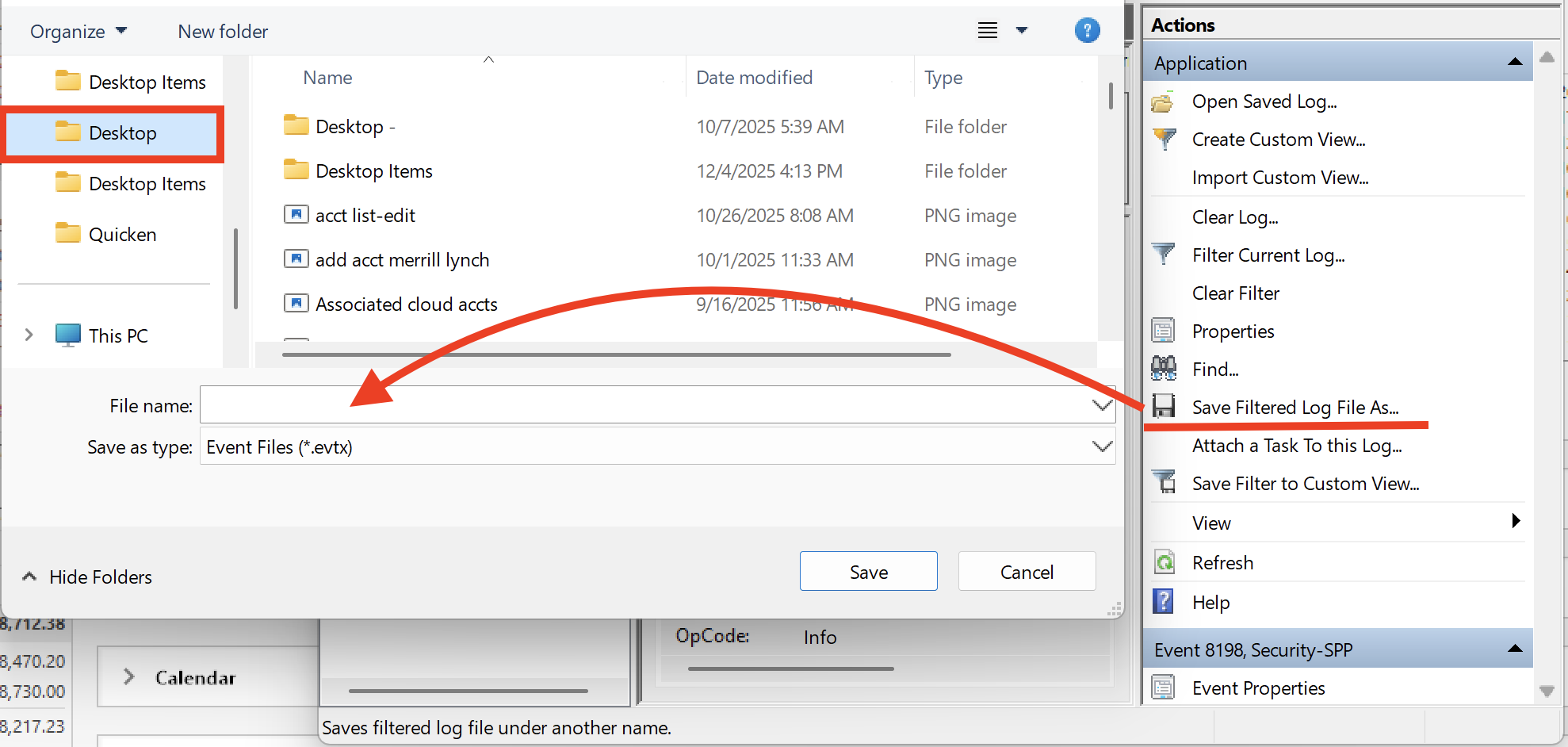
    5. Next, click on "Save filtered log file as" and save it to the desktop. Screenshot 2025-12-10 at 11.31.30 AM.png

    Let us know once you have gathered it, and we will provide guidance on how to send it over.

    Sending over your log files will aid in this investigation as well. You can do that by going to Help>Report a problem>Send to Quicken, from within your Quicken software. Just let us know if you send them, so we can get it added to the escalation ticket.

    Thank you!

    [CTP-15434]

    Quicken Alyssa

    Make sure to sign up for the email digest to see a round up of your top posts.

  • Mustansir
    Mustansir Quicken Windows Subscription Member

    I have the event viewer file created. However the option from attaching file within quicken only enables to send txt or image files. Plus it does not allow to be attached here as well.

  • Quicken Alyssa
    Quicken Alyssa Quicken Windows Subscription Moderator mod

    @Mustansir,

    I have sent you a direct message. Please navigate to the inbox in the top right-hand corner of the Community page and check your inbox.

    image.png

    Thank you!

    Quicken Alyssa

    Make sure to sign up for the email digest to see a round up of your top posts.

  • wilsonvr
    wilsonvr Quicken Windows Subscription Member ✭✭

    Has this issue been fixed I'm encountering the same issue