Trouble getting my bank transactions to download

Webbrx
Webbrx Quicken Windows Other Member

Ever since October, I have been having trouble getting my Quicken Classic Deluxe to update my checking account with my local bank. It seems to log in okay using one-step update, and it appears to be pulling transactions. However, nothing updates in the file. I have tried logging out and logging back in. I have tried refreshing the account, and I've even renamed and deleted, and started over the runtime.dat file. None of this has helped. It just keeps saying that I need to try back in a few hours. I'm sure others are seeing this. If there is a way to resolve this, I appreciate the help.

[Edited-Readability]

Answers

  • rfmoskowitz
    rfmoskowitz Quicken Windows Subscription Member ✭✭

    As a troubleshooting technique, I recommend you create a new Quicken data file and add the account, attempt the download, and see if it works. This will indicate whether it's a problem with the bank/download or a problem with your existing Quicken data file. If it's the latter, don't give up hope, but this is a first step.

    Good luck!

  • Webbrx
    Webbrx Quicken Windows Other Member

    Thank you, I did as you suggested and was able to connect to the back and download the transactions. What do I do to clean up my exhisting Quicken data file?

  • Quicken Alyssa
    Quicken Alyssa Quicken Windows Subscription Moderator mod

    Hello @Webbrx,

    Thank you for sharing your experience and letting us know that the steps you tried worked.

    If you want to go back to your original file, you can do so by going to File and selecting the second file listed at the bottom of the menu.

    After looking at your connections internally, it looks like you were getting CC-503 with First Federal Savings Bank Roch, in the original file. Is that what you were seeing on your end? Please review this Support Article that goes over this error.

    A CC-503 error occurs when your financial institution tells Quicken that your login credentials are incorrect. It seems like you can skip steps one and two in the article, given that you were able to connect in the new file.

    Step Three: Update your password(s) in Quicken

    1. Launch Quicken and go to Tools > Password Vault > Add/Edit Passwords.
    2. Click on the account in the Password Vault.
    3. Choose Delete Password for the account.
    4. Complete a One Step Update, you will be prompted to enter the password manually.
    5. Type in the password (the same one used on the bank's website) and check in the box marked Save next to the password field.
    6. Click Update Now.

    If there is no option to delete and update the password, or if the login ID/username also needs to be changed:

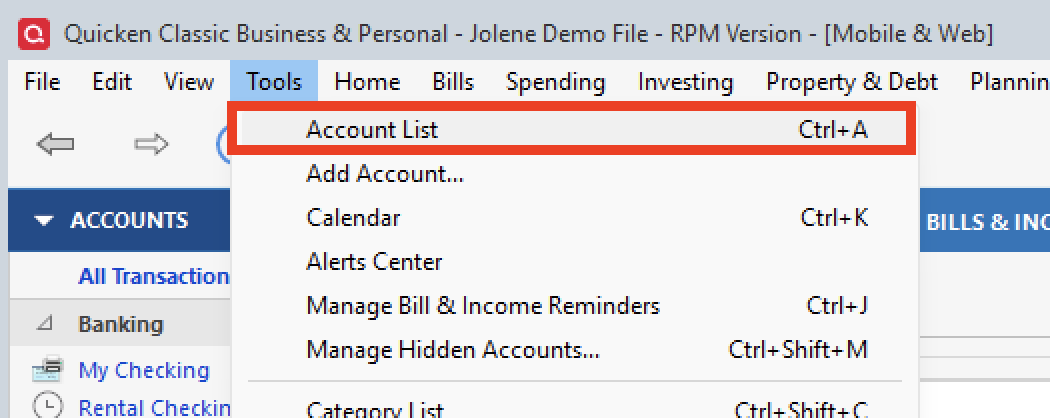
    1. Choose Tools > Account List. tools>acct list.png
    2. Click the Edit button next to the account you want to change the login ID for.
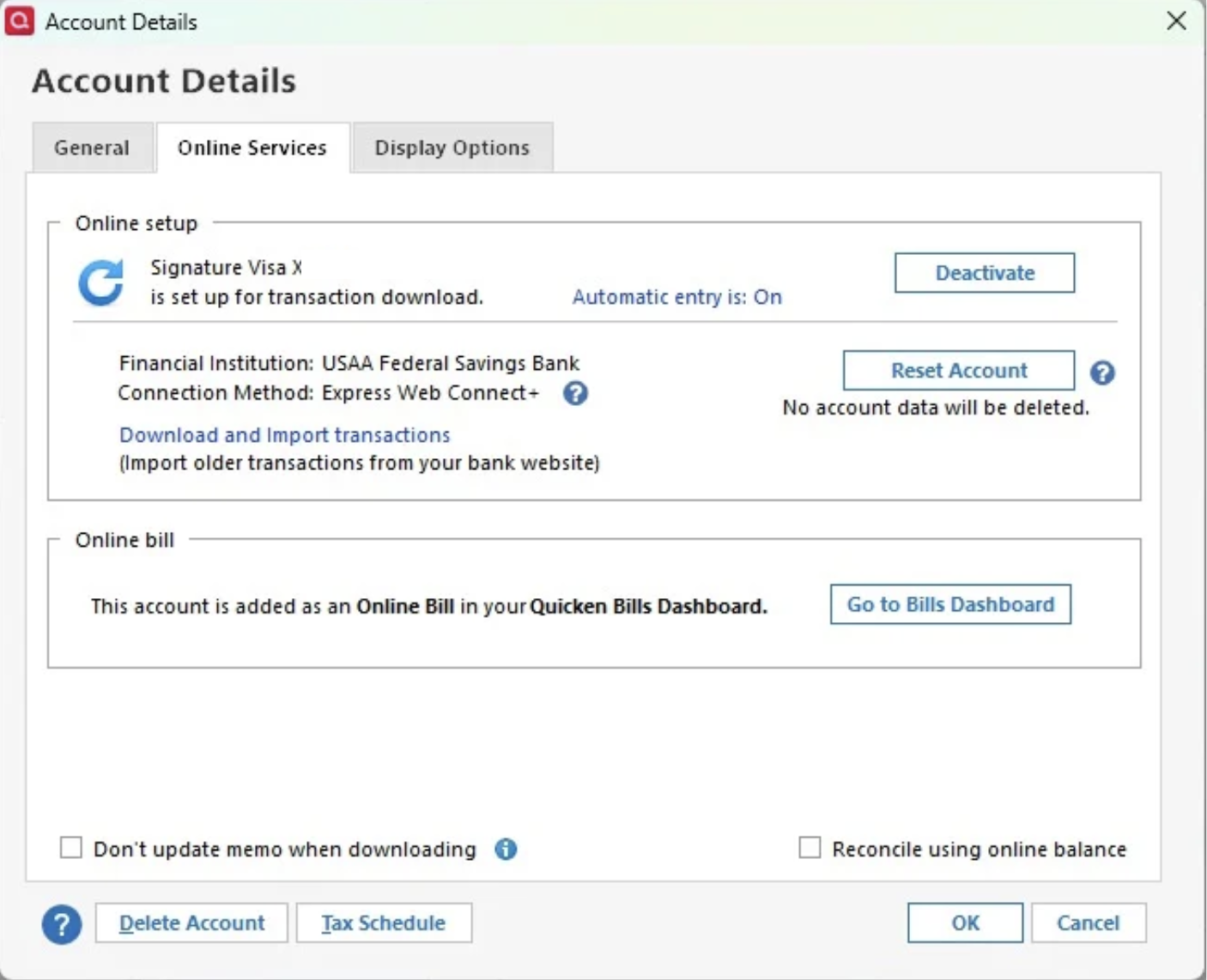
    3. In the Account Details window, click the Online Services tab. acct details-online services.png
    4. Click Reset Account.
    5. Enter the correct login ID and follow the on-screen prompts to complete the reset. 
    6. If prompted, carefully LINK the accounts found to the existing accounts in Quicken. 

    After the reset process is complete, attempt your online session again. 

    If the issue persists

    Try Deactivating and Reactivating the affected accounts:

    1. Choose Tools > Account List.
    2. Click the Edit button next to the account you want to change the login ID for.
    3. In the Account Details window, click the Online Services tab.
    4. Click Deactivate, and then click Yes to deactivate online services.
    5. Click Yes again, if necessary, to confirm your choice.
    6. Repeat these steps to deactivate all accounts at this same bank.
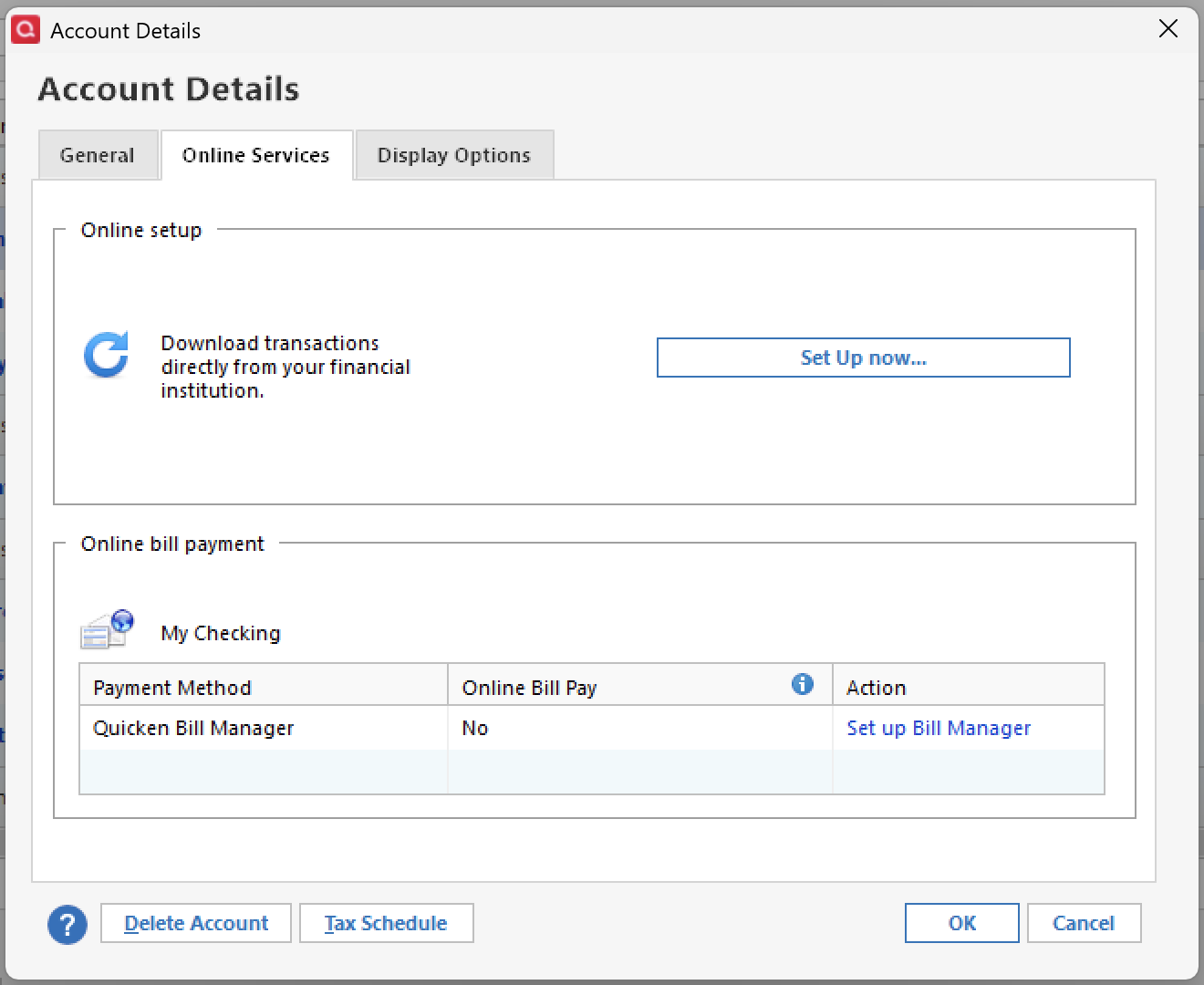
    7. Return to the Online Services tab and click Set up Now for each account you've deactivated. tools-acct list-online services-setup now.png
    8. Enter the correct login ID and follow the on-screen prompts to activate your account.

    If these steps do not resolve the issue, please contact Quicken Support directly for assistance. Further investigation and escalation may be necessary.

    Thank you!

    Quicken Alyssa

    Make sure to sign up for the email digest to see a round up of your top posts.