Create new file at year end with go forward date of 1/1/2026

JimC57
JimC57 Quicken Windows 2017 Member ✭✭

How can I create a current file that does not contain entries going back to 1996? I have tried the year-end copy entered in 12/21/2025 as the date to remove prior transactions. The new account still has the same information as the old file and is the same file size. Your instructions are misleading.

I was expecting to see, for each account in the file, a beginning balance showing the balance as of the cutoff date. However, the accounts show the same information that the old backup has, no change.

[Edited-Readability]

Tagged:

Answers

  • Quicken Alyssa
    Quicken Alyssa Quicken Windows Subscription Moderator mod

    Hello @JimC57,

    Thank you for sharing your experience and posing this question.

    I think the best way to accomplish what you want is by copying your current file, rather then doign the year-end archive. Use file copies to start fresh while keeping your categories and setup. Use backups and archives when your goal is protection or cleanup—not continuation.

    To do this:

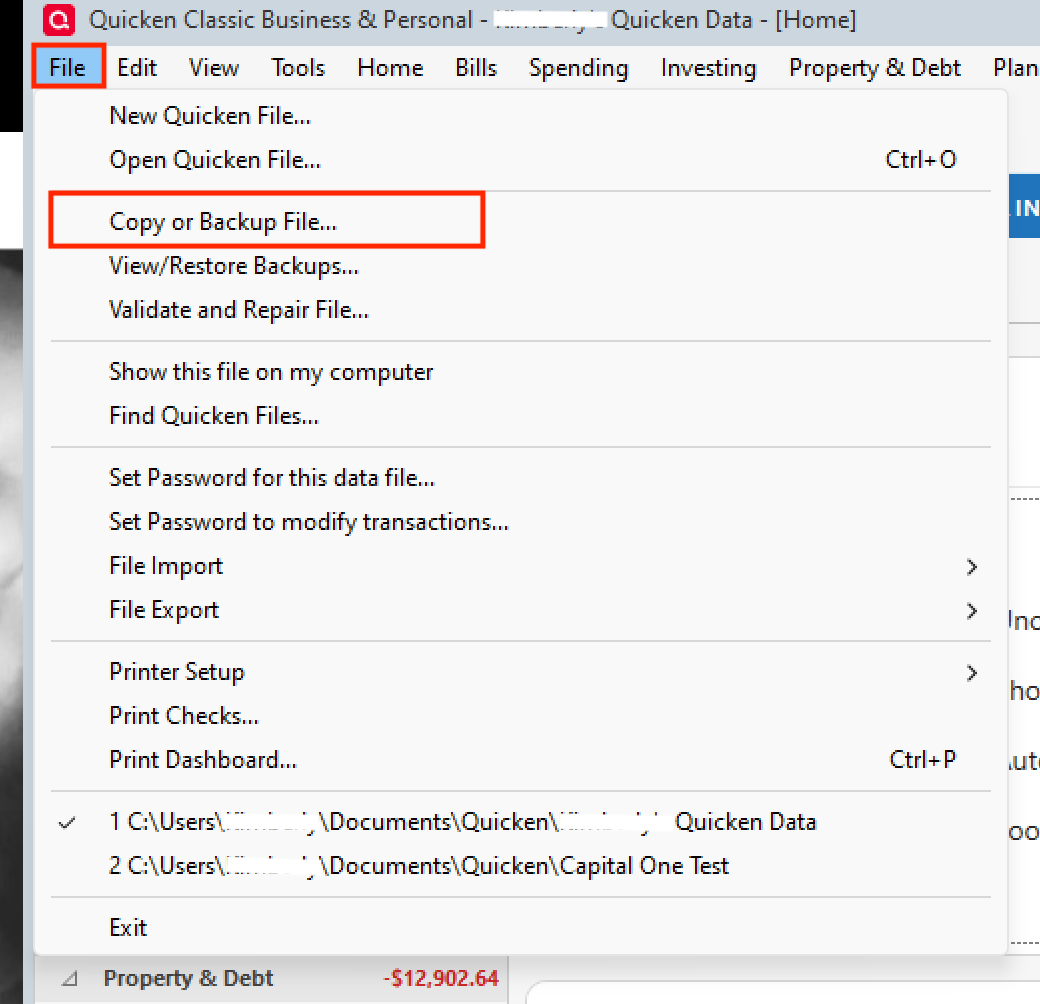
    1. Go to File > Copy or Backup File. Copy or Backup file.png
    2. In the Backup or Copy File window, under Advanced Options, select Create a copy or template.
    3. Click Next.
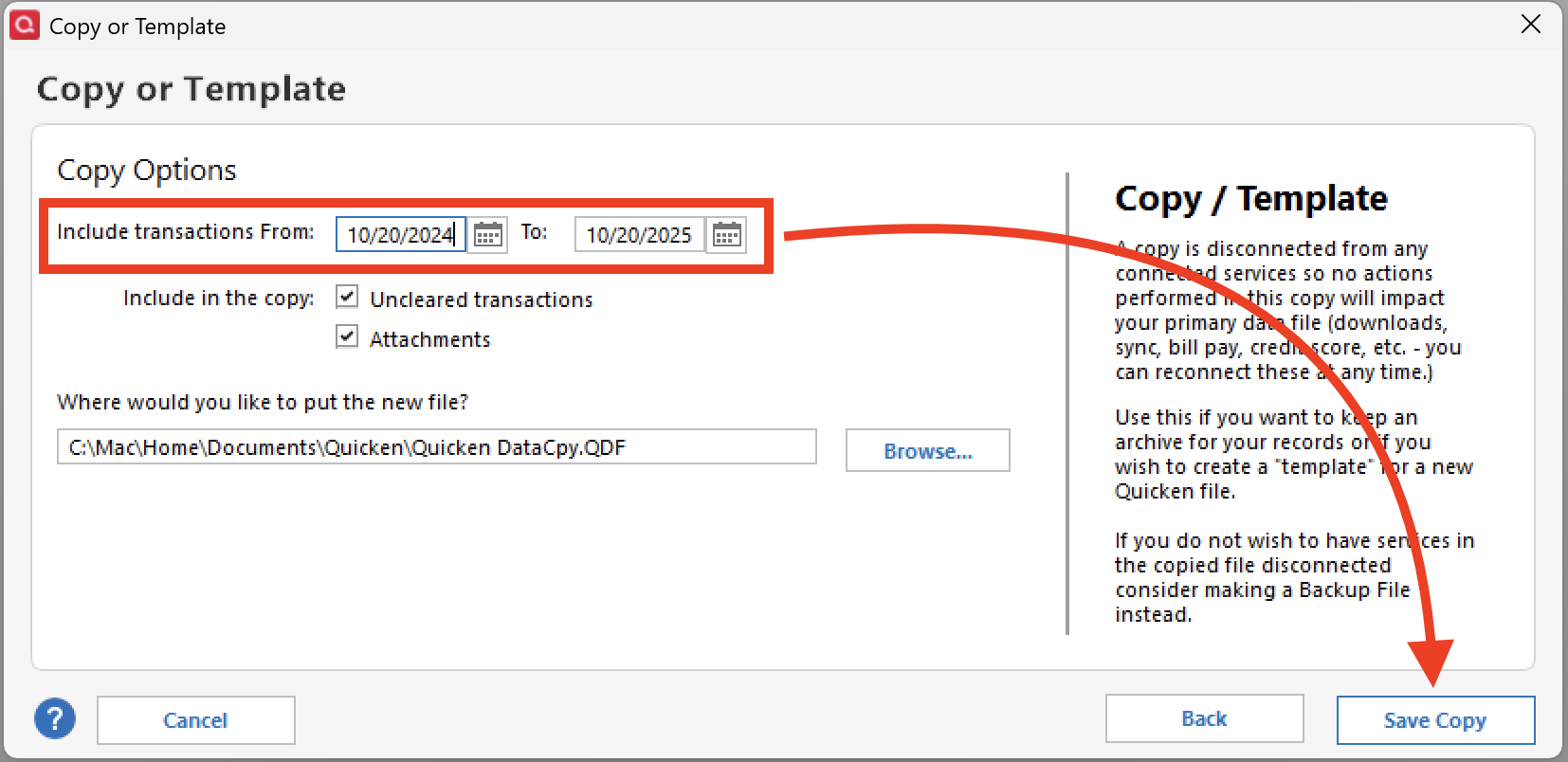
    4. Choose what to include in the copy. (This is where you can choose a date range) copy file date range.png
    5. Name and save the copy file.
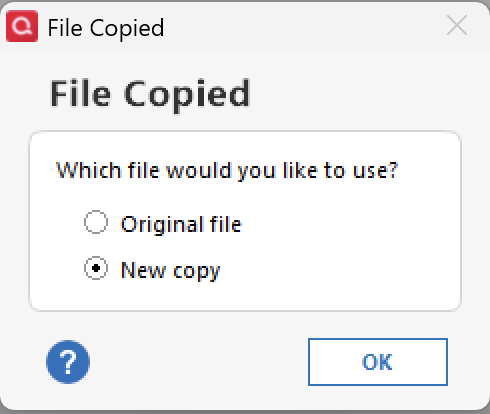
    6. When prompted which file you want to open, choose New Copy. copy file-new copy.png

    Note: Once you are in the copy file, you will need to reconnect all of your accounts. If at any point you are unhappy with the results, you can always go back to the original file. Do this by going to File and selecting the second file listed at the bottom of the menu options.

    Let me know how it goes!

    Quicken Alyssa

    Make sure to sign up for the email digest to see a round up of your top posts.