No Sounds After Update (Version R65.29, Build 27.1.65.29)
I've just updated Quicken and sounds no longer play, for example, when I've entered a transaction.
Other sounds are working fine on the PC (Windows 11).
The Quicken sound set is present in the Windows Sounds settings window, and the audio files are present on disk in:
C:\Program Files (x86)\Quicken\Sounds
However, the sounds don't play in Quicken or when double-clicked.
Any ideas appreciated!
Comments
-
Hello @jelnet,
Thank you for sharing your experience and reporting the issues you are running into with Quicken sounds.
First, confirm the volume on your system is toggled on. You can check this by clicking on the audio icon in the Start bar.
Then, make sure the Turn on Quicken sounds option is checked:
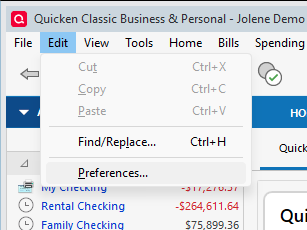
- Go to Edit > Preferences.
- Select Setup in the left panel.
- Check the box next to Turn on Quicken sounds, then click OK.
- Close Quicken and re-open it.
If neither of these restores Quicken sounds, please follow the additional steps in the support article linked above.
Let us know how it goes!
Quicken Alyssa
Make sure to sign up for the email digest to see a round up of your top posts.
0 -
Thanks for your reply. Unfortunately, none of the suggested fixes worked, nor did the ones in your linked support article.
However, I did notice that some of the sounds in the Sounds folder played and some didn't, the difference? The mono sounds didn't play, whereas the stereo ones did.
So I managed to fix the issue by converting all the sounds in the Sounds folder (C:\Program Files (x86)\Quicken\Sounds) to stereo. I did this using a tool called dBpoweramp Audio Converter.
Also note that I had to open dBpoweramp as Administrator in order to overwrite the existing sound files, otherwise the overwrite fails. I did this by right-clicking the dBpoweramp icon and clicking "Run as administrator" before performing the file conversion.
Please also note that in your support article, under the heading: "If there is a signature sound", in point 1, after opening the Control Panel and before point 2, it would be useful to add a line to turn on "View by Category", since many users might be viewing the Control Panel by icon in which case there is no such option as "Hardware and Sound" specified in point 2 (this took me a while to figure out!).
I hope this helps your other users and if you'd like any further details or a step-by-step for the fix I'd be happy to help. 😊
0
Categories
- All Categories
- 40 Product Ideas
- 36 Announcements
- 222 Alerts, Online Banking & Known Product Issues
- 21 Product Alerts
- 525 Welcome to the Community!
- 674 Before you Buy
- 1.3K Product Ideas
- 54.3K Quicken Classic for Windows
- 16.5K Quicken Classic for Mac
- 1K Quicken Mobile
- 814 Quicken on the Web
- 115 Quicken LifeHub