Hi, I have made several attempts at trimming the size of my file with no luck. I have followed the instructions to the letter, and yet I still have reconciled transactions on my credit cards back to 2016. Please help
Hello @Tamasta,
Thank you for sharing your experience. I am happy to help!
Based on what you have said, I think creating a copy of your file sounds like what you are actually wanting. You use file copies to start fresh while keeping your categories and setup. Use backups and archives when your goal is protection or cleanup, not continuation.
The Year-end archive is better suited for data protection and historical storage, not for creating a new working file.
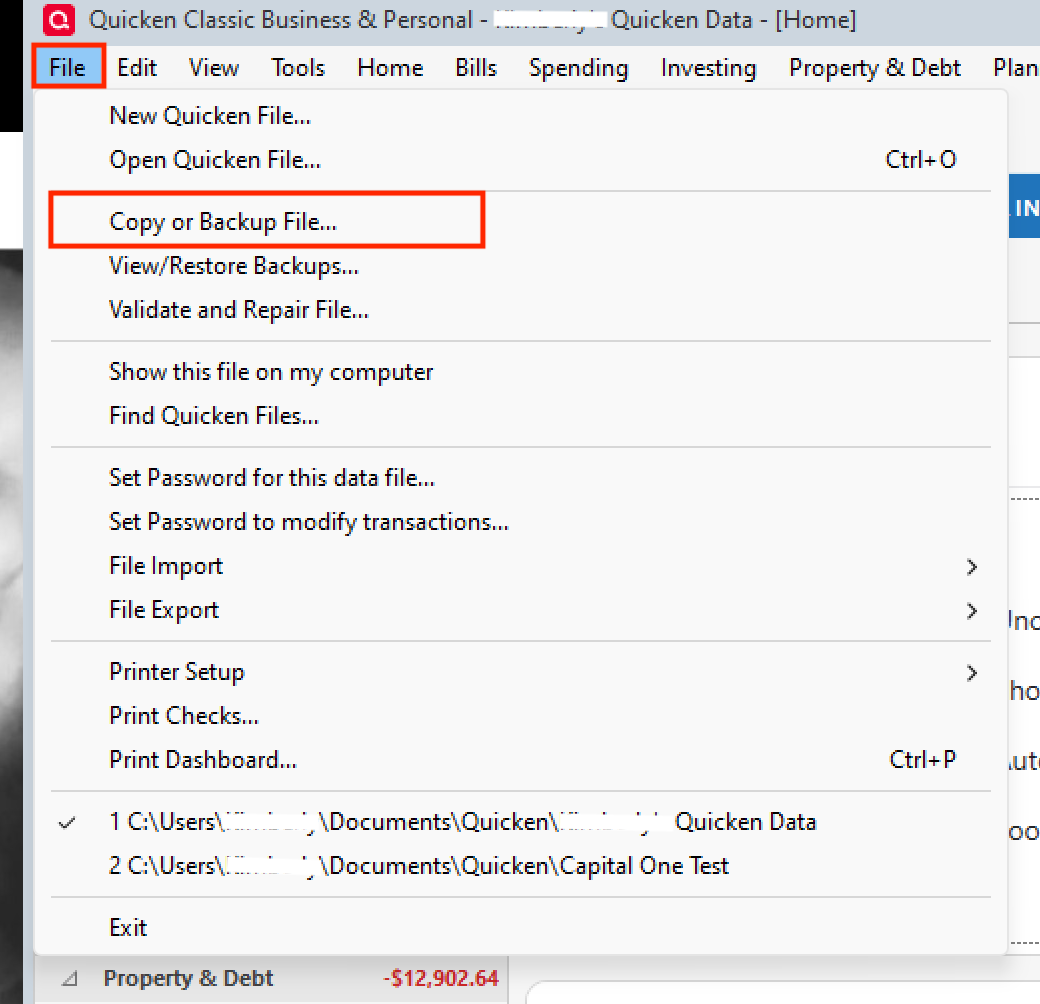
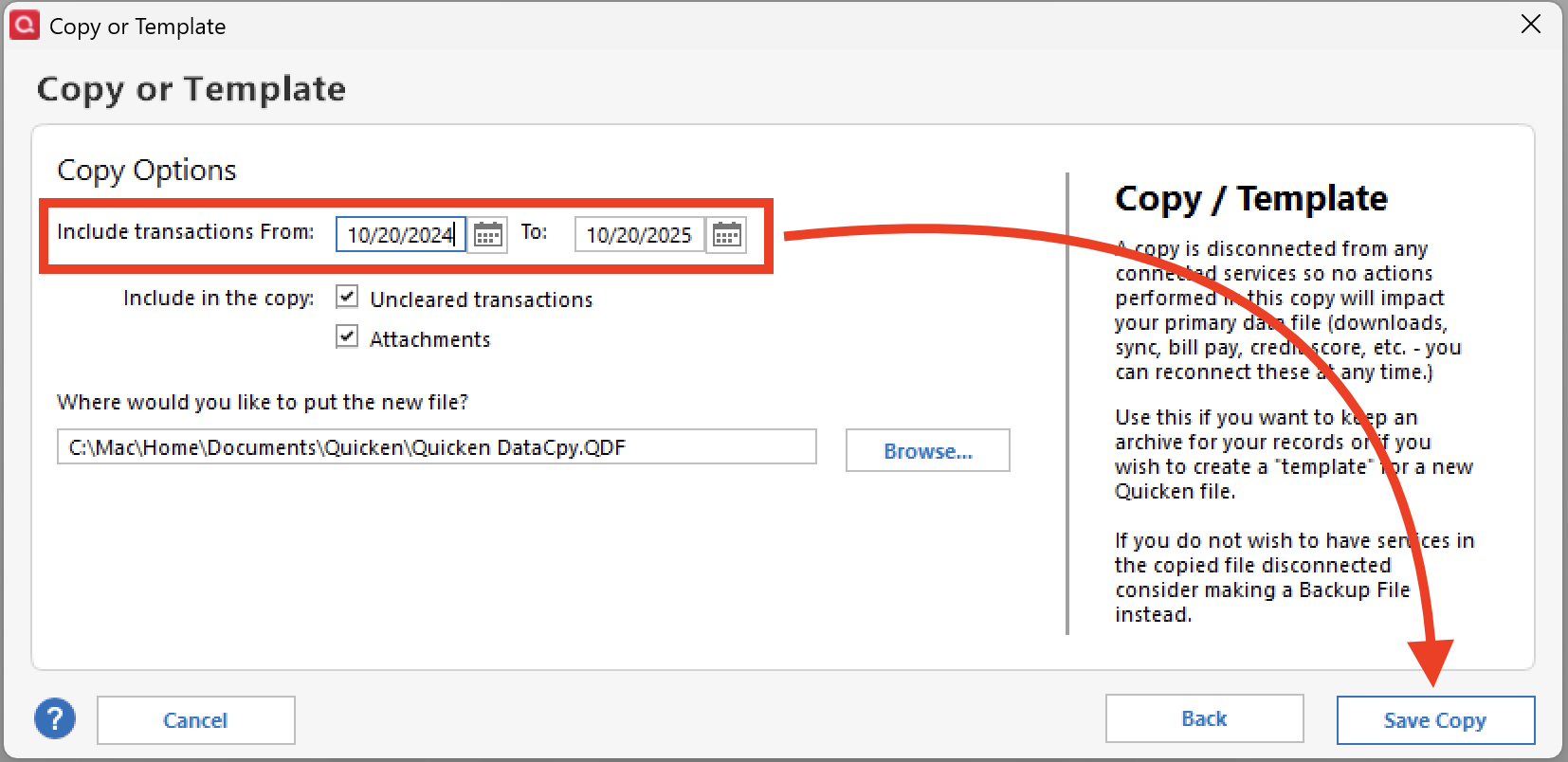
To copy your file:
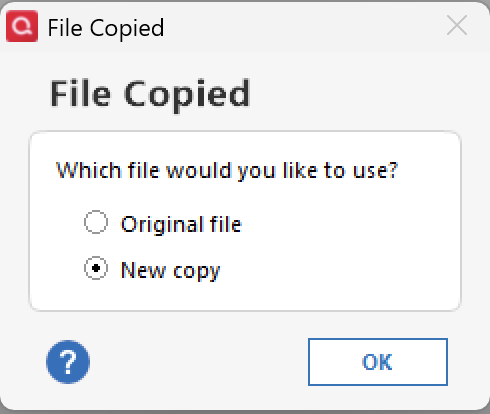
Note: Once you are in the new file, you will need to reconnect all of your accounts. If at any point you want to get back to your original file, you can do so by going to File and selecting the second file listed at the bottom of the menu.
Let us know how it goes!
Hi Alyssa, thank you very much for the thorough explanation. I was following the instructions for the year end copy however your solution took care of it, the only old tansactions that i see are transfers between accounts. Is there a way around that?
I appreciate the attempt at a work-around here, but the Year End copy functionality is absolutely BROKEN at this time. I have done this since 2015, intentionally leaving last year's data forward in the 'current file' and having the data that's older than one year dropped into an archive.
This year, as soon as I choose the 'I don't want anything older than X' and set it to 1/1/2025, so that the 2024 data in the file would archive off, the field below it for 'the archive will contain data up to' greys out BUT STAYS AT 12/31/2025, which is entirely incorrect!
The result is an archive file that is literally all of 2024 AND 2025, and the 2024 transactions don't drop from the current file.
This has never been broken before as I have a complete set of one year archive files from 2015 through to 2023, all made in exactly the same way using this feature successfully in years past.
YES, all my accounts are reconciled, NO I do not have any uncleared transactions except for the most latest 2026 ones, and NO I don't use investments etc.— just a simple savings and checking account.
This is extremely frustrating and a terrible regression error.
Hello @Tamasta & @CashMan,
Thank you both for adding to the discussion.
@Tamasta,
I tested this in my own Quicken and could see exactly what you are referring to.
When you are going through the process, and you get to step 4 from my last post, if you uncheck the box for Uncleared transactions, that should get those out of there.
Try this and let me know how it goes!
@CashMan & @Tamasta,
Thank you for sharing your comments and concerns regarding the Year-end archive issues.
This issue has been escalated. We request that you please navigate to Help > Report a problem > Send to Quicken within your Quicken program and submit a problem report with log files and screenshots attached in order to contribute to the investigation.
It would also aid the investigation to include a sanitized file when submitting the problem report. A sanitized file is a data file that removes personally identifiable information so you can comfortably share this file with the Quicken team.
If you do send these over, please let us know so we can add them to the escalation ticket. The more problem reports we receive, the better.
Thank you both!