All of a sudden, none of my investments from my desktop Quicken show up on mobile Quicken when I synchronize.
Any suggestions?
[Edited-Readability]
Hello @nstevens,
Thank you for sharing your experience.
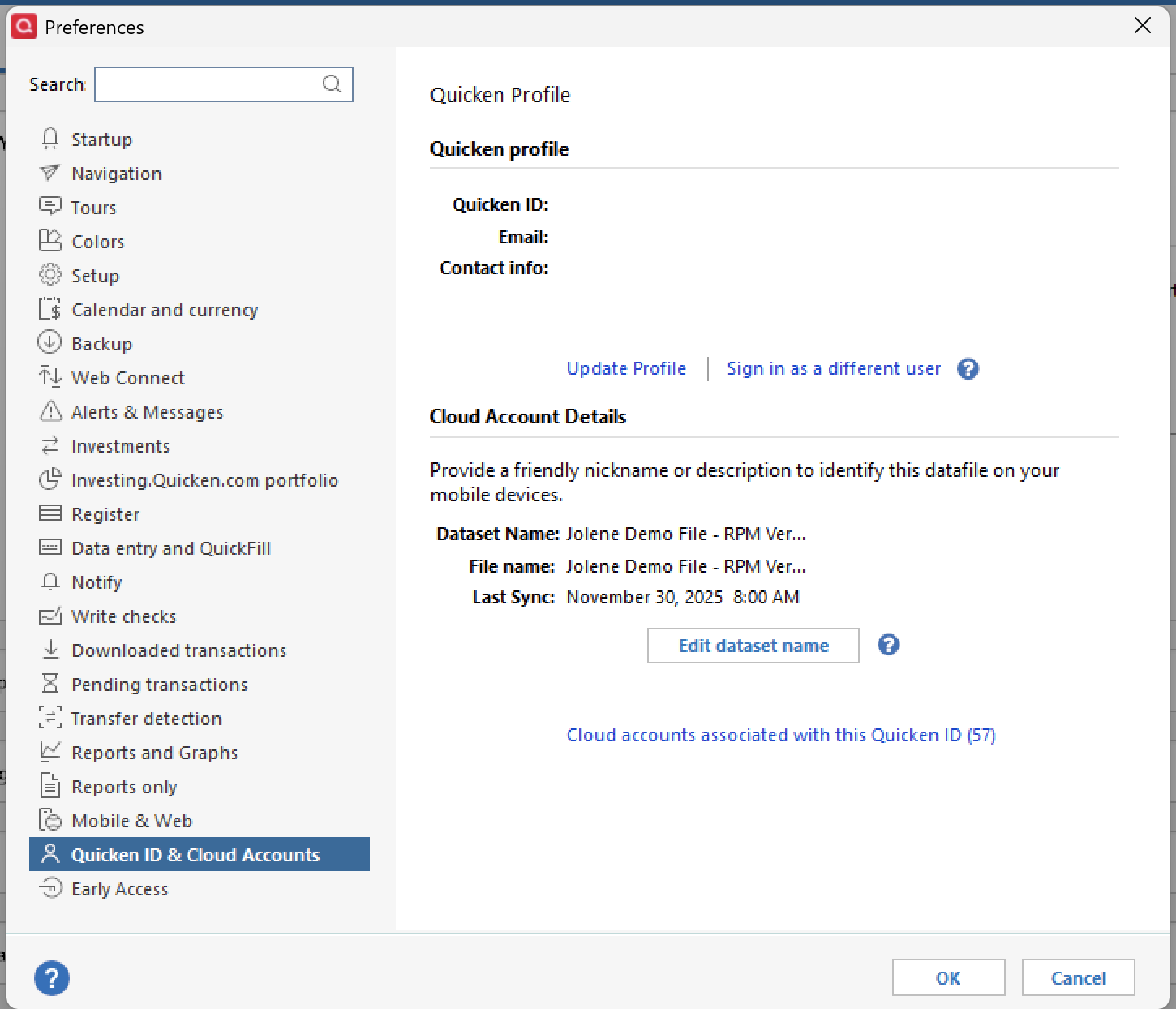
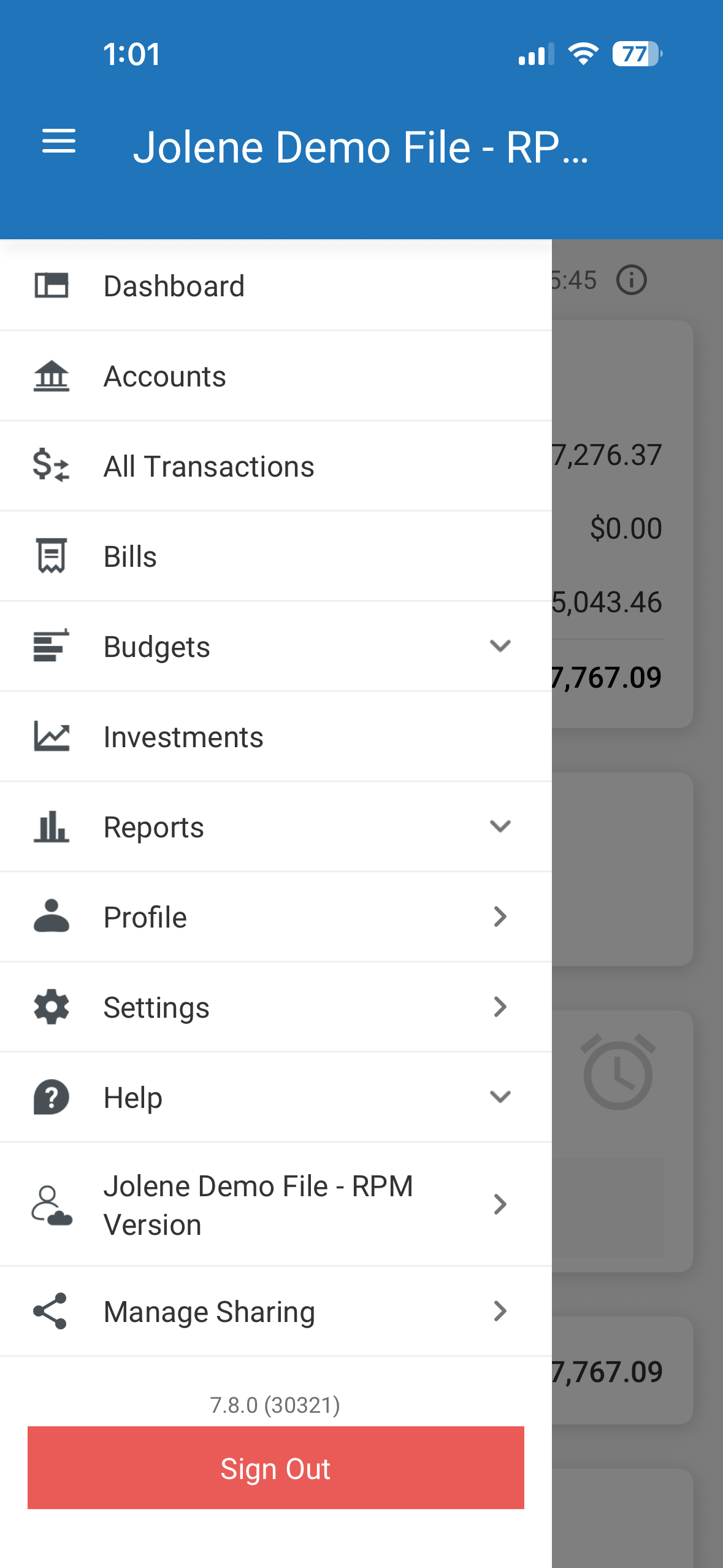
Definitely strange that this would happen suddenly. First thing I would check is to make sure you are viewing the correct dataset. Sometimes, when more than one dataset exists, you can switch to a different one without realizing it. Basically, we just want to make sure you are viewing the same dataset in both places.
To check which dataset you are in from the desktop:
To see which dataset you are looking at in the mobile app:
If you need to change the dataset you are viewing, click on the current dataset name in the menu, and it will open up a list of other datasets to choose from. You can then choose the correct one. Make sure to choose the same one that you are viewing on the desktop.
If this didnt fix the issue, let us know so we can offer more troubleshooting steps.
Thank you!
@nstevens,
Just checking in, we haven't heard back from you in a while.
Do you still need assistance?
Hello again,
Checking in once more before this thread is closed.
Let us know if you still need assistance.
Due to the lack of response, I went ahead and closed this post.
If you still require assistance, please feel free to start a new post.