Mission Federal Credit Union payee and memo field swapped [Edited]

We notice on the file that is downloaded from your financial Institution is not updated, as the line-up we need to update Quicken files. We will need them to update the lineup of the columns to the ones we provide on the structure. After the update of their QFX, Quicken should be mapping on our system. Mission Federal Credit Union payee and memo field swapped on downloading Quicken Connect.

[Edited-Readability]

Comments

  • Quicken Alyssa
    Quicken Alyssa Quicken Windows Subscription Moderator mod

    Hello @ArnieCounty4,

    Thank you for sharing your experience. I am happy to help!

    It sounds like you are trying two different connection methods and experiencing issues with both. Is that correct?

    If there is an issue with the format of the QFX file you are downloading from the bank, you will need to contact them directly. The file comes from them, and they are the only ones who can fix that.

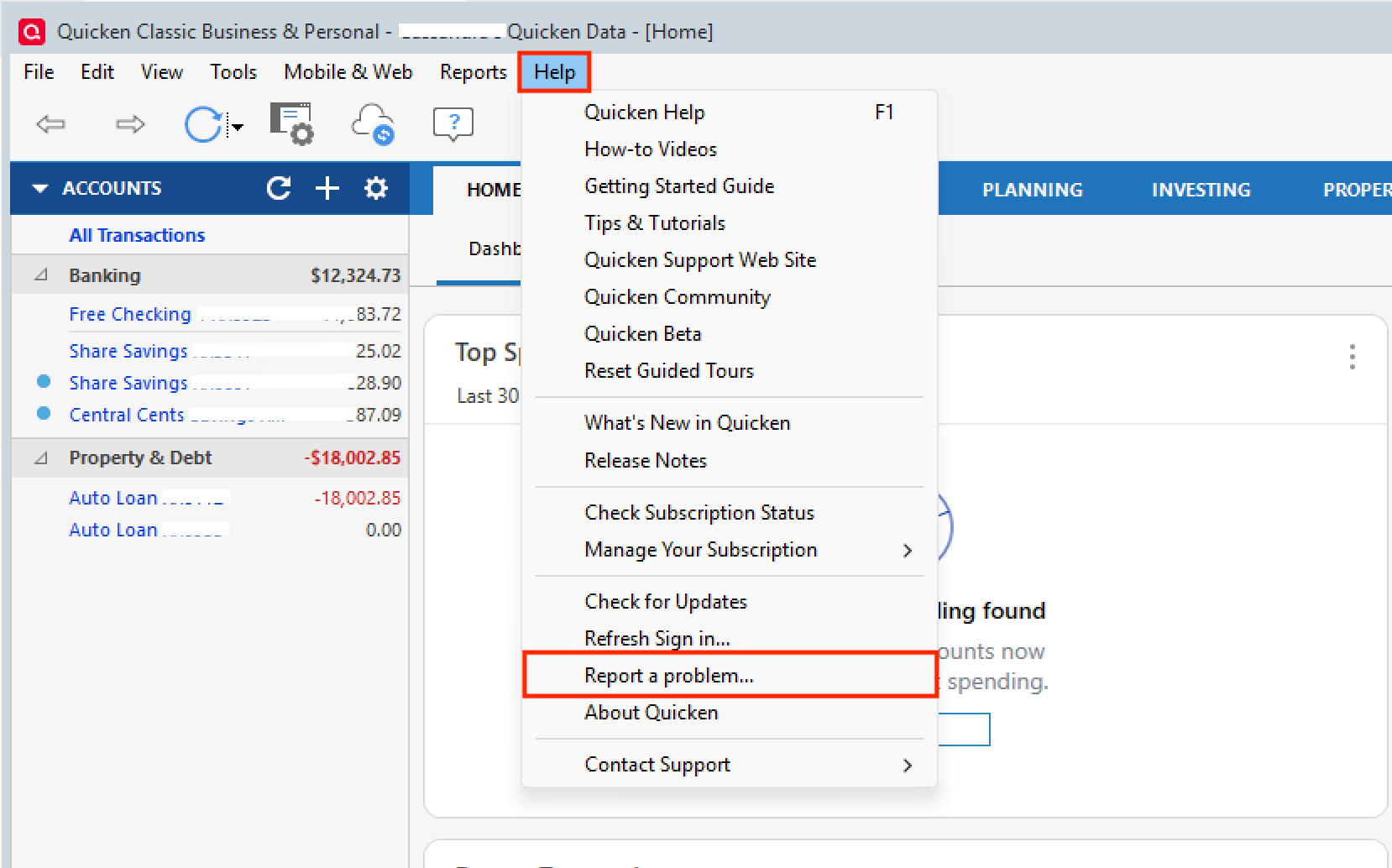
    If the Memo and Payee fields are swapped when downloading using Quicken Connect/Express Web Connect, we will need to take a look at your log files to see how the bank is sending this information to Quicken. To send in your log files, you can go to Help>Report a problem>Send to Quicken.

    Help>Report a problem.png

    Once you have done that, please call Quicken Support so they can gather transaction examples and take a look at what's happening here. They will also be able to process an escalation if that is needed.

    Hope this helps!

    Quicken Alyssa

    Make sure to sign up for the email digest to see a round up of your top posts.