I inadvertently closed a banking account in Quicken. How can I reopen this account?
Hello @Bob Sr,
Thank you for posing this question.
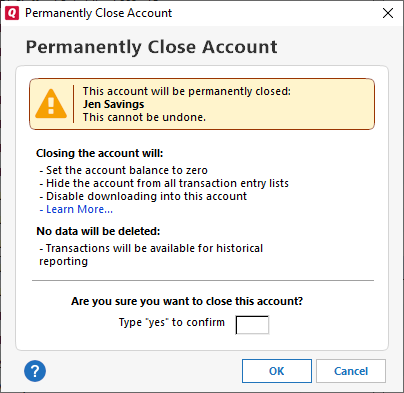
In short, you cannot reopen an account you have closed in Quicken for Windows. When closing an account, the prompt does explain that this is permanent and requires you to type "yes" to confirm you want to continue.
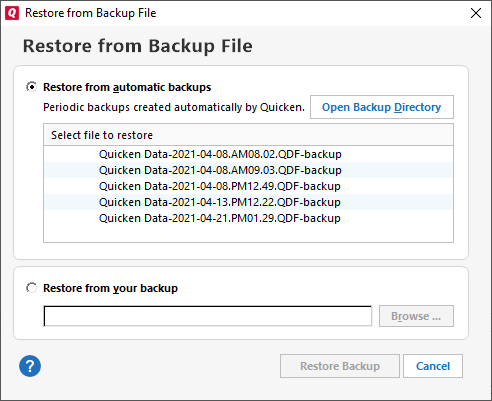
You can restore a backup. After doing so, you could get a CC-800 error if this is a connected account. Even so, it should be resolvable by following the steps in the linked support article.
Here are the steps to restore a backup; this article is linked as well.
To restore a Quicken data file:
Let us know if you need more help!
@Bob Sr,
Just checking in, we haven't heard back from you in a while.
Do you still need assistance?
Thank you!
Hello again,
Checking in once more before this thread is closed.
Let us know if you still need assistance.
Due to the lack of response, I went ahead and closed this post.
If you still require assistance, please feel free to start a new post.