"Uncategorized" category / category clean up issue (Q Mac)

SzwakyD
SzwakyD Quicken Mac Subscription Member ✭✭

My OCD has gotten the better of me and I'm trying to clean up my "Uncategorized" transactions.

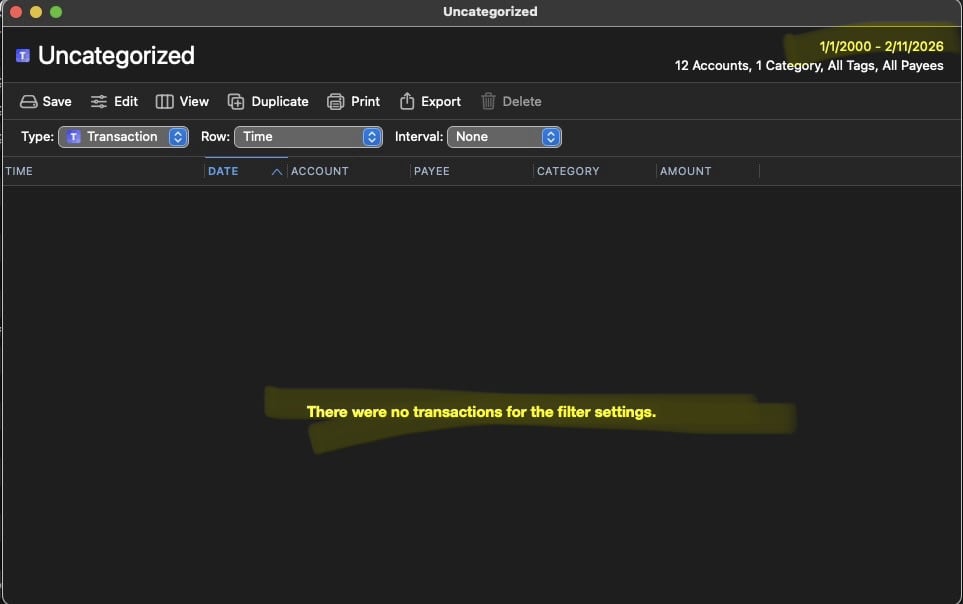
I had about a 120, I went through them all until there was none left. However, when I look at the overall category view, it still says I have 15 uncategorized transactions. But when I open it up, there are none there. I even tried expanding the date range thinking it might be flagging something from earlier but when I change the range to 01/01/2000 (well before I used Quicken) to the present day, there is still nothing in there when I open it up. Screen shots attached.

Can someone please tell me what's going on and how to fix this?
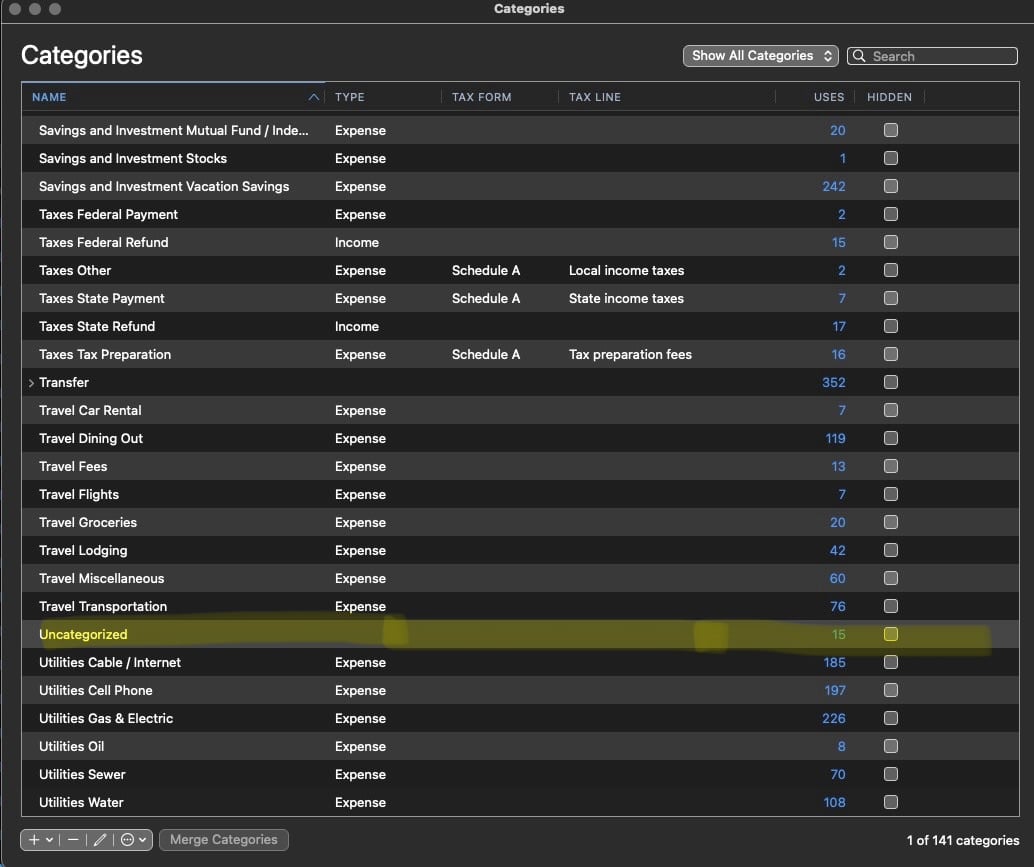
Image 2-11-26 at 10.17 PM.jpeg Image 2-11-26 at 10.18 PM.jpeg
Tagged:

Comments

  • Jon
    Jon Quicken Mac Subscription SuperUser, Mac Beta Beta
    edited February 11

    Edit the report and on the Accounts tab change Selected Accounts to All Accounts. Does that reveal anything?

  • SzwakyD
    SzwakyD Quicken Mac Subscription Member ✭✭

    I forgot to mention I did try that as well which did not reveal anything. I tried it again, just in case, nothing.

  • xingeranium
    xingeranium Quicken Mac Subscription Member ✭✭

    Check whether you have any uncategorized upcoming scheduled Bills and Income transactions. I discovered some discrepancies in the transaction counts for various categories in my own file that could be explained by upcoming scheduled bills.

  • SzwakyD
    SzwakyD Quicken Mac Subscription Member ✭✭

    Definitely not something I would think of. I have 13 upcoming scheduled bills BUT only 8 are uncategorized? So it still doesn't add up to the 15 that's being displayed.

  • John_in_NC
    John_in_NC Quicken Mac Subscription SuperUser, Mac Beta Beta

    I checked, and I, too, am showing 3 mysterious uncategorized transx that can't be found. (And I can assure you that there aren't any in my file.

    My beta testing file shows none (just "required") and that file is only a few years old created from a QXF export/import.

    Playing with filters, I think it is something behind the scenes with Transfers, but I could be wrong.

    I will keep an eye on this and will report it as a bug if I figure out what is going on.