Awaiting Next Bill

JonF
JonF Quicken Windows Subscription Member

I like others in the thread am experiencing the same issue with bills having a "Quick Pay" identifier and continue to say "awaiting next bill". My primary use of Quicken Classic Deluxe is to manage the timely payment of my bills in one application. If my due dates and amounts are not systemically updated, I have to go in and monitor my payees separately. I have now gone in and changed my bills to manual bills, with a ballpark minimum payment amount each month. This is defeating the purpose of using this program. I don't need the Quick Pay option - all I need is to know the amount due on my bills, and the day the payment is due, and I need it done automatically - I will handle the payment myself. Is there a way to make this happen?

Answers

  • Quicken Alyssa
    Quicken Alyssa Quicken Windows Subscription Moderator mod

    Hello @JonF,

    Thank you for sharing your experience and for reporting the issues you are encountering.

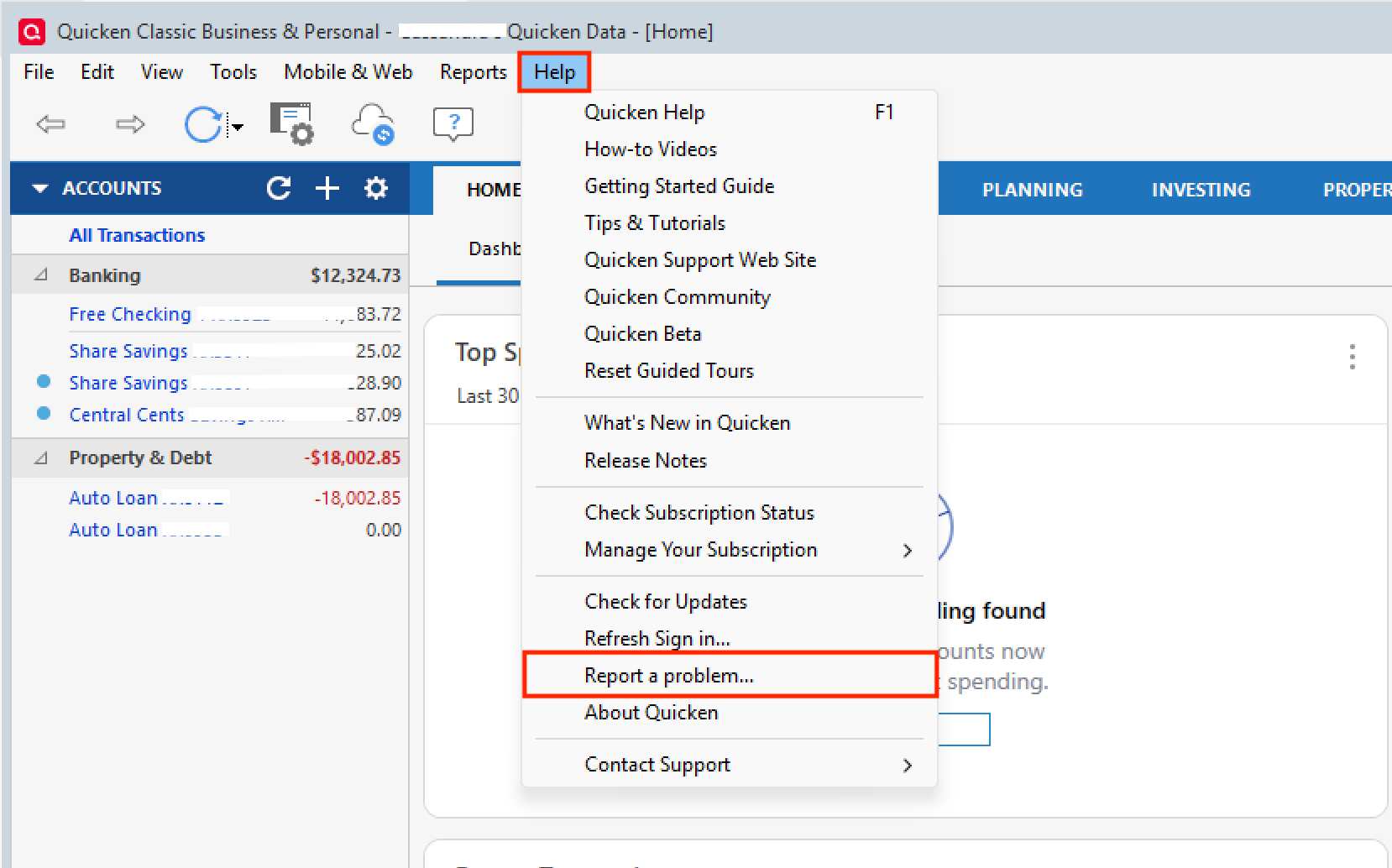
    The issue you are experiencing has been escalated internally and is still being addressed. If you would like to contribute to the investigation, you can do so by going to Help>Report a problem>Send to Quicken and sending in your log files.

    Help>Report a problem.png

    If you send them in, please let us know so we can add you to the escalation ticket.

    To answer your question, no, there is no other way to have your bills update the amount due without making them online bills. And with online bills, you may see "Awaiting Next Bill" until this issue is resolved. I apologize for the inconvenience.

    Thank you!

    [CTP-15189]

    Quicken Alyssa

    Make sure to sign up for the email digest to see a round up of your top posts.