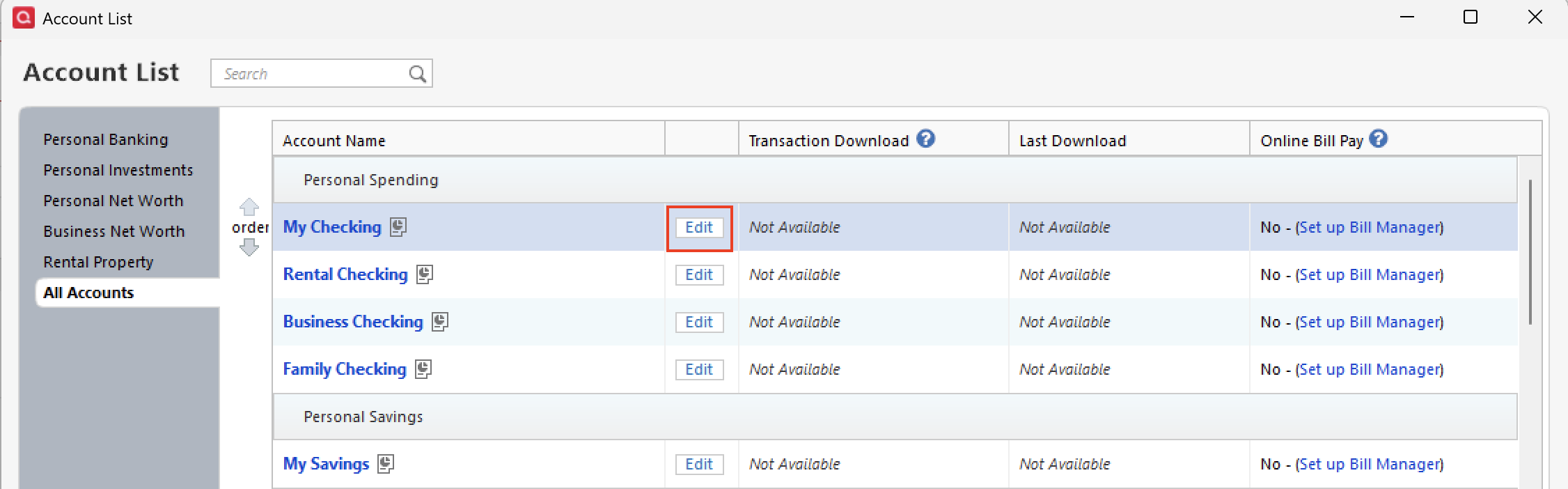
I have a few checking and savings accounts in my federal credit union (FCU). The checking and savings accounts are all Express Connect. I also have a credit account at that FCU that I have as Web Connect. When I use One Step update, only the checking and savings accounts get updated, and the Last Download field is updated for those accounts, as expected. I then select the credit card account and do an update now from the gear. It takes me to log into the FCU and has me sign in. I select the credit card account and export the transactions. I click on the downloaded file and the Quicken icon on the taskbar flashes for a few seconds and then stays highlighted -as expected. I then click the Quicken icon and go into Quicken. There is a blue dot for the CC account, and when I select the account, the transactions have been correctly imported into Quicken. When I check the Account List, I notice the Date Downloaded has not been updated. Since I restored from backup a week ago due to 800 errors.
After the restore, I have had to deactivate and re-add all accounts, numerous times, to get them to download. I finally have everything apparently working as before the 800 error, except for updating the date downloaded field for the Web Connect account.
I think before, the screen came up to UPDATE NOW. Now it goes from the dropdown menu directly to the bank sign-on.
[Edited-Readability]