Transactions Not Downloading — Quicken Tries to Create Duplicate Accounts
Windows, Windows 11 Home, Version R65.29
Hi,
Please help!
I used Quicken Classic (Canada) for Mac for more than 10 years and it worked perfectly. Since January, I switched to Windows, and it’s no longer working properly.
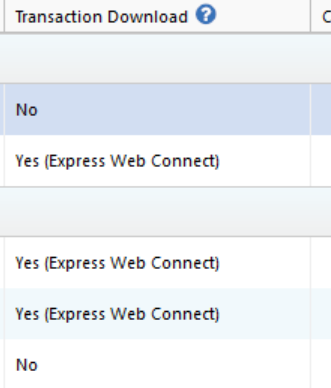
The download of transactions for my chequing account and VISA accounts is not working. The screenshot below shows “No” for both accounts.
When I try to edit the account and enable Express Web Connect, Quicken attempts to create a new account instead of linking to the existing one.
I would like to reconnect my existing accounts so they update automatically — ideally without having to recreate them, as that would be very messy.
PS: I have another chequing account that connects and updates just fine.
Thank you for any help!
Answers
-
Hello @weyd,
Thank you for sharing your experience.
I have some follow-up questions for you:
- How long has this been happening?
- What financial institution are these accounts held with?
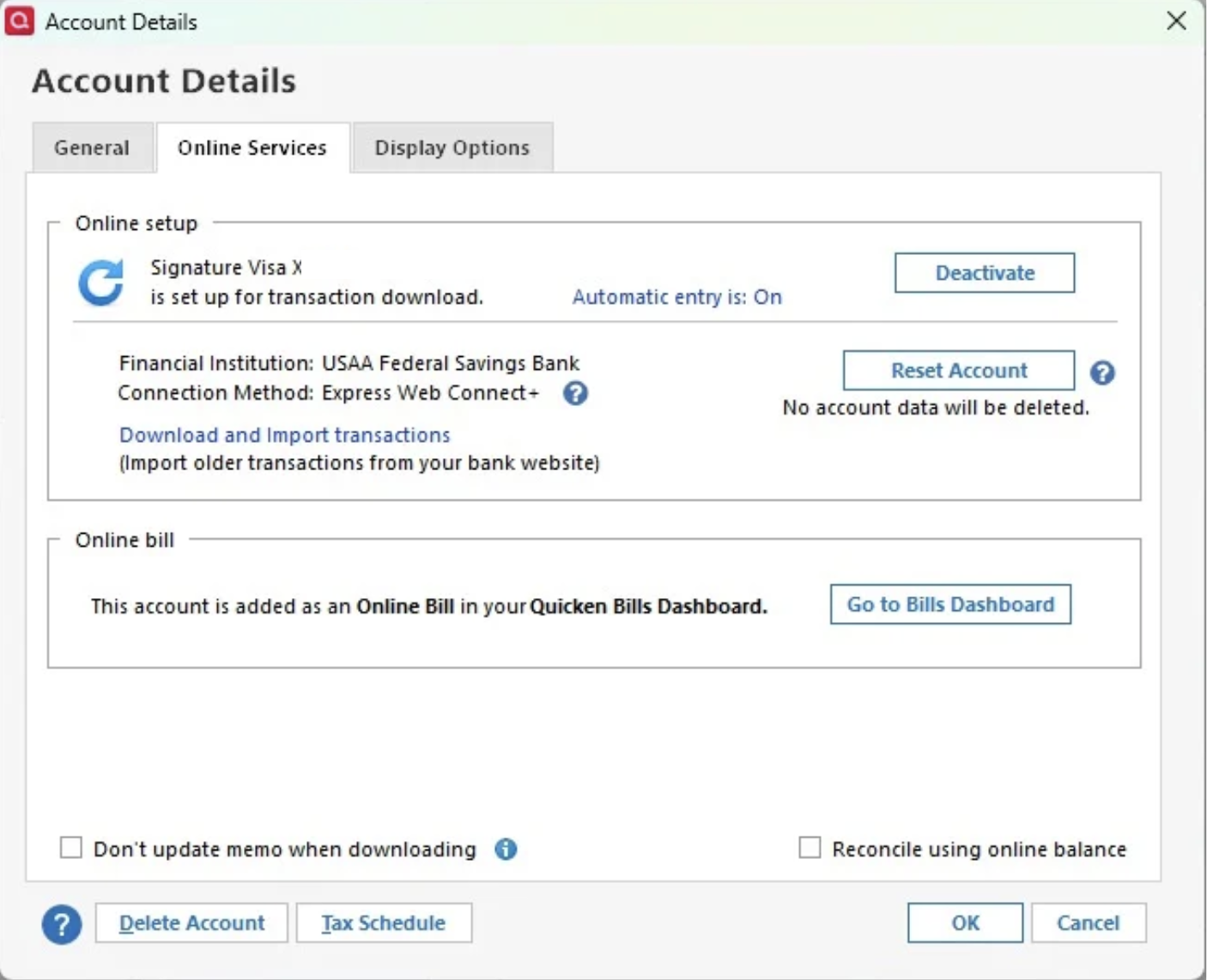
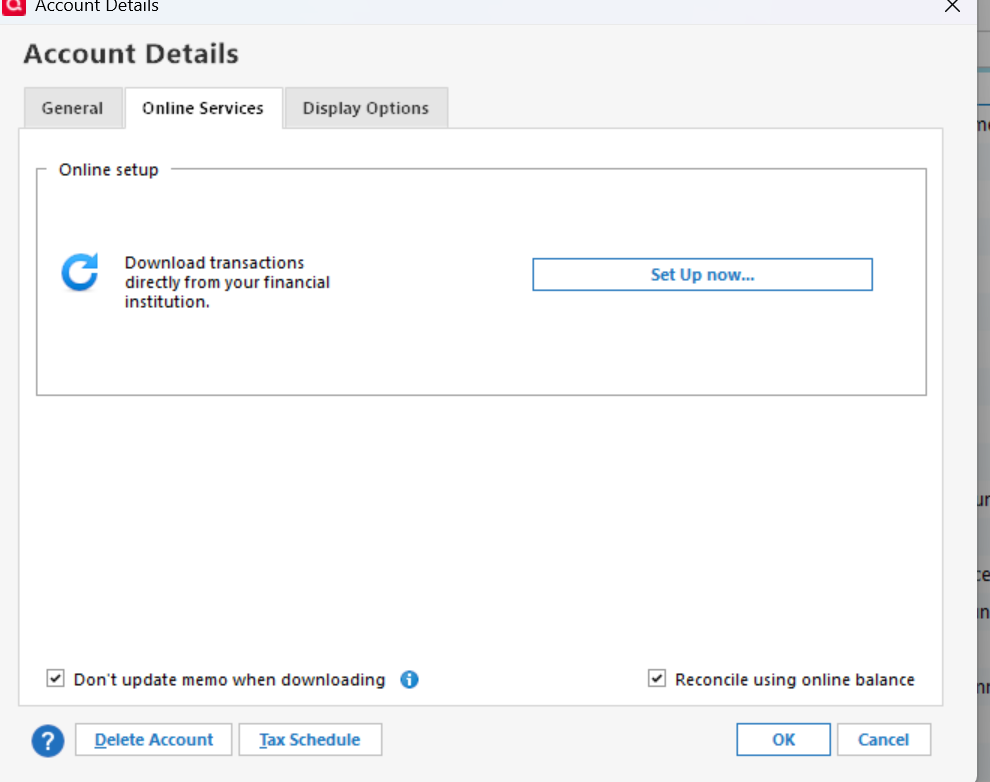
- When you click Edit next to these accounts from the Account List, then go to Online Services, do you see a Deactivate button or Set Up Now?
- If you see "Deactivate", please deactivate both accounts and then try reconnecting them. Be sure to LINK to the existing accounts.
Let me know what you find, and we will go from there!
Quicken Alyssa
Make sure to sign up for the email digest to see a round up of your top posts.
0 -
Hi Alyssa,
Thank you for your prompt reply.
Here are the answers:
- This has started a couple of weeks after purchase of new license under Windows
- Bank is RBC (Canada)
- When I click Edit, I don't have the diactivate option, only Set up Now.
0 -
Thank you for following up.
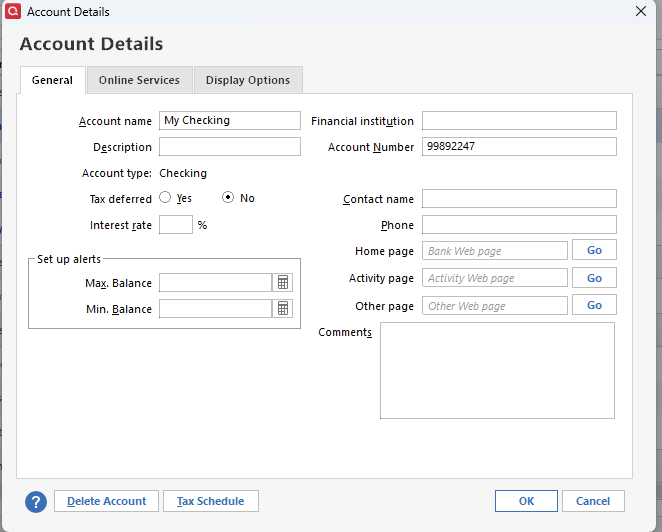
If you check under the General tab, do you see anything in the Financial Institution or Account Number fields? If so, clear out those fields and try connecting these accounts again.
Let me know how it goes!
Quicken Alyssa
Make sure to sign up for the email digest to see a round up of your top posts.
0 -
Thanks Alyssa. No account number is indicated :(
0 -
Thank you for providing additional information.
Let's try validating your file. To do this:
- Save a backup.
- Go to File.
- Select Validate and Repair file…
- Check the first box for Validate file.
- Click Ok.
Once the validation has completed, it will produce a report of anything it has found/corrected. After this, try adding your accounts again, and let me know if anything has changed.
Thank you.
Quicken Alyssa
Make sure to sign up for the email digest to see a round up of your top posts.
0
Categories
- All Categories
- 57 Product Ideas
- 34 Announcements
- 237 Alerts, Online Banking & Known Product Issues
- 19 Product Alerts
- 511 Welcome to the Community!
- 678 Before you Buy
- 1.4K Product Ideas
- 55.2K Quicken Classic for Windows
- 16.7K Quicken Classic for Mac
- 1K Quicken Mobile
- 828 Quicken on the Web
- 123 Quicken LifeHub