Bank of America - Reauthorization Error [Edited]
Today when I tried to do a One Step Update, Quicken said I need to reauthorize all my Bank of America accounts. I tried to reauthorize and got a Bad Request error. I then deactivated all my Bank of America Accounts and setup them up again - same error.
So, Bank of America isn't working. Anyone else having this issue?

Comments
-
I too followed the 02/24/2026 Bank of America action but when I get to the Bank of America login screen my credentials are not recognized.
1 -
@lalvarez1, can you log into your account from the web or BoA app?
0 -
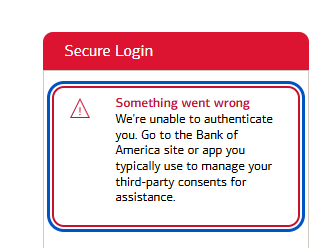
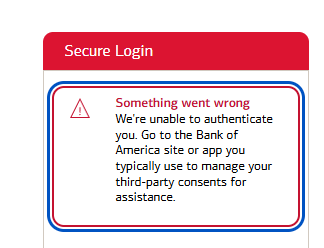
yes I can. I just followed the reactive/activate process again. I get a “something went wrong. We are unable to authenticate you….” Message then back to quicken. I restore my account, restarted quicken, did OSU and got the circle with a diagonal line on all my online accounts. Clicked on the circle and followed the steps. When I did it for Bank of America I got the same message. The funny thing is when I do an OSU it appears to connect to BoA and when complete the OSU Summary tells me that xxxBank of America accounts were updated.
0 -
Same here, except my accounts do not update and the message to reconnect becomes active.
0 -
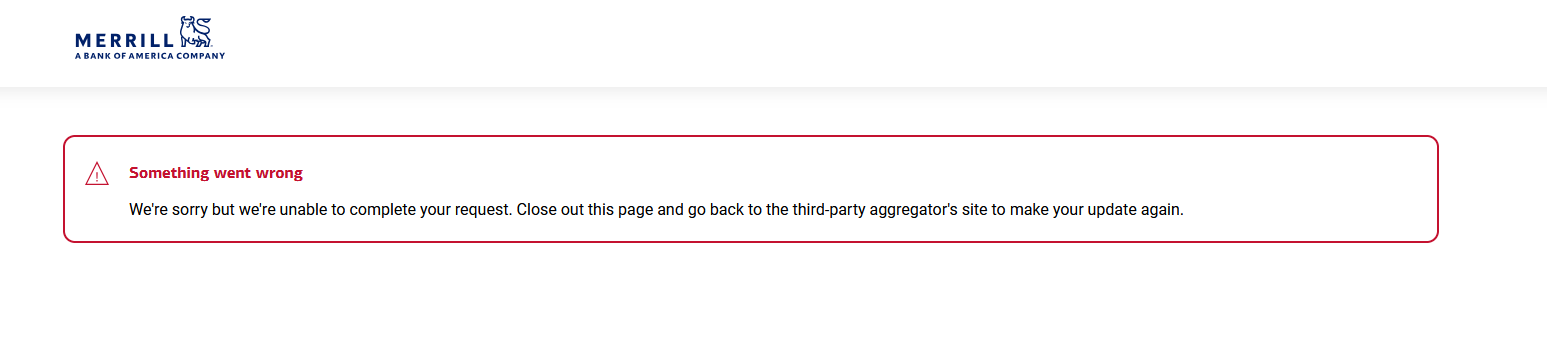
I saw the announcement that BOFA was changing their connection method. When I logged in today, I received the notification to reauthorize my connection to two checking accounts. I was unable to reauthorize after several attempts using different browsers with the following message. I am able to log into my accounts in the browser.
zzz connection still seems to work for now. I'm hoping this will clear up unless someone knows something else I need to do.
-D
0 -
I am having similar issues although I am not able to login to the correct BofA accounts through my browser. Waiting for an answer prior to beginning the deactivate/reactivate procedure.
0 -
I am able to log into my account normally on the web. Will keep trying until zzz doesn't work any more.
0 -
When I tried to reauthorize, I had this issue which prevented me from completing the process:
- I deactivated my 6 BOA accounts. I had been using multiple logins to connect these accounts, but because all the accounts I want to track are visible from one of the accounts, this was a good time to consolidate logins. (The accounts are 5 checking accounts and 1 VISA card).
- In the Add Account flow, I selected "Bank of America" and was sent to a BOA login web page with 2FA. So far, so good.
- In the next web page, the 6 accounts I wanted to activate were listed. I checked them all. My ML accounts were also listed, but I didn't check those since those are already connected through my ML account login.
- I got a web page asking for permission to share my data. I checked the box granting that, then clicked to go ahead.
- The next page I got only says "HTTP Status 400 – Bad Request" and I'm dead in the water. I had to cancel the reauthorization in Quicken.
Not sure if this is a BOA issue or a Quicken issue.
0 -
I saw that prompt this morning and holding off. Checked here first and saw this thread which I'm following now
0 -
I was also asked to reauthorize my BoA connection.
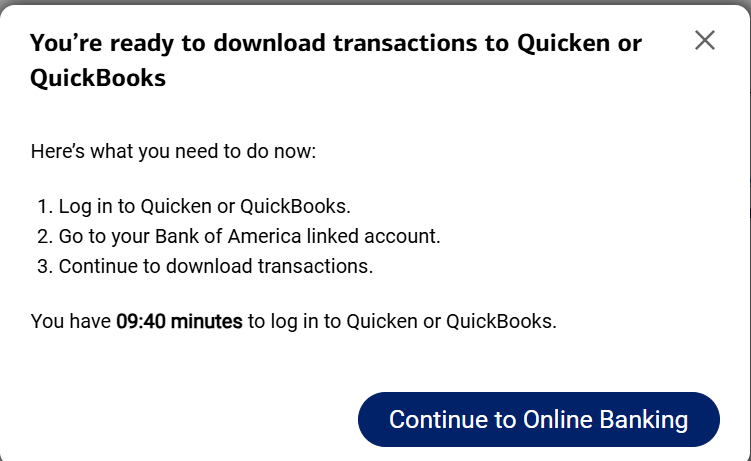
I did not get the 400 error you described. However, I could not do the reauthorization from Quicken. If I went straight to the BoA site I could sign-in just fine using the same credentials and it asked if I wanted to authorize access to Quicken. When I clicked yes I received this response::
However, when I went to download BoA transactions in Quicken (Credit card only) I got back to the failed authentication loop. I tried it with opening and closing the Quicken program and also by deactivating the BoA account and trying to re-add it. Same failed result when doing the reauthorization.
If I go to the BoA site and look under "Security" it says that I have authorized Quicken for third party access.
What else can I try, or is this a Quicken issue with the reauthorization process?0 -
I can no longer connect to bank of america accounts, it said they had a new way to connect so went in and tried and it just fails to connect when trying to go out to the bank of america web page
I get this every time, i went into the bank of america and revoked access and it said to go back into the app if you want to get access again but only get the following, now this does not work along with the bill pay not working and now this issue why am i paying money for this….
0 -
Well, I might have screwed up. I revoked access to Quicken from the BOFA site (as instructed in the BOFA announcement), and now I can't reestablish the connection. I still can't authorize after changing default browsers and zzz no longer works. Also cleared browser cache and rebooted.
1 -
Found this on Reddit and it worked:
"Before this will work, you need to log into BofA's website and deny access to Quicken on the 10 minute pop-up. Then go into Quicken to reconnect and the login will work."5 -
I'm getting this too. Assume there's a new problem. Anxiously awaiting a resolution……
0 -
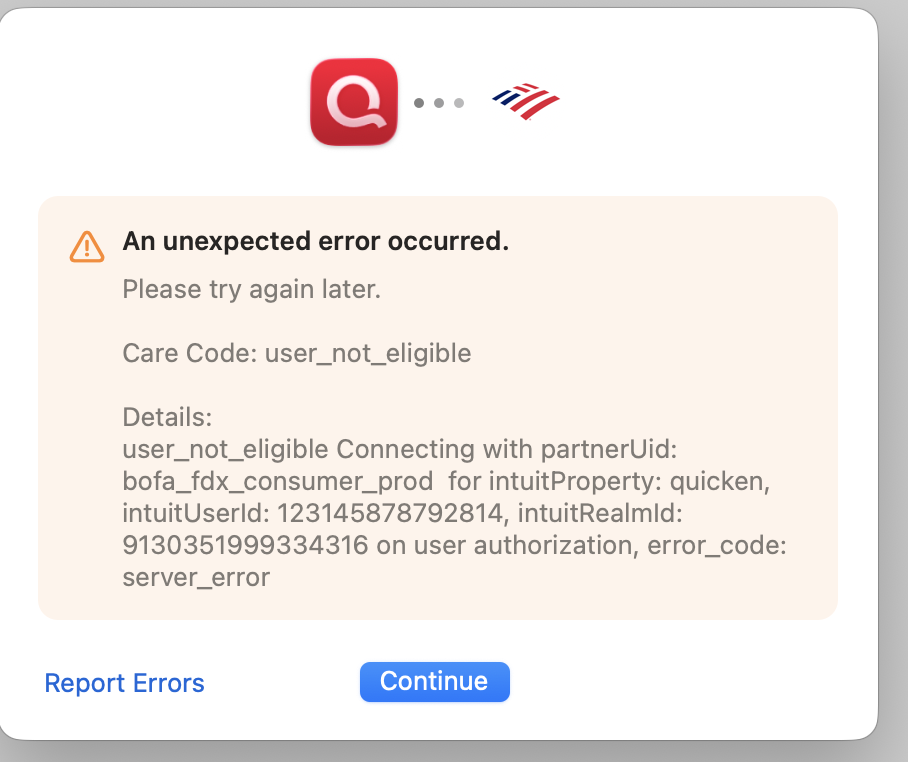
I went in a disconnected all accounts, went onto BoA and revoked access…. still get the follwoing error:
Please try again later.
Care Code: user_not_eligible
Details:
user_not_eligible Connecting with partnerUid: bofa_fdx_consumer_prod for intuitProperty: quicken, intuitUserId: 123145878052544, intuitRealmId: 9341454209672645 on user authorization, error_code: server_error0 -
I called Bank of America about this and right away they told me it wasn’t their problem and gave me quicken’s support number. Called quicken and got past their automated voice system and talked to a human operator. “Will continue working on it and will email when we have an answer” was what the technician told me after an hour. Looks like I’m not the only one with this issue.
0 -
I revoked access in Bank of America and tried again and it still didn't work. I receive that 400 - Bad Request error.
I disabled my virus protector and firewall and received this error:
This page isn’t working right nowIf the problem continues, contact the site owner.
HTTP ERROR 431
Thanks.
0 -
thanks for that update. hopefully you get a resolution and can post it. I'll do the same.
1 -
I deactivated the Online Services from the account and then reactivated. It works now.
0 -
Nope, I'm wrong. Sorry. I still have the problem.
0 -
I'm experiencing the same issue.
Who tests this stuff before it gets pushed to production? I want that job.
2 -
I'm not able to re-activate BOA. When i went to update, the error I got was "unknown-<bunch of numbers>". When tried to reset the account, I got an error from BOA's site when I entered in my credentials that many have already posted here and in Reddit. I tried to deactivate and activate with BOA, and now can't reconnect quicken with BOA to download my transactions.
Very frustrated with this product. I've been a long time user and it seems that ever since they moved to this subscription model, every couple months I experience issues like this.
0 -
I have the same issue - status 400.
1 -
Hello All,
Thank you for reporting this issue!
We will be forwarding this issue to the proper channels to have this further investigated. However, we request that you please navigate to Help > Report a problem within your Quicken program and submit a problem report with log files and screenshots attached in order to contribute to the investigation.It would also aid the investigation to include a sanitized file when submitting the problem report. A sanitized file is a data file that removes personally identifiable information so you can comfortably share this file with the Quicken team.
While you will not receive a response through this submission, these reports will help our teams in further investigating the issue. The more problem reports we receive, the better.
Please let us know once you have sent them over so we can add them to the ticket.
Thank you.
[CTP-16464]
Quicken Alyssa
Make sure to sign up for the email digest to see a round up of your top posts.
1 -
Same here , no connect and failure on verify account
0 -
This is precisely my situation. I wonder, will we all hear when the problem is resolved. Despite some variations, it does seem like a single problem.
2 -
I was wondering if anyone else is experiencing this problem.
This morning there was a message that said Bank of America is transitioning accounts to a new connection method.
when I followed the prompts to update the connection, I received this error:
1 -
I experience that this morning and I went to Chat with BofA and was told that it is true and "To update your connection method, visit Quicken Support and follow he instructions to enter the Bank of America logon credentials. This change was initiated by Quicken and applies to all banks using their platform, not just BofA."
0 -
I am also getting the reauthorization message when I try to update my BOA credit card account from Quicken. I can log into the site when I go directly to BOA.
Quicken Classic Version B76.17 Build 27.2.76.17
Windows 11 Home Version 25H2 OS Build 26200.7840
1 -
i got the same secure login message as the previous comment. before tryin again i declined the quicken dowload option when logging into the BofA web page. Doing this got me past the secure login page and i was able to choose the accounts to synce but once I did that i got an
HTTP Status 400 – Bad Requestmessage.
2
Categories
- All Categories
- 44 Product Ideas
- 34 Announcements
- 241 Alerts, Online Banking & Known Product Issues
- 19 Product Alerts
- 512 Welcome to the Community!
- 679 Before you Buy
- 1.4K Product Ideas
- 55.3K Quicken Classic for Windows
- 16.7K Quicken Classic for Mac
- 1K Quicken Mobile
- 828 Quicken on the Web
- 123 Quicken LifeHub