OL-362-A Your financial institution had downloaded data for an account that does not exist

Mark702
Mark702 Quicken Windows Subscription Member

The First Clearing GUI broke when they updated their systems back in October. Quicken has told me they are working on a solution. So I have been downloading my data from my financial institution and uploading the file to Quicken. Now I am getting the above error. Is there a way I can fix the file using Notepad or something? The institution name and account number look correct in the file, but maybe the format is slightly off?

[Edited-Readability]

Answers

  • Quicken Alyssa
    Quicken Alyssa Quicken Windows Subscription Moderator mod

    Hello @Mark702,

    Thank you for sharing your experience and reporting the issues you are seeing.

    I could not locate any known issues for First Clearing. Please take a look at this Support Article for the OL-362-A error. This issue usually occurs when account information is out of sync with the bank server. The information can become out of sync for a number of reasons.

    To resolve this issue

    You will need to deactivate and reactivate the affected account(s).

    To deactivate the account

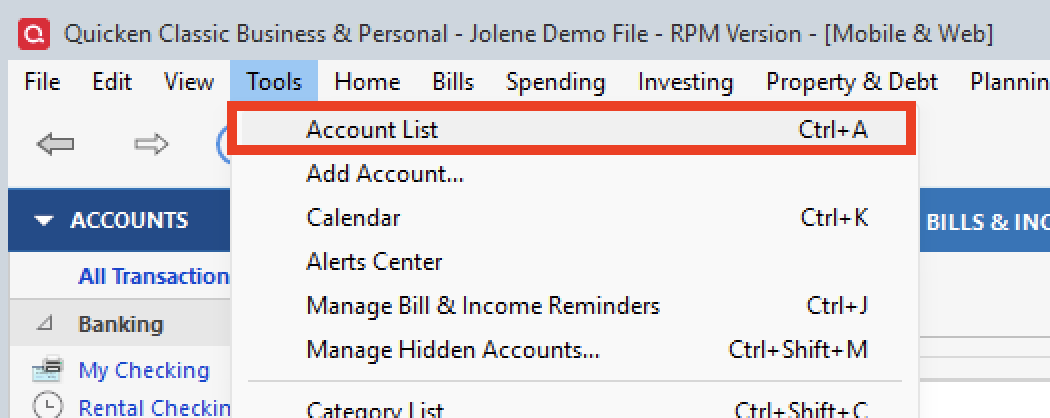
    1. Open the Account List (Ctrl + A). tools>acct list.png
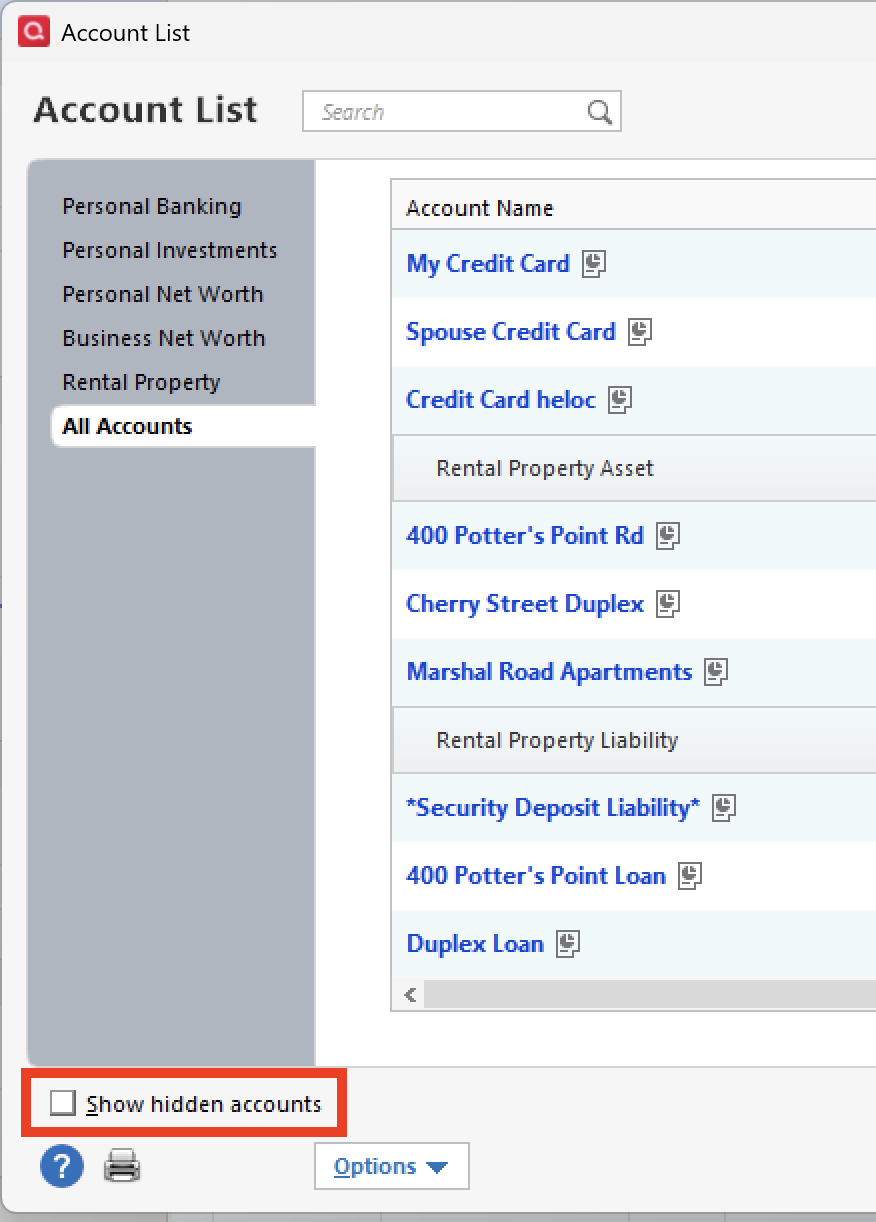
    2. Make sure to Show Hidden Accounts, if that option is available. acct list>show hidden accts.png
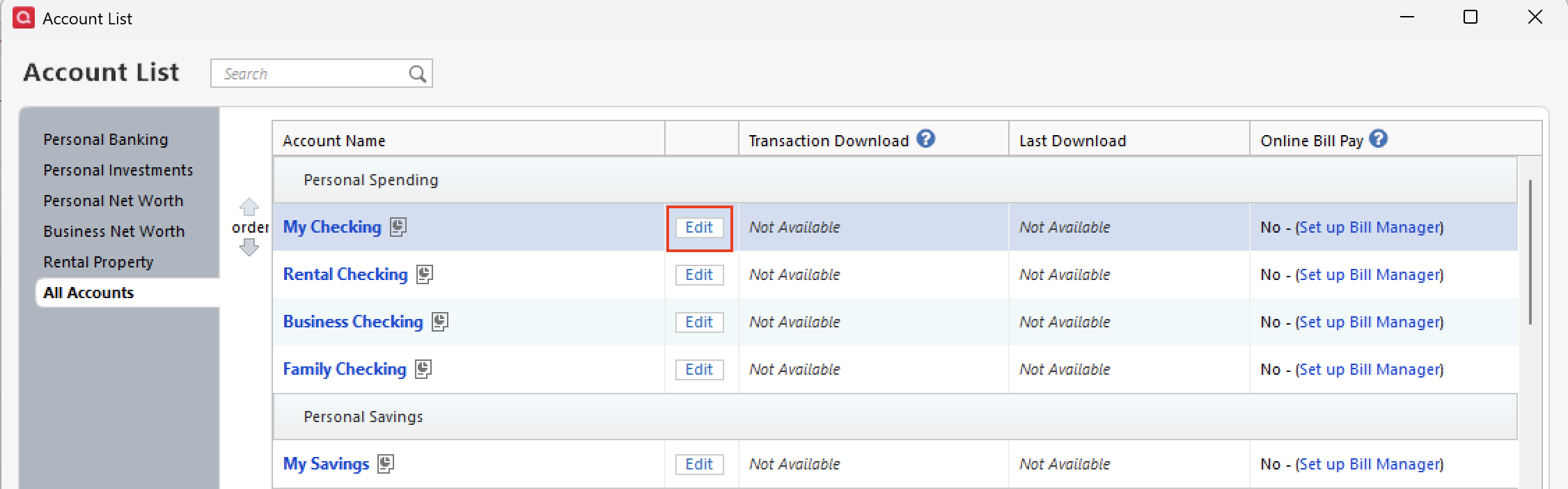
    3. Click Edit next to the affected account(s). acct list-edit.png
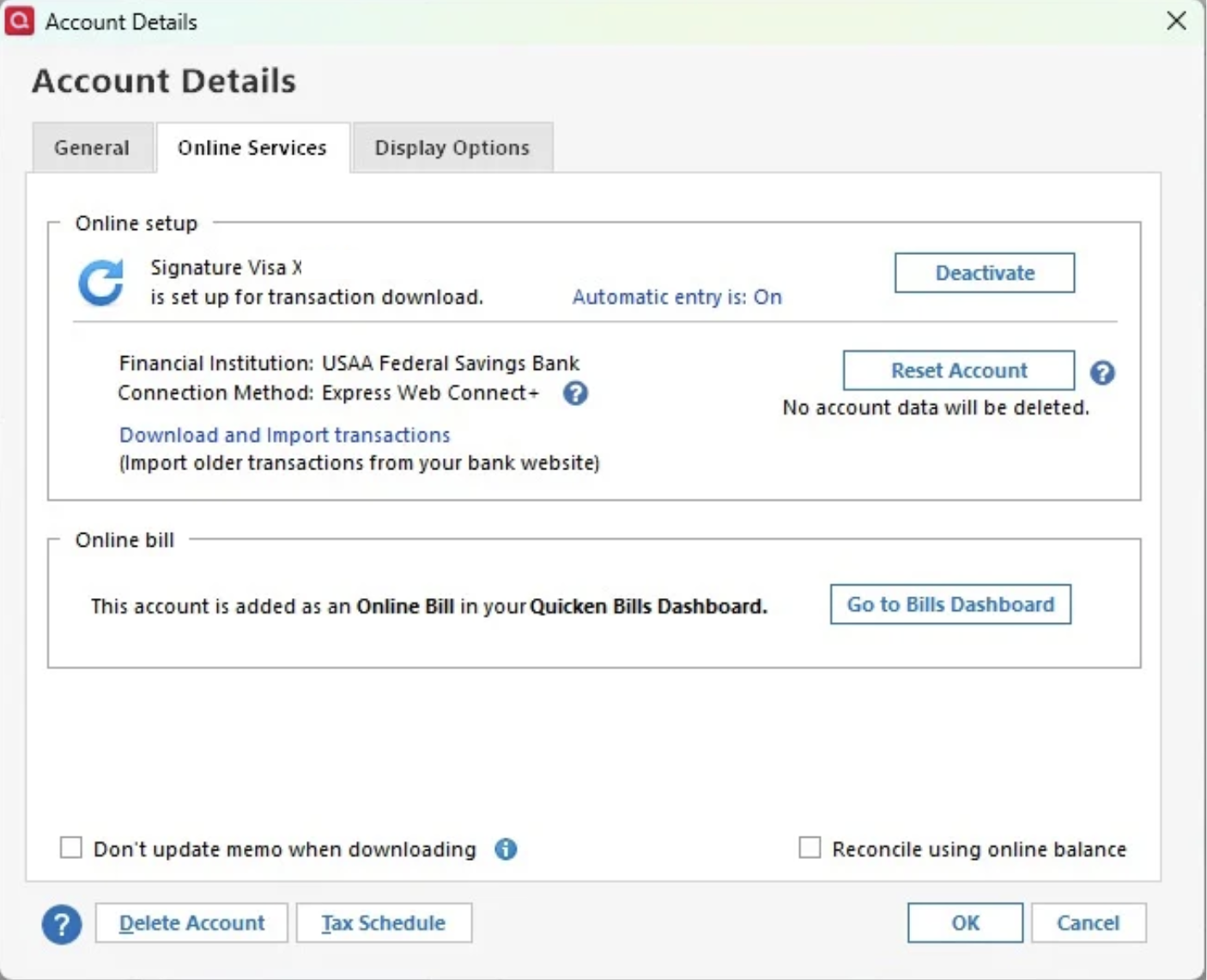
    4. Go to the Online Services tab and click Deactivate. acct details-online services.png

    What if Quicken tells me to accept downloaded transactions before deactivating online services?

    Quicken will not deactivate online services if you have not accepted all downloaded transactions. Verify that you have accepted all transactions.

    1. Repeat steps 3 and 4 for all accounts linked to the financial institution reporting the error.
    2. Close/Reopen Quicken.

    To reactivate the account

    1. Open the Account List (Ctrl + A).
    2. Click Edit next to the affected account.
    3. Go to the Online Services tab and click Set up now...
    4. Enter your bank credentials.
    5. Carefully review the Discovered accounts and Link them properly to avoid duplicate accounts and ensure transactions download to the correct accounts.

    If the issue persists

    In some cases, you may need to restart your computer after completing the steps above. 

    Let us know how it goes!

    Quicken Alyssa

    Make sure to sign up for the email digest to see a round up of your top posts.