I was receiving the OL-295-A error for the past several days with my accounts at America First Credit Union, and I contacted them to see what, if anything, was going on on their end. They told me that there were no issues (not unusual), so I decided to deactivate and reactivate my accounts to see if this would work. It was seemingly going ok, until it wasn't. I also previously performed validate and super-validate to no avail.
The OL-295-A error continued when reactivating my accounts, but was easily bypassed by clicking OK on the error dialog box. I was then able to log into my accounts and move forward with re-linking them for download. This is where I ran into trouble. When trying to link to existing accounts, the account list that pops up did not display all the accounts I was looking for. I was able to link only 2 of 6 accounts.
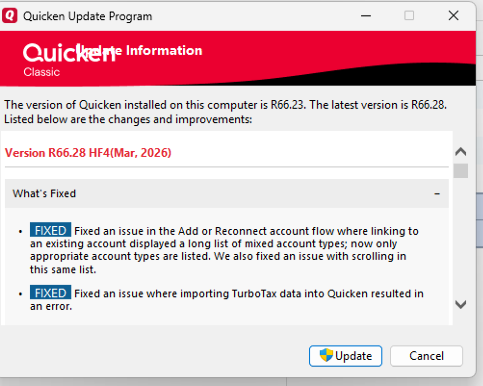
Running out of ideas, I called Quicken Support and was on the phone with them for nearly 2 hours. The support rep was able to finally get to the issue. When using the "Link to Existing Account" option, the list that pops up is no longer scrollable starting with R66.11. At the rep's request, I downloaded R65.29, and the scrollable list reappeared. I then downloaded R66.11 to test, and the issue was back. Since I was on R66.23, I know the issue is there as well.
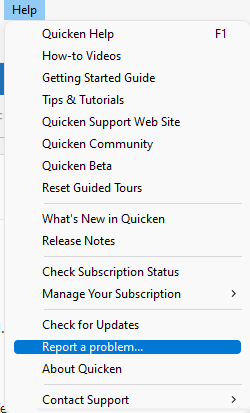
Per the rep, I submitted a "suggestion" through Quicken, instead of "Report a Bug". He provided a ticket number, which I typed into the dialog box, but did not copy for my records.
Suggested enhancement... The list of accounts to choose from when linking should NOT be every single account. I have about 10 active accounts and about 6 times that many that are hidden. I don't see a reason to have hidden accounts available for linking. On top of that, the logic behind identifying whether an acct is a "Credit Card", "Checking", or "Savings" account is also flawed. One of my "Savings" accts was set as "Credit Card" and I was unable to change it until I went back in to re-link that single acct after completing the other 5 accts.
[Edited - Readability]