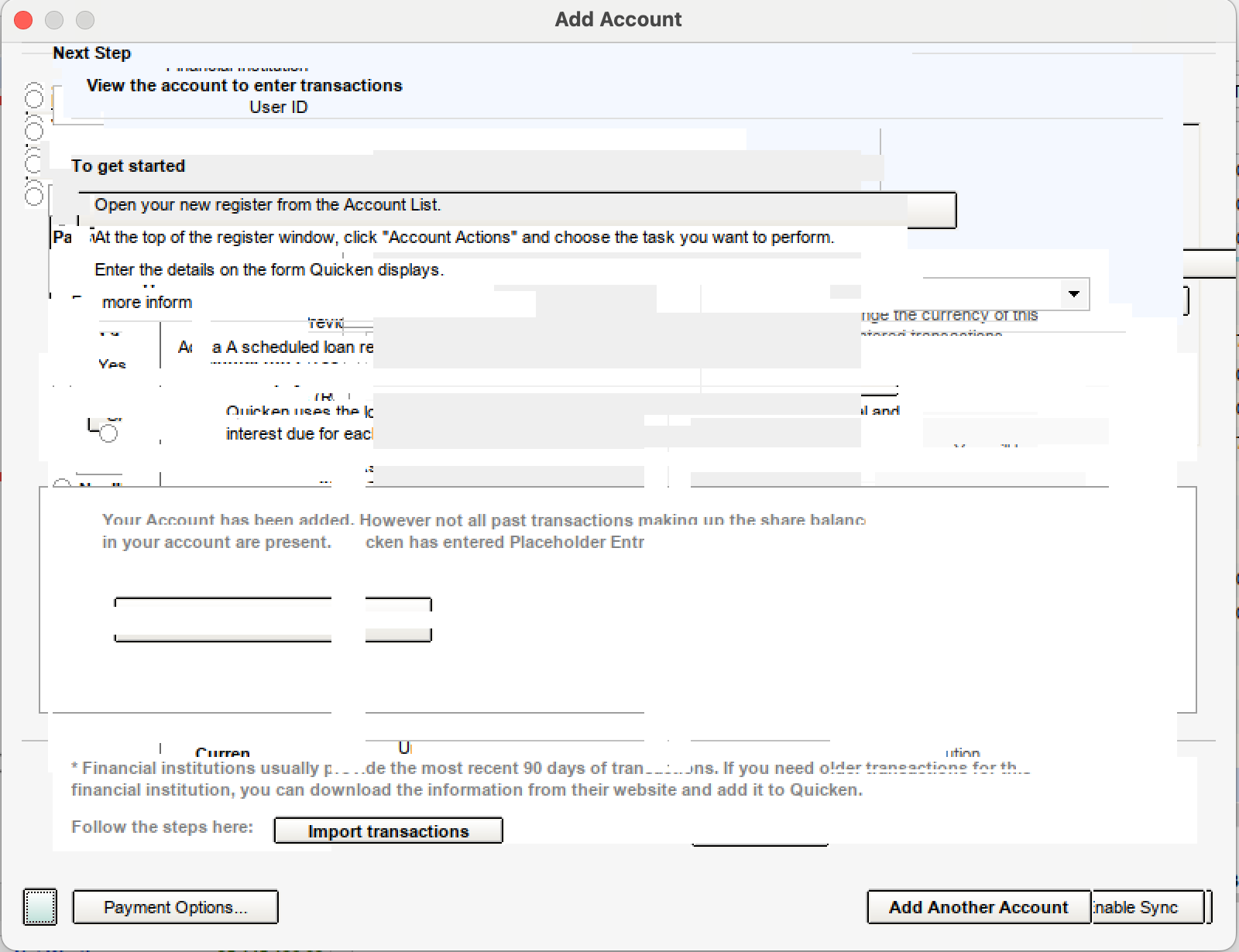
Quicken Classic (Windows) on Crossover Wine: Add Account interface showing gibberish display
Quicken recently auto updated my Windows Quicken Classic to R66.18. Now the "Add Account" window interface is unusable (screenshot attached).
I spoke to a Quicken Support who recommended uninstalling Quicken, redownloading the software, and reinstalling Quicken. This did not solve the problem.
I am running Quicken on Crossover Wine Version 26.0 (build 26.0.0.39794).
Anyone facing the same issue and able to fix this? Please share your experience.
Comments
-
I run Quicken under Crossover (a supported implementation of WINE) on Linux and I too have this problem. I opened a ticket with Crossover support. It is apparently related to WINE. It does not happen when running under native Windows. I created a virtual Windows 10 machine on my Linux server, installed Quicken, transferred my datafile there, restored it in Quicken and it works fine. Crossover support told me it happened with a recent Quicken update and it happens not only in the current Crossover version but in previous versions as well. Crossover support will be following up with Quicken support to see what, of anything, can be done to fix this.
0
Categories
- All Categories
- 18 Product Ideas
- 34 Announcements
- 246 Alerts, Online Banking & Known Product Issues
- 19 Product Alerts
- 517 Welcome to the Community!
- 682 Before you Buy
- 1.5K Product Ideas
- 55.7K Quicken Classic for Windows
- 16.8K Quicken Classic for Mac
- 1K Quicken Mobile
- 834 Quicken on the Web
- 127 Quicken LifeHub