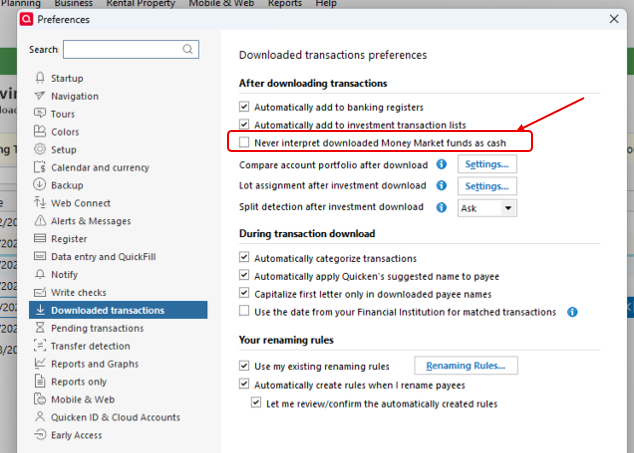
All cash balances in my investment accounts with Ameriprise are shown not as “Cash”, but as a new security defined by Quicken as “CASH BALANCE” and ticker symbol “AM-CASH”. Each account has one share of “AM-CASH” with the per share value as the cash value of one of the accounts. This results in the total value of one account being correct, and all other accounts being wrong.
I am using Quicken Classic, Version R66.23, Build 27.1.66.23, on a Windows 11 Pro PC. The Ameriprise accounts are set up as Simple Tracking (positions only). Per a message from Quicken, I cannot set the accounts as Complete Tracking (positions and transactions) because Complete investing is not supported by Ameriprise.
I have set up 5 accounts, which include IRAs, Roth IRAs, and a brokerage account. Each account has cash balances from
When I use One Step updating to download account values, all accounts are downloaded with correct share balances and share prices for each security. Each account has a cash balance from accumulated but not yet reinvested dividends. At the download, each cash balance is assigned to 1 share of a single security defined as “AM-CASH”. Although the actual cash balance of the accounts ranges from less than $1 to more than $15,000, the share value in Quicken is a single value from one of the accounts, and since all accounts gave a single share, they all have the same cash amounts. Thus, the total account balances in Quicken are different than those from Ameriprise.
I’ve tried manually setting the share price of “AM-CASH” to 0.001 and manually adding the cash balance from Ameriprise into each account. However, when an update is done, the manually entered values go to zero.
My need is to download the total value of each account from Ameriprise, and the value in Quicken matches the value in Ameriprise. I currently don’t need to download detailed information on holdings. Is there a way that I can either:
- Have the cash balance from each account entered as cash, rather than a security, or
- Have the cash balance from each account entered as a security with a share price of $1 and the number of shares equal to the dollar value of the cash price, or
- Allow me to manually enter the cash values and have them stay in Quicken, rather than them being deleted with each update, or
- Use some other workaround.
[Edited Readability]