Reauthorization Request Keeps Appearing After Successful Migration - Discover Card [Edited]
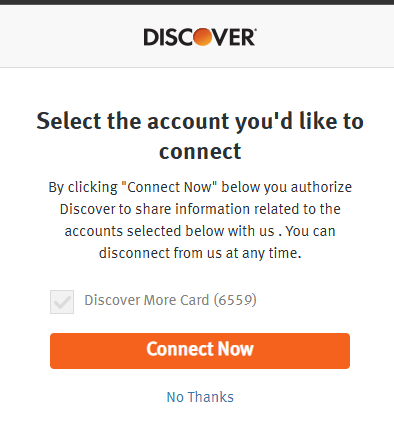
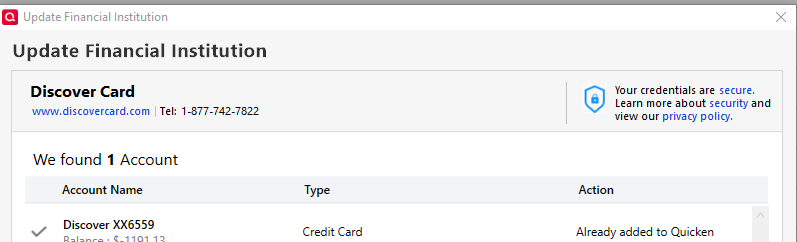
I recently reauthorized and updated my Discover Card Express Web connection as your November email instructed (2 accounts). The problem is every time I want to do an update, a dialogue box appears wanting to reauthorize the two accounts it already successfully updated. It's like the movie "Groundhog Day". Why is it not recognizing the accounts successfully upgraded?
Data file stored on "C" drive.
Data file path: This PC»OS (C:)»Program Files (x86)»Quicken»QDATA
A VPN is not utilized, and MS Defender is the anti-virus.
No significant changes to my computer or OS other than it's age (8-year-old PC on Windows 10)
Even if I try to reauthorize it again, it confirms that it was done and logs me out of the Discover site. When I hit one step update again, the reauthorization request appears all over again. I'll retry it again. Again Discover says it's done and logs me out. Back to one-step update. A reauthorization request appears again. Groundhog Day.
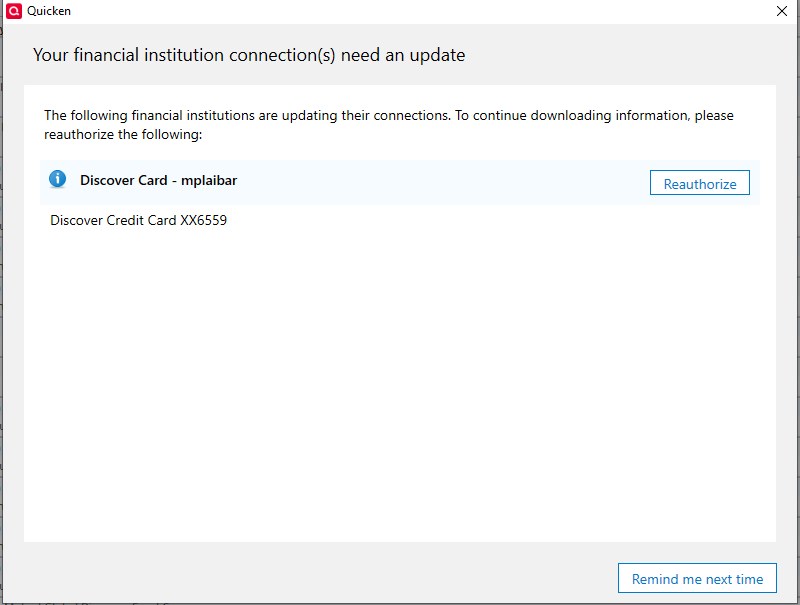
At that point I hit "Remind Me Next time" because I am aggravated. The message will reappear in days. This is not sustainable.
Ideas?
mplaibar
Comments
-
Hi @mplaibar,
Thank you for sharing what you’re experiencing and providing those details; that’s very helpful.
To better address this issue, I need a little more information:
- Are both accounts under a single user, or do you use separate logins for each?
- Have the two accounts been completely disconnected and then reactivated?
- I noticed both accounts end in XX6559; is there any chance they might be duplicate accounts?
I look forward to your response so we can get this resolved.
Quicken Laura
Make sure to sign up for the email digest to see a round up of your top posts.
0 -
It is a single user account, just one login to Discover website. Prior to the reauthorization, it listed one account in Quicken. As your email prior to reauthorization stated, I checked ALL of the accounts during the reauthorization process. When it was complete, it listed two accounts in my list. In other words, my existing one AND a new one. The new one downloaded all of my most recent transactions while the account that had displayed prior to the reauthorization would no longer populate transactions to download. So, the one in use today is the new one that is created after reauthorization. So, long story short, both accounts ARE duplicates (same account number) because the conversion created a duplicate.
If I checked all of the accounts during the reauthorization process, why is it acting like it was never done?
0 -
Hi @mplaibar,
Thank you for providing those details; they’re very helpful! It looks like both accounts are currently connected, and the old account is still tied to the previous connection. That’s why you’re seeing the reauthorization prompt.
To resolve this, please follow the steps below to deactivate both accounts and then reactivate only one (either the old or the new account):
Step 1: Deactivate all affected accounts
- Go to Tools > Account List.
- In the Account List, select the account and click Edit.
- In the Account Details window, open the Online Services tab.
- Click Deactivate next to the online service.
- Confirm by clicking Yes.
- Repeat these steps for each affected account.
- Log in to your bank’s website and revoke Quicken’s third-party access (if applicable).
Step 2: Reactivate and link the accounts
- Go to Tools > Add Account.
- Search for and select Bank of America.
- If prompted, choose the appropriate connection method.
- Follow the on-screen instructions to sign in.
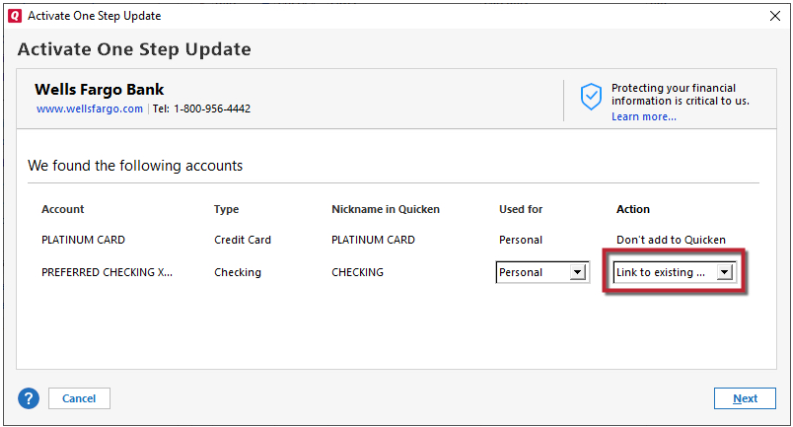
- When the list of found accounts appears, make sure to select Link to connect them to your existing accounts (do not choose Add, as that would create duplicates).
If you’d like to delete one of the accounts instead, I can guide you through that process; just let me know which account you want to remove.
Please let me know how it goes!
Quicken Laura
Make sure to sign up for the email digest to see a round up of your top posts.
0 -
Laura:
Thank you. I would rather not delete any accounts. My quicken data file dates back to 12/1/1994 (30 year+ user) and deleting accounts might have some unintended consequences. After reading your solution, I have a question. Why wouldn't simply deactivating online services for the account last updated in January (Discover Credit Card xx6559) solve this problem?
Isn't there some sort of marker in the newly created account that recognizes that the account was created after the reauthorization program began?
Thanks!
mplaibar
0 -
Hi @mplaibar,
You’re right; it’s always best to keep the historical information. Yes, you can simply disconnect the account that was last updated in January; this should resolve the issue. If the error reappears, please try disconnecting both accounts.
Please let me know if you have any additional questions; I’ll be here to help!
Quicken Laura
Make sure to sign up for the email digest to see a round up of your top posts.
0 -
Laura:
I Deactivated the old account, then immediately did the one step update. The good news is that it did not bring up "Financial Institution Connection Needs an Update" box. At the same time, it downloaded a transaction to the correct account. Obviously more good news.
In the event the box reappears in the future, I will try your disconnect/reconnect suggestion. If that fails, I'll open a new thread. But for now, let's close this one as I really think the program won't ask for reauthorization since my data file isn't asking the Discover server for an update on two accounts any longer.
Thanks!
mplaibar
0
Categories
- All Categories
- 20 Product Ideas
- 34 Announcements
- 247 Alerts, Online Banking & Known Product Issues
- 19 Product Alerts
- 518 Welcome to the Community!
- 682 Before you Buy
- 1.5K Product Ideas
- 55.7K Quicken Classic for Windows
- 16.8K Quicken Classic for Mac
- 1K Quicken Mobile
- 834 Quicken on the Web
- 128 Quicken LifeHub