I would like to enter my Future trades manually and not download transactions. How is the best way to enter Future trades. For now I am recording it under Other Cash transaction, Futures Trade, and created a Futures Trade Category.
Hi @eutu1960,
Thank you for contacting the Quicken Community.
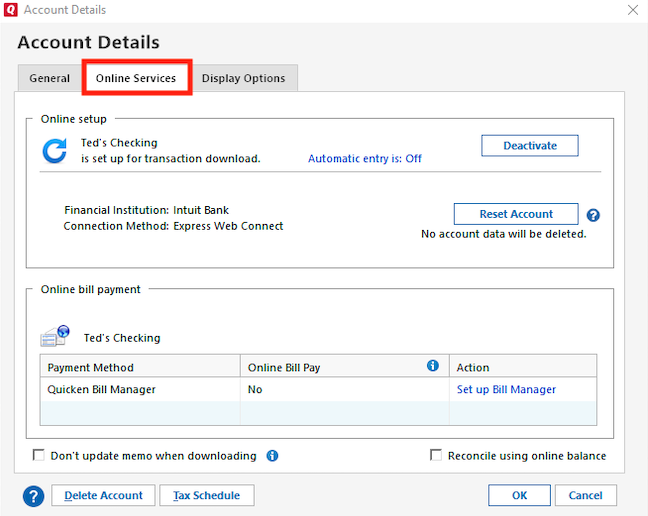
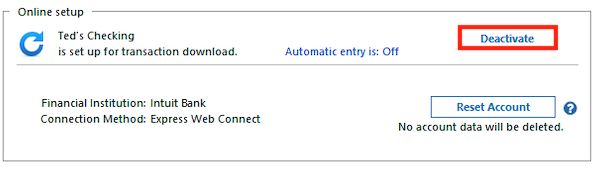
If you would like to track your accounts manually, I recommend deactivating the account to prevent transactions from downloading automatically. If you haven’t done this yet, you can follow these steps:
To deactivate an account:
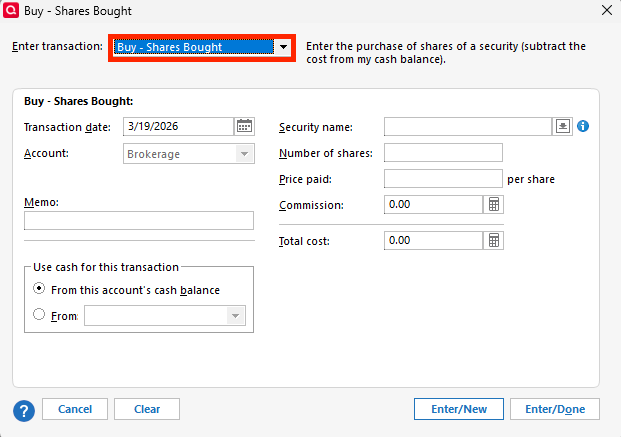
To enter transactions manually:
I hope this helps! Please let us know if you have any further questions.
Hi @eutu1960, Just checking in to see if you still need assistance I just wanted to follow up since I haven’t heard back from you. I’m checking in to see if you still need assistance.
Hello again @eutu1960,
I am checking in once more before this thread gets closed. If you need assistance, let us know.
Hi @eutu1960, Due to inactivity, this thread is being closed. If you still need help, please create a new post.