Security Name Matching is the same but Different Symbols
Today after Fidelity did some security changes, Quicken asked me if the Security names was the same as in the list or it needed to be added. In this case the Security name text was exactly the same as a previously one but the Security symbol was different. Since the symbol was different, I tried to add as a new security but it appears it only checks the text string. For this time I did alter the string by adding the Security symbol. Here is the exact issue.
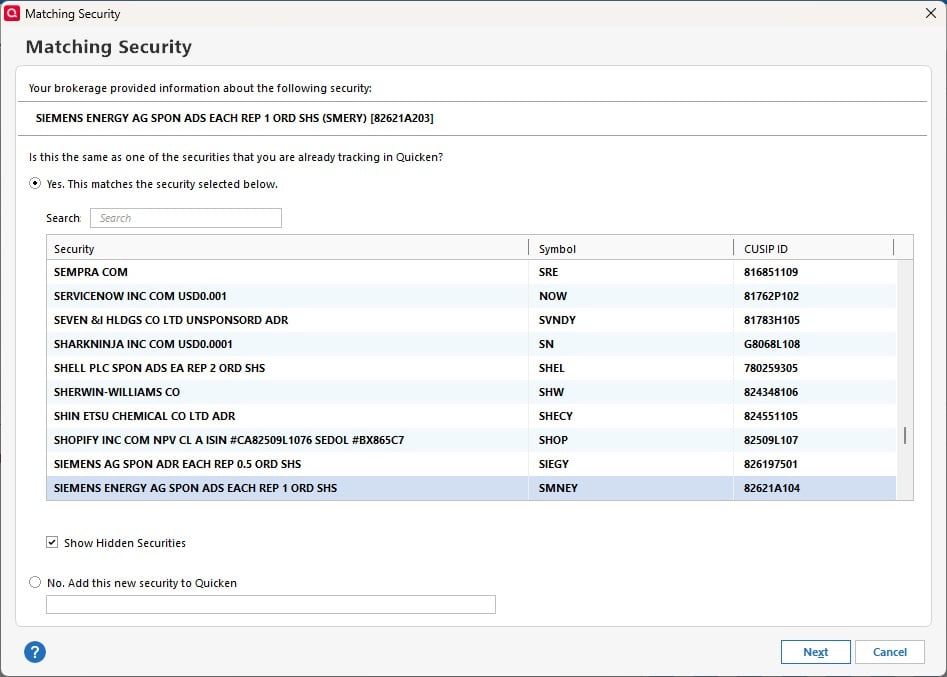
How should this be handled? I did check the Investing list of accounts, and the old symbol is still showing. Because this particular account has over 500 securities, it is in Simple Mode.
Just looked up the SMNEY symbol and it comes up as delisted. SMERY is an OTC stock. On the Quicken investing screen, the old symbol SMNEY is listed but the value shown is for the newer SMERY. On the Fidelity website, the security is the new SMERY.
Answers
-
Hi @Bione,
Thank you for contacting the Quicken Community.
Before following any troubleshooting steps, I recommend creating a backup file.
Once the backup is complete, please follow these steps:
- Go to Tools > Security List.
- In the Security List, locate the security with the incorrect ticker symbol.
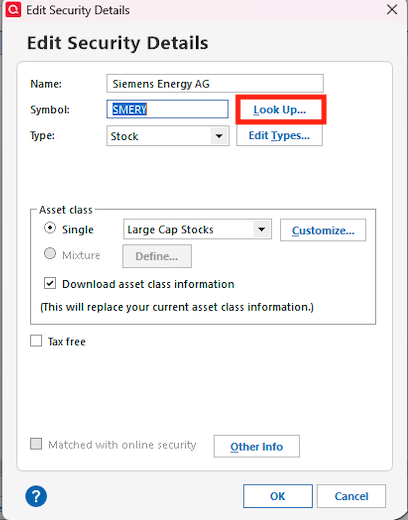
- Right-click the security and select Edit.
- Update the ticker symbol to the correct one, then click Look Up.
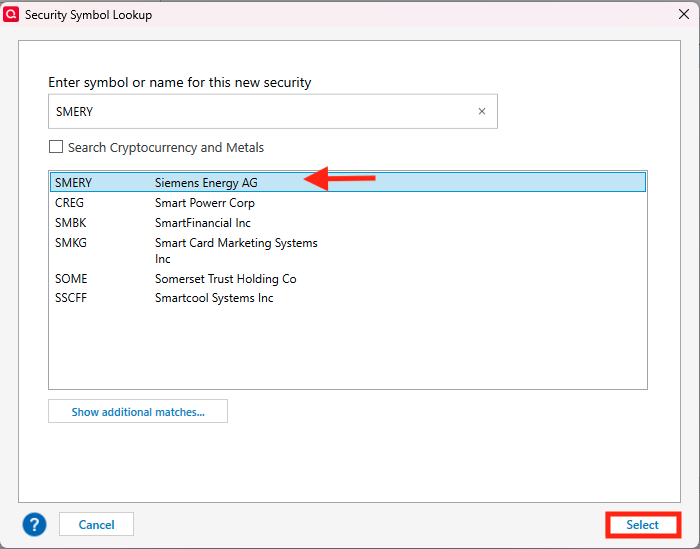
- Select the correct security from the list and click Select.
- Click OK in the Edit Security Details window.
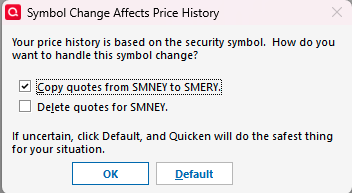
- When prompted, choose how you would like to handle the symbol change.
- If you’re unsure, select Default, Quicken will choose the safest option.
After updating the ticker symbol, go back to the account, and the correct symbol should now display for that security.
I hope this helps! I look forward to your reply.
Quicken Carlos
Make sure to sign up for the email digest to see a round up of your top posts.
0 -
Works great. Thanks
0 -
Hi @Bione,
I am glad to hear that the steps above worked for you! Your feedback is very helpful and might assist other users who are experiencing the same issue.
If you have any further questions or need additional assistance, please do not hesitate to reach out to us again.
Quicken Carlos
Make sure to sign up for the email digest to see a round up of your top posts.
0