A few days ago, when trying to download transactions from on of my AMEX delegate accounts, I got a CC-508 indicating there was a pop-up or window that needed to be dealt with on the AMEX site. I was able to log in without issue using Chrome. So, I tried resetting the account, than tried disconnecting and trying to reconnect it. Still getting the error. I tried the steps listed on the FAQ (essentially clearing all the temporary browser files) but still get the error.
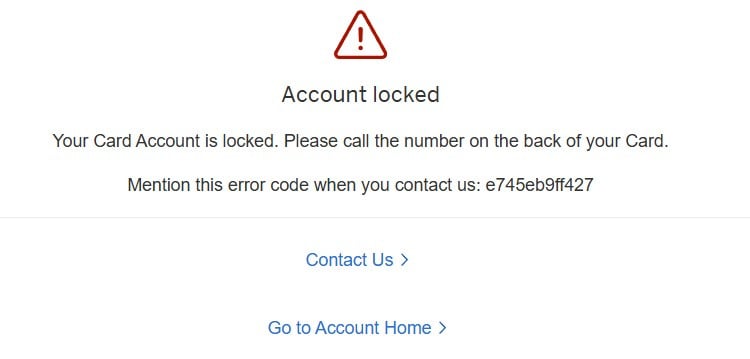
For grins, I tried logging in to the website using Edge. Lo, and behold, I get the page Quicken was probably complaining about (snip attached). I called the number cited, went through the automated process to reset my password. The new password works on Chrome, but still not on Edge. Subsequently, I still get CC-508 when I try to reconnect this account.
I rarely use Edge, but it must be processing the login differently than Chrome (I'm making the assumption Quicken is using Edge or its IE mode to try its login). I filed a problem report, but any suggestions from the group?