Duplicate quickpay

L1011
L1011 Quicken Windows Subscription Member ✭✭

A duplicate quickpay appeared from a transaction two months ago in my WF checking. Just one of them debited the balance, but quicken won't let me delete the entry because it is a quickpay. How do I delete it so my balance is correct?

( AI was wortrhless)

Tagged:

Answers

  • Quicken Carlos
    Quicken Carlos Quicken Mac Subscription Moderator mod
    edited April 10

    Hi @L1011,

    Thank you for reaching out to the Quicken Community.

    Before proceeding with any troubleshooting steps, I recommend creating a backup file.

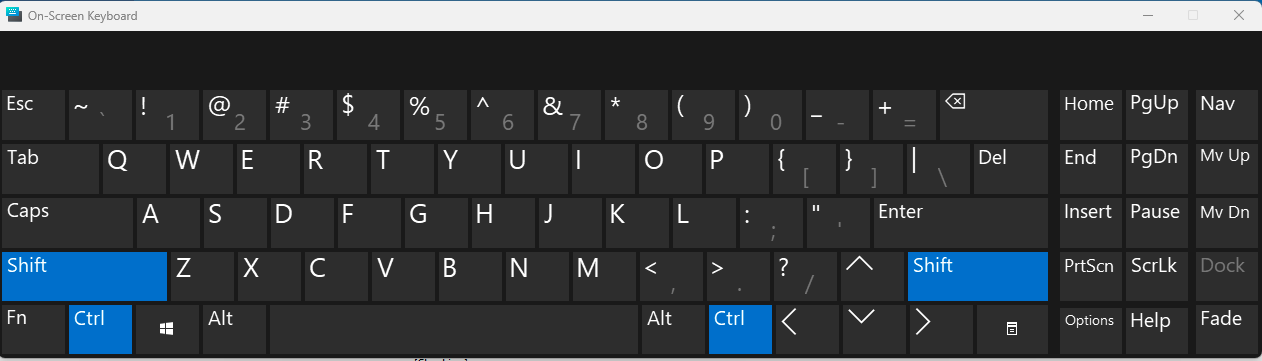
    If you haven’t tried this already, please hold down Ctrl + Shift during the entire process (you can also use the On-Screen Keyboard tool to help keep the keys pressed).
    To access the On-Screen Keyboard, go to the search bar on your computer and type On-Screen Keyboard. Then, open the tool from the results. Once it is open, click Ctrl and Shift to keep those keys pressed while you complete the steps.

    Screenshot 2026-04-10 at 11.09.53 AM.png

    Then, try to remove the payment, making sure the Ctrl + Shift keys remain pressed throughout the process.

    To do so:

    • Right-click on the transaction you want to remove.
    • Confirm that you want to delete the payment.
    • Click OK while continuing to hold Ctrl + Shift.

    The payment should then be removed.

    Please let me know how it goes!

    Quicken Carlos

    Make sure to sign up for the email digest to see a round up of your top posts.