Updating transactions has not worked correctly for the last few days. I have done a validate and supervalidate, tried backup files, disconnected and reconnected my account multiple times. Recent transactions are not downloading.
Hi @RWilley,
Thanks for reaching out to the Quicken Community!
I’d like to ask a few questions to better understand what might be causing this issue:
I look forward to your reply!
Hello. This all started occurring within the last week. I don't get any errors, it just acts like it's working and then nothing. I've also lost my pending transactions tab and my balances are not correct.
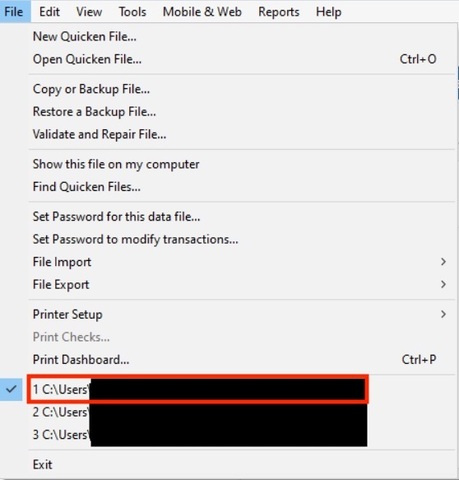
The file I am currently is on my localhard drive c:\users\wille\<filename>
No changes to my system or my network. No VPN, firewall, or antivirus changes. I was able to get my accounts to balance last night by downling a QFX file for each and uploading it. However, my savings account balance was off for no reason. I ended up just doing an adjustment to get it to balance. This morning, I was able to download my transactions using the direct connect option (I suspect that this is why I no longer have the pending transactions tab), however my previously balanced account is now off by $97 dollars. What is going on??? I feel like a buggy update was pushed. Is there any way to roll back to a previous update?
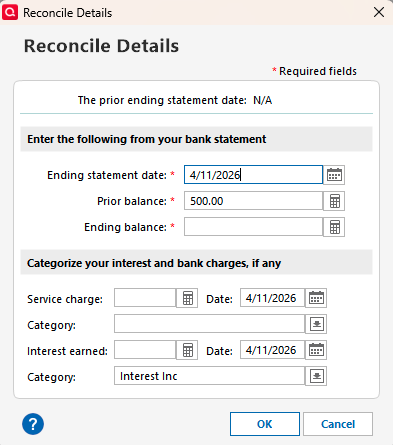
Also, I have cleared transactions marked in my discover account and when I go to reconcile, it's telling me I have no uncleared transactions to reconcile. This is a new issue as well. I marked them as unreconciled and it still won't let me balance the account. I don't think this is just a WF issue.
Thank you for your reply and for providing additional details.
You are correct, when using Express Web Connect or Express Web Connect+, you may be able to see pending transactions. This depends on whether your financial institution shares that information with Quicken.
Direct Connect, however, does not support pending transactions. For missing transactions with Wells Fargo, I suggest following our support article for missing transactions.
I wasn’t able to replicate the issue on my end. Could you please check if the dates are correct for the time range you’re trying to reconcile? To do so:
I am reconciling against my online balance, not manually. But, I was able to reconcile it by switching to paper. I'll switch back to online balance and see if that fixed the issue. 1. No
2. It's not a filter issue.
3. Did that, multiple times
4. No, these are current.
5. I understand this, this is not the case.
6. Not the issue.
7. No.
8. No. And, I've restored backups prior and the issues still occur.
9. This is not the case.
10. No.
@RWilley, Thank you for following up and for answering the questions from the support article.
For this online baking issue, I recommend contacting Quicken Support for further assistance. They can guide you through additional troubleshooting steps in real time or escalate the case if necessary.
I hope this helps!