I have purchased Online Backup but it's not backing up. When I point to the cloud icon at the top, I get the message, No Online Backup Found. I did the steps as answered in another discussion from October 2024, loggin out by doing this :
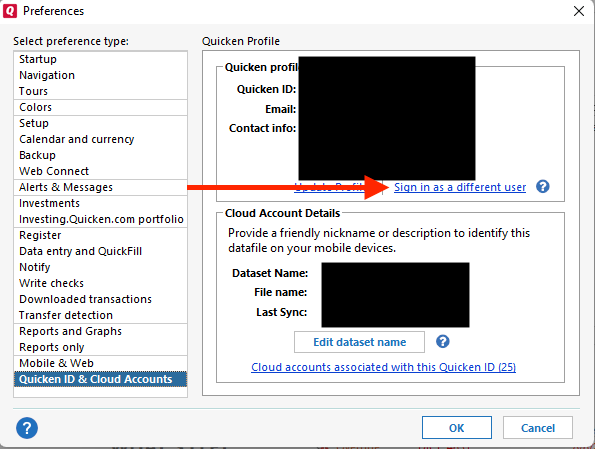
I have done that several times over the course of days, but I keep getting "No Online Backup Found" & nothing shows on the screen of a list of Restore & Backup Files. I can see the Quicken icon shows in the task bar the green progress, like it is backing up. I see the turning circle at the top of the Quicken program. But when those stop, I get the "No Online Backup Found." (I do have local backups in the backup list but no online backups). I have tried to find more answers in other discussion threads & not finding an answer that works. That's why I'm asking the question all over again since the October 2024 discussion is closed.
I'm using Quicken Classic Deluxe, Version R66.28