Vanguard Account switched to Simple Investing unexpectedly

wo1n
wo1n Member ✭✭

Quicken Classic Premier - Windows 10

R66.28 Build 27.1.66.28

After 6+ years of downloading Vanguard account data, Quicken decides to switch the account to simple investing. I keep switching it back to full Complete - Positions and Transactions, attempt a download and it switches back to Simple.

Looking for input here. Is this a bug?

Ken

Quicken user since 1991

Comments

  • Quicken Carlos
    Quicken Carlos Quicken Mac Subscription Moderator mod

    Hi @wo1n,

    Thank you for reaching out to the Quicken Community!

    To better understand the issue, I have a few questions:

    If the changes occur after running One Step Update:

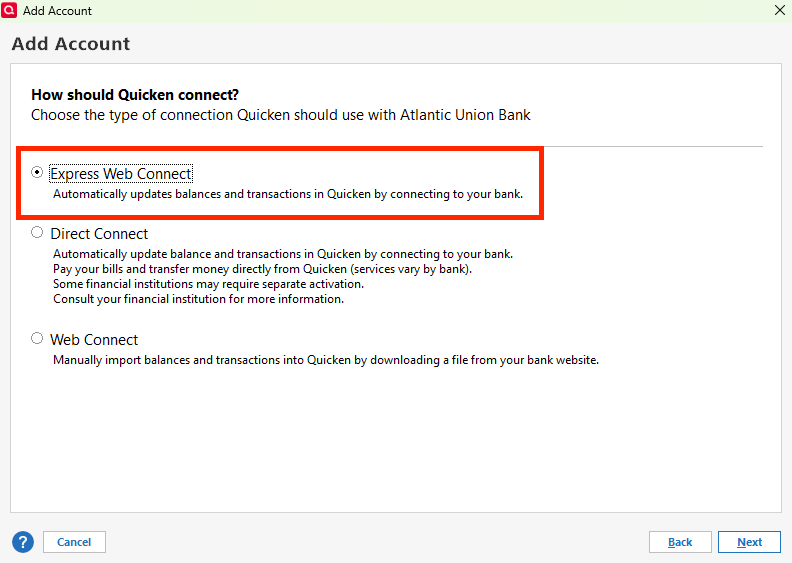
    • What is the connection type for the account(s)?
      • To check the connection type, please follow these steps:
        • Go to Tools > Account List
        • Click Edit next to the account in question
        • Select the Online Services tab
        • The connection type will be listed there.
          Connection Types Quicken.png
    • Is this happening with only one account or multiple accounts?
    • Is your file being backed up or synced by any third-party services (such as Carbonite, OneDrive, or Backblaze)?
    • Are you using a VPN, firewall, or antivirus software? If so, please let me know which one(s).
    • Where is your Quicken data file located?
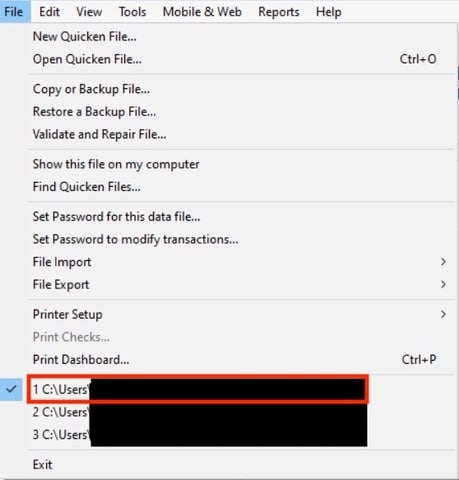
      • To check, open Quicken and go to File. At the bottom of the menu (just above the Exit option), the file with a checkmark next to it is the one currently open. Please share the full file path shown there.
    File location.jpg

    I look forward to your reply!

    Quicken Carlos

    Make sure to sign up for the email digest to see a round up of your top posts.

  • wo1n
    wo1n Member ✭✭

    I have posted responses to your list of questions above 3 times, but do not see them in the thread here. Is there a character limit?

    Ken

  • wo1n
    wo1n Member ✭✭

    Carlos,

    Is this happening after a Quicken software update or patch?

    » Not sure. The last successful download (full detail) was 03/09/2026 but I only download once a month.

    What is the connection type for the account(s)?

    » Direct Connect

    Is this happening with only one account or multiple accounts?

    » Just Vanguard. Ameriprise continues to work properly.

    Is your file being backed up or synced by any third-party services (such as Carbonite, OneDrive, or Backblaze)?

    » No. Backups are manual to a USB stick

    Are you using a VPN, firewall, or antivirus software? If so, please let me know which one(s).

    » Windows Defender only. No VPN or Firewall.

    Where is your Quicken data file located?

    » I'd prefer not to post full path, but the Quicken files are on the C: drive

    Ken

  • markus1957
    markus1957 Quicken Windows Subscription SuperUser, Windows Beta Beta

    Take a look at this post for a potential solution to your issue.

  • wo1n
    wo1n Member ✭✭

    Thank you Markus and the original poster Jim. Other than checking the Preferences defaults, those are the steps I have been going through to try to re-establish the detail downloads. I have been through those steps several times.

    Yesterday I had a quarterly review with Vanguard. I asked my representative if there have been any policy or procedure changes on their end. She queried their AI support system and while there have not been any changes on their end she did note that a Corporate wide notice went out on recently pointed out that a Quicken update / change on 3/11/2026 required Quicken users to accept a new policy before downloads would work again.

    I do not remember being asked/challenged to accept a new Quicken policy recently. Does anyone else remember this?

    Ken