Quicken for Mac: any way to see what Quicken downloads from my bank using Quicken Connect
I have two similar credit cards (two different numbers, same type of VISA) with my bank. For some reason, the bank can't figure out how to identify them differently in the file that is downloaded to quicken, so i have the downloads for one of them turned off.
Yet, there are three or four transactions that always are downloaded to both cards. Each time.
Anyone else has dealt with something like this? Is there a way to see what Quicken is downloading via this method?
Best Answer
-
Hello @necochino,
Thank you for posing this question.
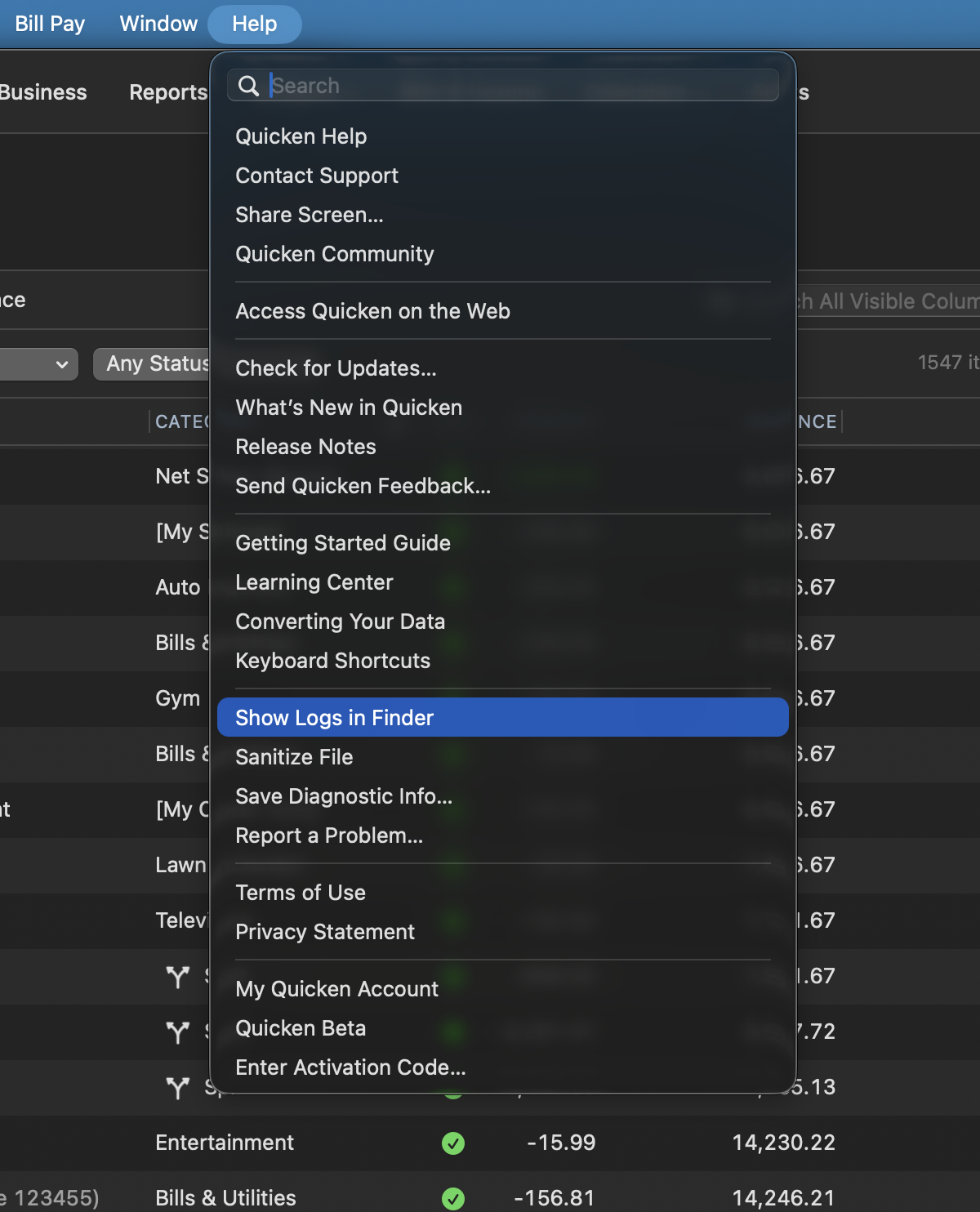
Yes, there is a way to see what the bank is sending over to Quicken. You can see what is sent by reviewing your log files. To access your log files, go to Help>Show Logs in Finder.
You would look at the HTTP log, since you are on a Mac. You can use Command+F to search for specific items, such as amounts.
If you would like assistance reviewing these, you can reach out to Quicken Support, and they can help.
Thanks again!
Quicken Alyssa
Make sure to sign up for the email digest to see a round up of your top posts.
1
Answers
-
Hello @necochino,
Thank you for posing this question.
Yes, there is a way to see what the bank is sending over to Quicken. You can see what is sent by reviewing your log files. To access your log files, go to Help>Show Logs in Finder.
You would look at the HTTP log, since you are on a Mac. You can use Command+F to search for specific items, such as amounts.
If you would like assistance reviewing these, you can reach out to Quicken Support, and they can help.
Thanks again!
Quicken Alyssa
Make sure to sign up for the email digest to see a round up of your top posts.
1 -
Yes! That was perfect. Thank you Alyssa.
1 -
Thank you for following up to let us know this works for you.
We are always happy to help! If you require more assistance, don't hesitate to reach back out.
Thanks again!
Quicken Alyssa
Make sure to sign up for the email digest to see a round up of your top posts.
0