This discussion was created from comments split from:
Is anyone having issues adding the new Lowe's Synchrony Commercial account.
I am unable to add Lowe's Synchrony as an account since the change from Lowe's Amex. I am able to log into the Synchrony website but attempts to add the account to Quicken with the same credentials (even copied and pasted from my password keychain) result in a "Did you mistype your sign-in info? Please re-enter your credentials" message.
Quicken Deluxe Classic; Version 8.5.2 (Build 805.60133.100); macOS 26.3.1
Hi @Caduspa1,
Thanks for contacting the Quicken Community. If you haven't tried this yet. I recommend changing your password on the financial institution’s website and then trying again. Certain special characters may cause issues. These special characters are ampersand (&), left carat (<), right carat (>), backslash (\), and forward slash (/).
Delete Quicken passwords from the Keychain
Re-add the accounts
Please let me know how it goes!
Hi @Caduspa1, I just wanted to follow up since I haven’t heard back from you. I’m checking in to see if you still need assistance.
Hi. Thanks for the follow up. No joy. I've tried deleted and creating a new password for the Lowe's Commercial Card (which is now a Synchrony site, not the original Amex site); deleted all the info from "Passwords" (Macbook Pro, Tahoe); tried downloading directly from the account (lowes.syf.com) which downloads transactions but which I still can't connect in Quicken to automatically update. I keep trying every day, hoping whichever bugs exist get worked through.
I submit the report to Quicken each time. 😉
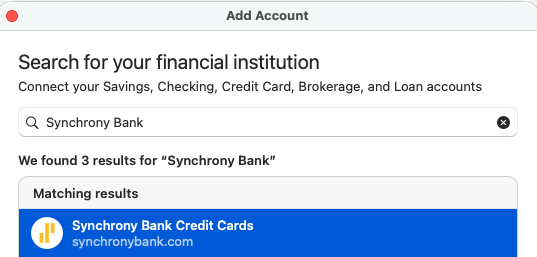
Hi @Caduspa1, Thanks for your reply and for trying the steps above. I suggest trying the following instances:Synchrony Bank Credit Cards:
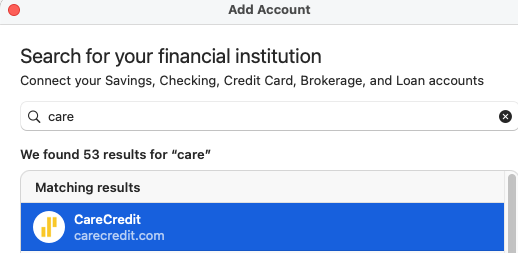
CareCredit:
If the same error persists, as indicated in the message, I recommend contacting Quicken Support for further assistance. They can guide you through additional troubleshooting steps in real time or escalate the case if necessary.
Phone support is available Monday through Friday, from 5:00 AM PT to 5:00 PM PT.
Thank you!
Thanks. Again, I've tried all the various iterations of synchrony sites. The actual website for my account is specifically lowes.syf.com, but I have tried the others. I can't imagine I'm the only one with this issue so perhaps the bugs will be worked out.
over a month for Verizon Visa (also Synchrony)
Hi @NitDawg, Thanks for joining this thread and letting us know you’re experiencing this error with Verizon Visa. If you haven’t already done so, I recommend following the steps provided in the previous comment.
If the issue persists after following the steps above, I recommend contacting Quicken Support for further assistance. They can guide you through additional troubleshooting steps in real time or escalate the case if necessary.
Phone support is available Monday through Friday, from 5:00 AM PT to 5:00 PM PT. Chat support is available during the same hours, 7 days a week. I hope this helps!