Entry not showing

ljonas
ljonas Quicken Windows Subscription Member ✭✭

I am using Windows 11, Quicken for Windows Version R66.28. I recently purchased a new computer and have setup Quicken on the new computer. I am using Quicken on the new computer for the first time. I entered a transaction but it does not show when I have all the filters off but if I filter by unreconciled transactions only the transaction shows. I cannot figure out why the entry will not show when showing all transactions. Help please.


Answers

  • Quicken Carlos
    Quicken Carlos Quicken Mac Subscription Moderator mod

    Hi @ljonas,

    Thank you for reaching out to the Quicken Community!

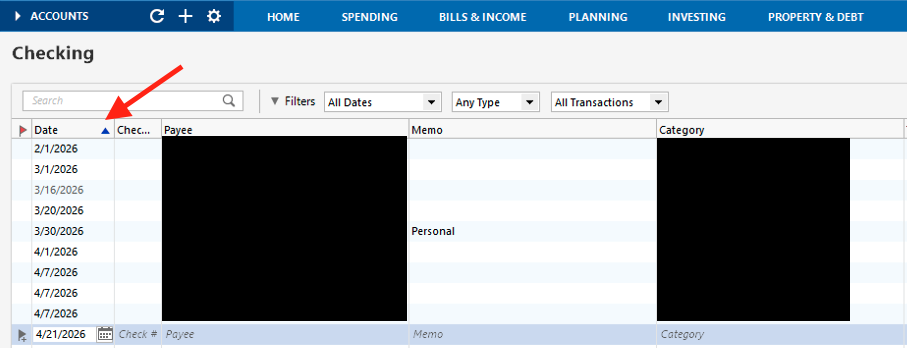
    If you haven’t tried this yet, I recommend clicking on the Date column and confirming that the blue arrow appears next to it. This indicates that the transactions are sorted by date.

    Screenshot 2026-04-21 at 7.16.16 AM.png

    Please let me know how it goes!

    Quicken Carlos

    Make sure to sign up for the email digest to see a round up of your top posts.

  • ljonas
    ljonas Quicken Windows Subscription Member ✭✭

    Yes, that was the first thing I confirmed. The entries are now showing since the computer went into sleep mode after I was done last night. I will start entering more information and see what happens.