Standard Tax Item Reports like Sch A and Sch B are empty

Ray
Ray Member ✭✭✭✭
edited April 24 in Reports (Windows)

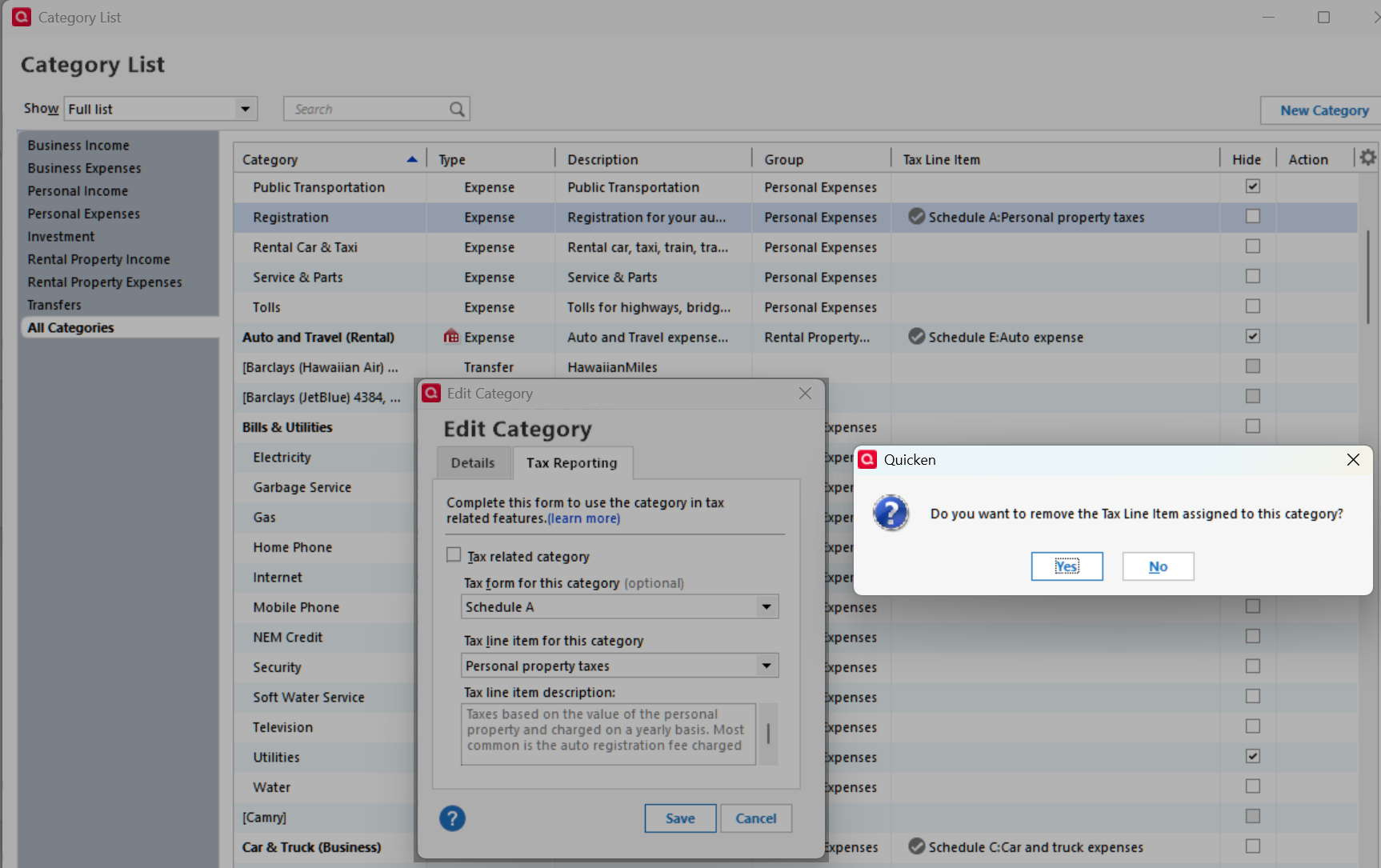
I created a new data file using QXF. Standard reports for Sch A and Sch B no longer showed the transactions but Sch C and Sch D were ok. In the Category list, I found the checkmark in all tax items was missing. They were checked in the old file, so QXF lost them. (Apparently, Sch A and Sch B are prepared differently.)

I manually edited and checked all except those with an underscore prefix. Those in the top of the screenshot (underscore prefx) can't be edited. All others (below) again show the checkmark. The reports again work. I reported it as ticket 12370549.
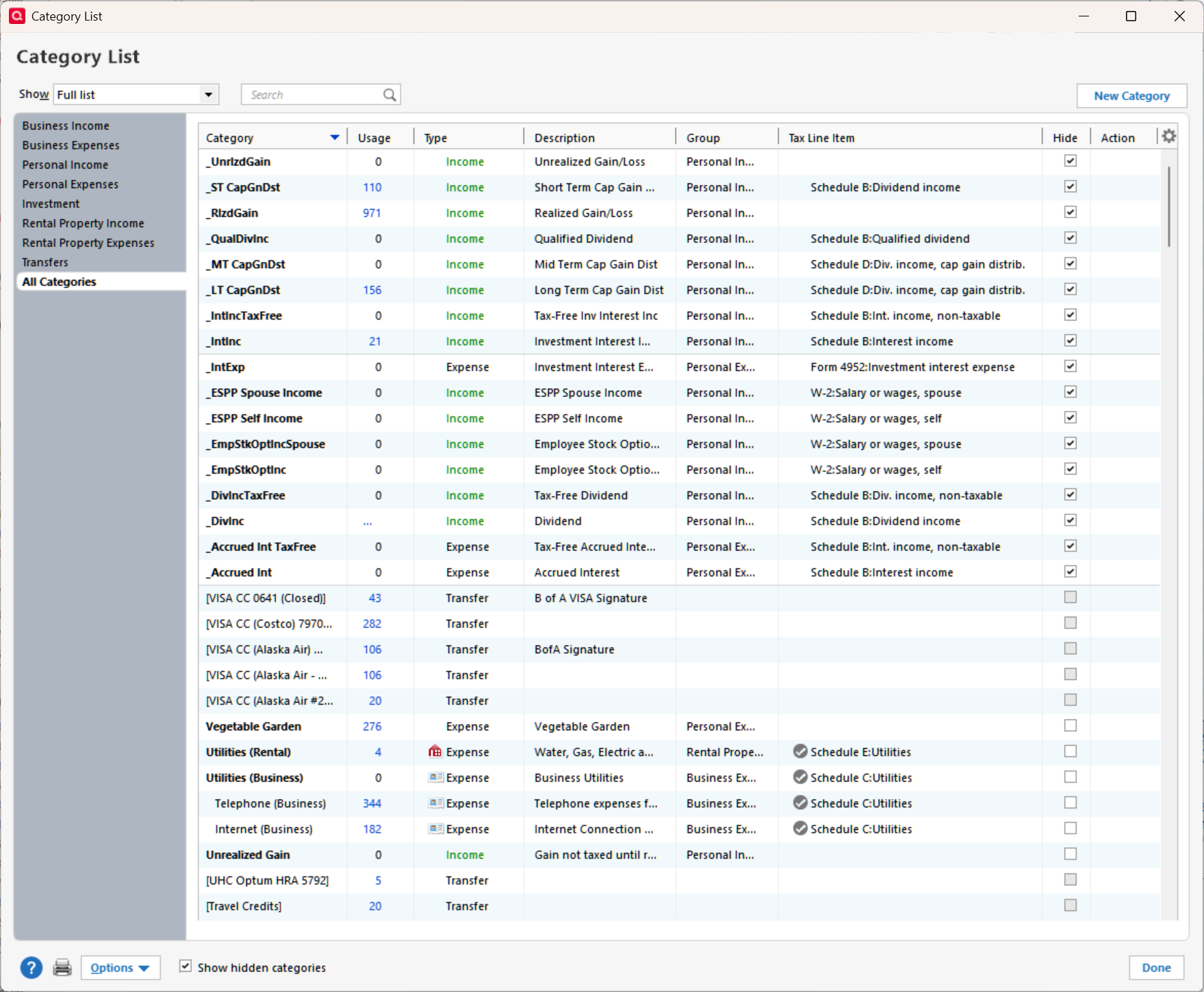

Categories with underscore prefix can't be edited.png

Comments

  • Quicken Carlos
    Quicken Carlos Quicken Mac Subscription Moderator mod

    Hi @Ray,

    Thanks for reaching out to the Quicken Community!

    I am glad to hear that it is working now.

    Categories with names beginning with an underscore (_) are used for investment transactions. Quicken adds these categories automatically when you add your first investment account. These are the only categories that cannot be edited or deleted.

    For more information, please see our support article: https://www.quicken.com/support/working-categories-quicken/#section-windows-2

    I hope this helps!

    Quicken Carlos

    Make sure to sign up for the email digest to see a round up of your top posts.

  • Ray
    Ray Member ✭✭✭✭
    edited April 24

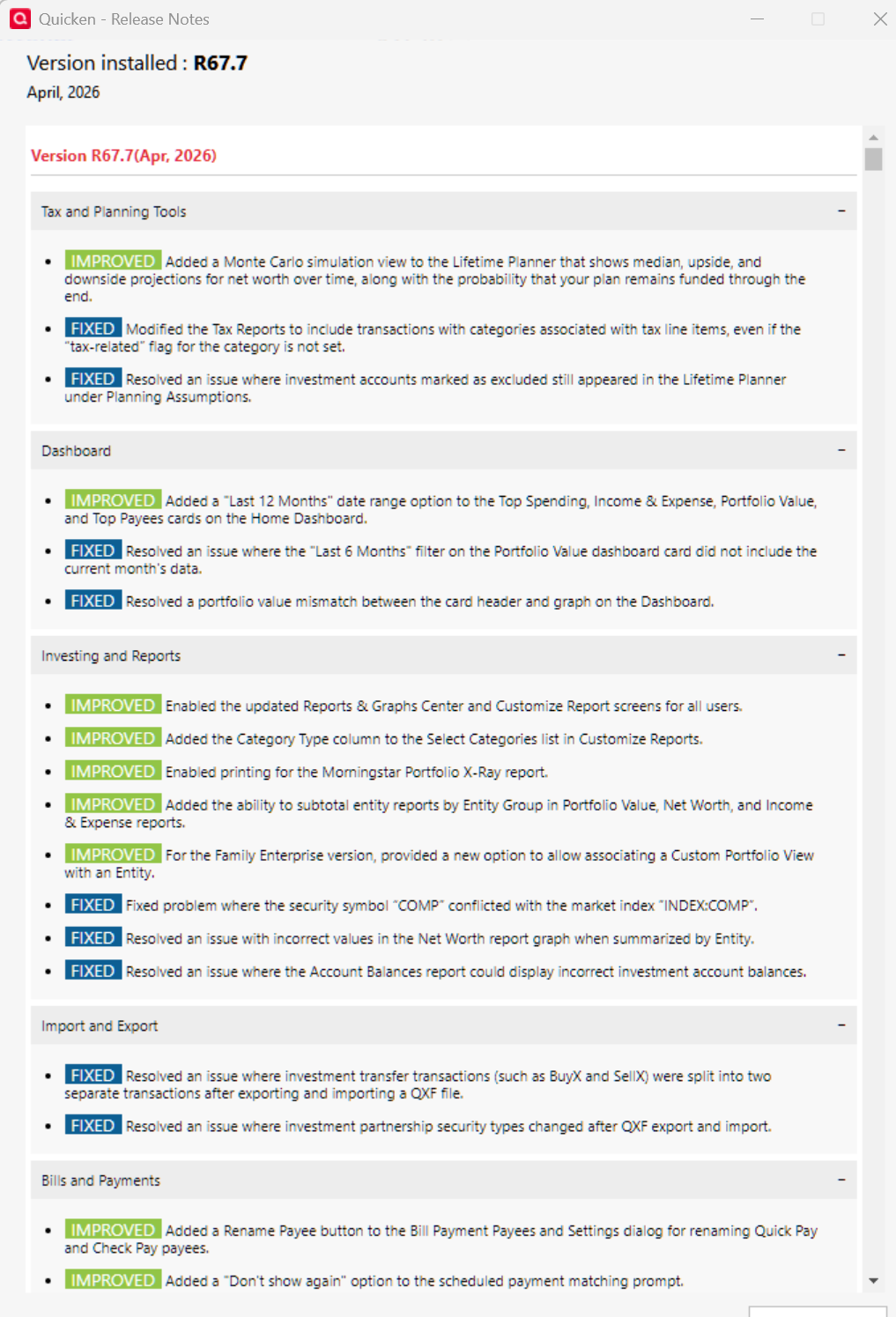
    Today, I received a Quicken Update R67.7 Build 27.1.67.7. Below are the release notes. Look at the 2nd change. It says that the report will work, regardless of whether the check box is checked. This will fix the cause of the problem; using a QXF file. But they need to finish the solution by deleting the check box which is meaningless and the associated "black circle with a white checkmark" symbols in the Category List. Ticket #12372745.

    image.png image.png