Memorized Transactions not filling in category
For the past few weeks I have started experiencing 2 issues with memorized payees:
- Downloaded transactions that used to match memorized payees are no longer matching. I notice this with USAA in particular, maybe others.
- When I just create a new entry from a memorized payee, the category is no longer filled in automatically.
Running Windows 11 Enterprise, Quicken version R67.7 build 27.1.67.7. I can not tell if this new behavior started with a version update.
Comments
-
Hi @morebikethanman,
Thanks for taking the time to reach out to the Quicken Community.
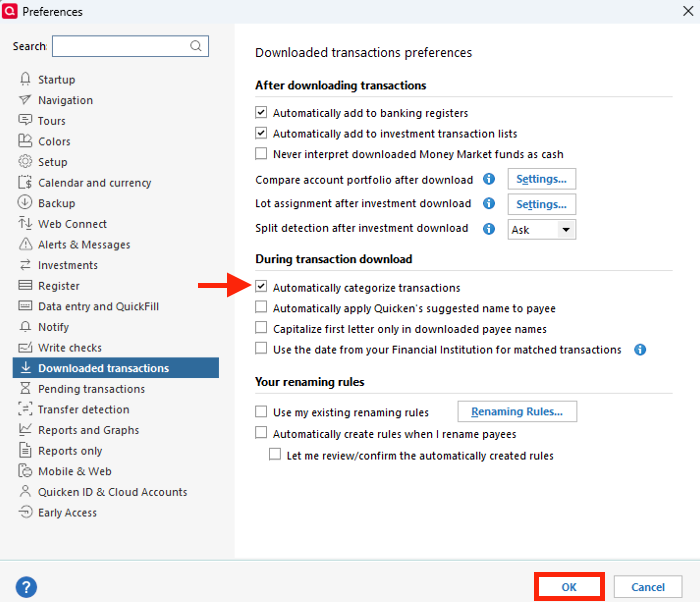
I recommend checking whether Automatically Categorize transactions is enabled.
To do so:
- Go to the Edit menu > Preferences
- Select Downloaded transactions
- Under During transaction download, check Automatically categorize transactions
- Click OK
I hope this helps! Let me know how it goes.
Quicken Carlos
Make sure to sign up for the email digest to see a round up of your top posts.
1 -
Thank you for the suggestion. Interestingly that setting was unchecked, though I am sure I did not uncheck it. I did as you described and it fixed my first problem.
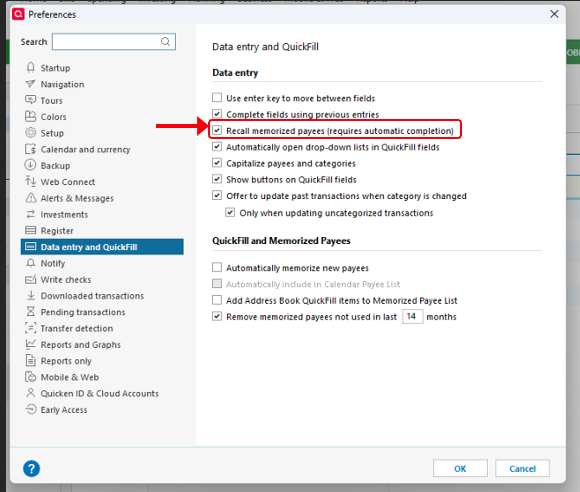
However the second problem remains. If create a new transaction and select one of the options offered from my memorized transactions, the Payee is completed correctly but the category, which is listed in the drop down, does not get added in the category box.
Thank you!
0